Docker Fundamentals
Introduction to Docker
The Shipping Container for Code
Think about global trade before the shipping container. Loading a ship was a chaotic puzzle. Goods of all shapes and sizes—crates, barrels, sacks—had to be packed together. It was slow, inefficient, and things often got damaged. Then, in the 1950s, the standardized shipping container arrived. Suddenly, it didn't matter what was inside; the box was always the same. It could be moved easily from a truck to a train to a ship, anywhere in the world.
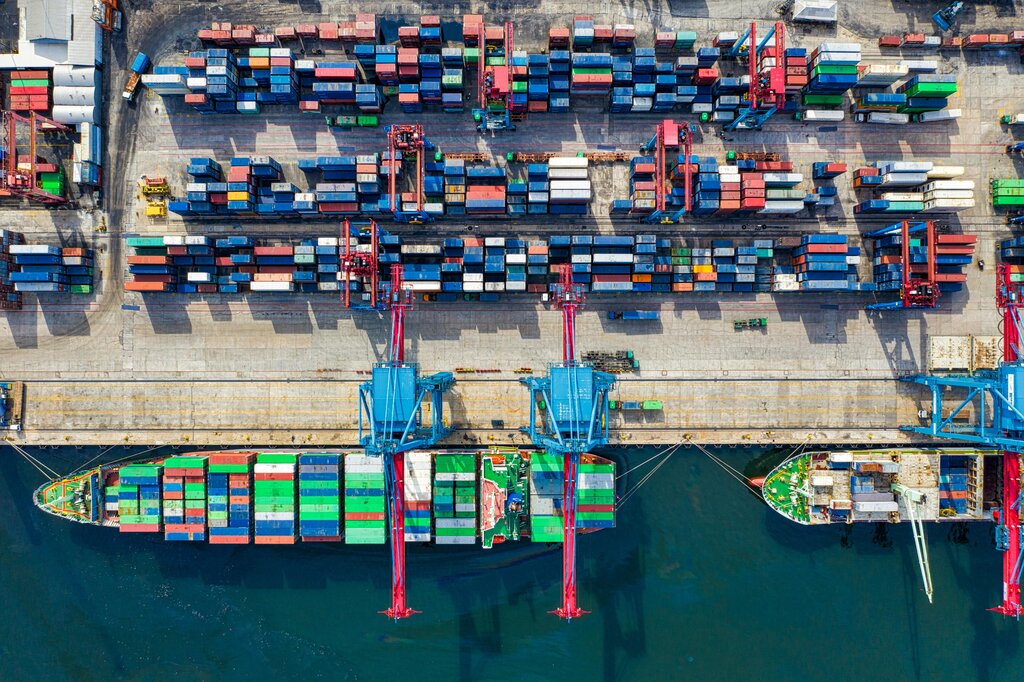
Docker does for software what the shipping container did for trade. It's a platform that packages an application and all its dependencies—like libraries, system tools, and code—into a single, standardized unit. This unit is called a container.
A Docker container is a lightweight, standalone, executable package of software that includes everything needed to run an application.
Before Docker, developers would build software on their own computers, only to find it wouldn't work on a colleague's machine or on the servers where it needed to run. Tiny differences in operating systems or installed software could cause major headaches. This was often called the "it works on my machine" problem.
Docker eliminates the "works on my machine" problem by providing a consistent execution environment across development, testing, and production.
Where Did Docker Come From?
The idea of isolating processes isn't new. It has roots in technologies that have been part of the Linux operating system for years. However, these tools were often complex and difficult for the average developer to use.
Docker, which launched in 2013, didn't invent containerization, but it made it accessible. It provided a simple, user-friendly set of tools to create, manage, and distribute containers. This simplicity is what caused its popularity to explode, making it a standard tool in modern software development.
Key Benefits
So why did this idea catch on so quickly? Because it solves real problems in practical ways.
Portability Just like a physical shipping container can travel on any ship or train, a Docker container can run on any computer that has Docker installed. It doesn't matter if it's a developer's laptop, a test server, or a cloud platform. The application inside behaves the same way everywhere.
Resource Efficiency Before containers, the common way to isolate applications was using virtual machines (VMs). A VM emulates an entire computer, including a full copy of an operating system. This uses a lot of memory and disk space.
Containers, on the other hand, share the host computer's operating system kernel. They only package the application and its direct dependencies. This makes them much smaller and faster to start.
Scalability and Deployment Because containers are small and fast, you can quickly create more of them when your application experiences high traffic. This makes scaling applications much simpler. The standardized format also simplifies the deployment process. Instead of a long list of manual setup steps, you can just run a container.
Let's review the main ideas before checking your understanding.
Ready to test your knowledge?
What is the primary problem Docker solves, often referred to as the "it works on my machine" issue?
How is a Docker container analogous to a physical shipping container?
Docker provides a powerful way to build, share, and run applications. By packaging software into predictable, isolated containers, it has become an essential tool for developers and operations teams alike.