Docker Fundamentals
Introduction to Docker
Solving the “It Works on My Machine” Problem
Imagine you're shipping cargo across the ocean. In the old days, you’d have all sorts of oddly shaped boxes and crates. Loading and unloading was a nightmare, and things often broke. Then, the standardized shipping container was invented. Suddenly, everything fit together perfectly, no matter what was inside. You could stack them on any ship, train, or truck.
Docker does for software what the shipping container did for logistics. It packages an application and all its dependencies—libraries, system tools, code, and runtime—into a standardized unit called a container. This solves a classic, frustrating problem for developers: a program runs perfectly on their computer but fails on someone else's or in the production environment.
By packaging an application and its dependencies into a standardized container, Docker ensures that software runs reliably across different environments.
With Docker, the environment is bundled with the application. If it runs in a container on your machine, it will run in the exact same way in a container anywhere else. This consistency simplifies development, testing, and deployment.
Containers vs. Virtual Machines
Before containers, the primary way to isolate applications was using virtual machines (VMs). A VM is an emulation of a complete computer system. It runs on top of a physical machine using a piece of software called a hypervisor, but it includes its own full copy of an operating system, on top of the host operating system. This is like building an entirely separate house just to host a dinner party. It works, but it's incredibly resource-intensive.
Containers take a more lightweight approach. Instead of virtualizing the hardware, containers virtualize the operating system. Multiple containers run on a single host machine and share the host OS kernel. They only package the specific libraries and settings their application requires. This makes them much smaller, faster to start, and less demanding on system resources.
How Docker Works
The Docker ecosystem has a few key components that work together. At its heart is the Docker Engine.
Docker Engine
noun
The underlying client-server application that builds, runs, and manages Docker containers.
The Docker Engine uses a client-server architecture. You interact with Docker through the client—typically the docker command in your terminal. This client sends instructions to the Docker daemon, a persistent background process that actually manages the containers. The daemon handles building, running, and distributing your containers.
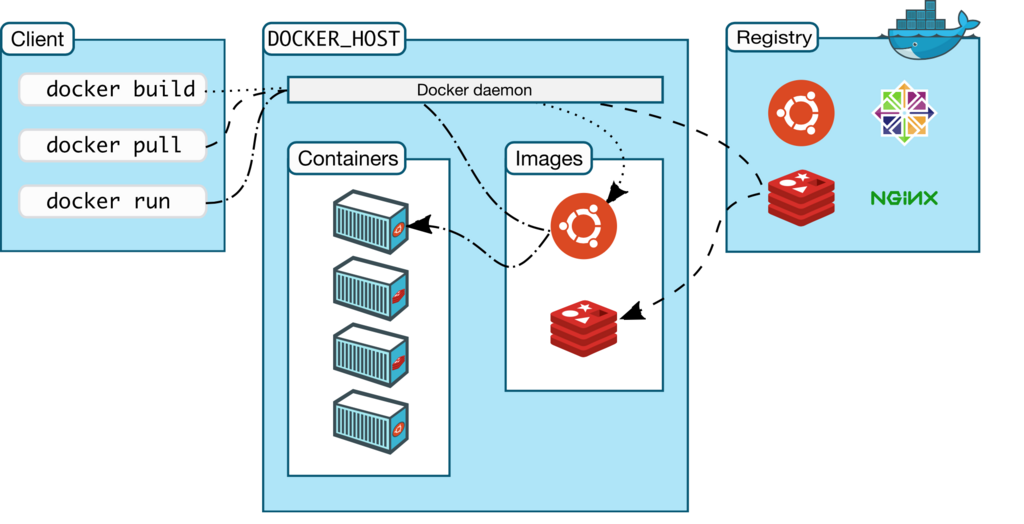
But where do the containerized applications come from? They start as Docker images. An image is a read-only template with instructions for creating a container. It's like a blueprint or a recipe. An image might contain an operating system, an application server, and your code.
These images are often stored in a registry, a central place for storing and sharing images. The most common public registry is Docker Hub, which hosts thousands of official and user-created images. You can pull an image for a database like PostgreSQL, a web server like Nginx, or a programming language like Python, and run it as a container in seconds.
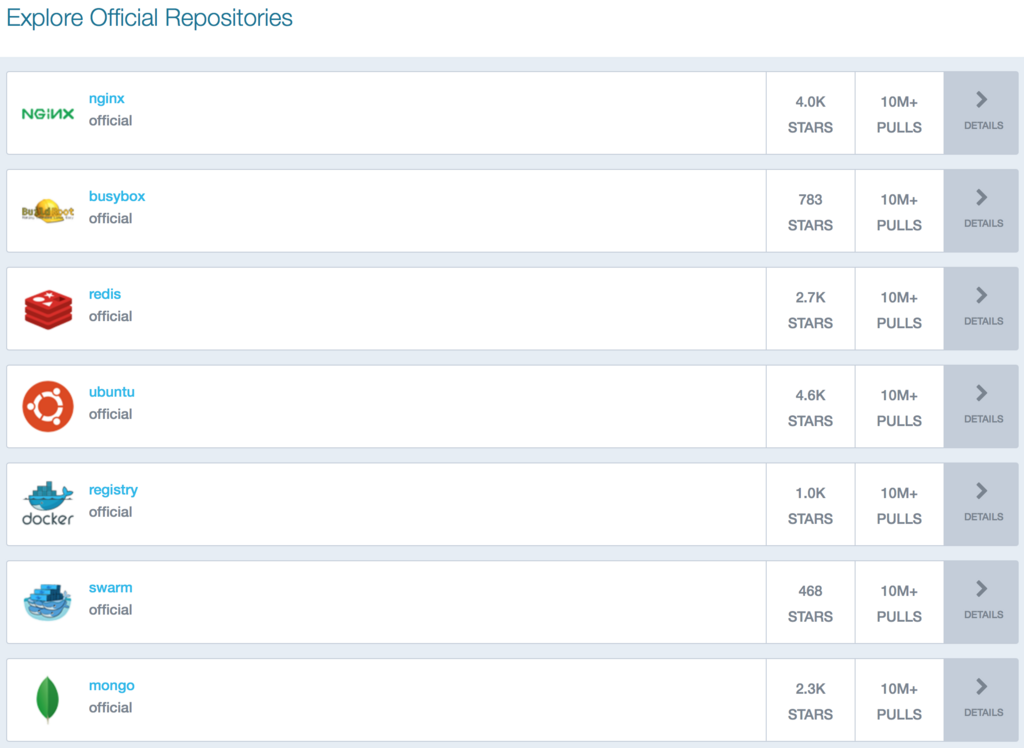
When you run a command like docker run hello-world, the Docker client tells the daemon to run a container. The daemon first checks if it has the hello-world image locally. If not, it pulls the image from Docker Hub, and then it creates and runs a new container based on that image. This simple workflow is what makes Docker so powerful and easy to use.
What real-world invention is commonly used as an analogy to explain the primary benefit of Docker?
What is the primary, classic problem Docker solves for software developers?