Docker Essentials
Introduction to Docker
What Is Docker?
Think about global shipping. Before the standardized shipping container, moving goods was a chaotic process. Items of all shapes and sizes had to be loaded and unloaded one by one. The invention of the container changed everything. It provided a standard size and shape for packing goods, making shipping faster, cheaper, and more reliable, no matter the destination.
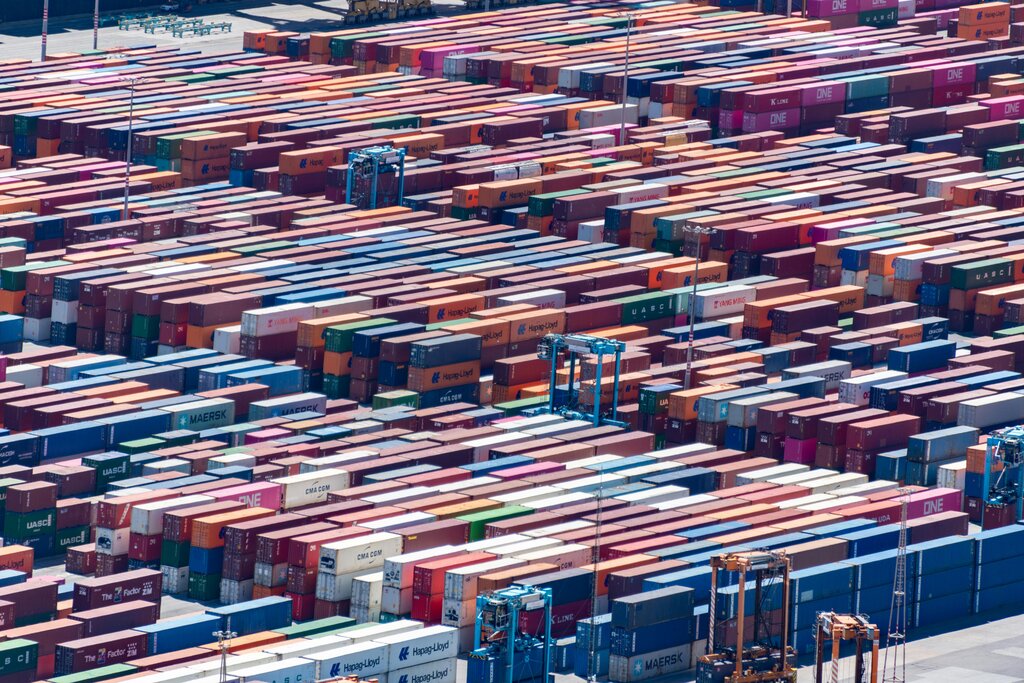
Docker does for software what the shipping container did for global trade. It's a tool that packages an application and all its dependencies—like libraries, system tools, and code—into a single, standardized unit called a container. This container can then be run on any computer that has Docker installed, and the application inside will behave exactly the same way, every time.
This solves the classic developer problem: "It worked on my machine!" By bundling everything together, Docker ensures consistency from a developer's laptop to a testing environment to a production server.
From Virtual Machines to Containers
Before containers, the standard way to isolate applications was using virtual machines (VMs). A VM is essentially an entire computer emulated in software. It includes a full copy of an operating system, the application, and all its necessary libraries and binaries. This works, but it's heavy. Each VM consumes a lot of resources like CPU, memory, and storage because it's running a complete, separate OS.
Containers are a more lightweight approach. Instead of virtualizing the entire hardware stack, containers virtualize the operating system. This means multiple containers can run on a single machine, sharing the host OS kernel but remaining isolated from each other. They only contain the application and its direct dependencies, making them much smaller, faster to start, and more resource-efficient than VMs.
The Core Components
Docker's ecosystem has a few key parts you'll hear about often. Let's break them down.
Image
noun
A read-only template with instructions for creating a Docker container. It's a snapshot of an application and its environment. Think of it as a blueprint for a house.
Container
noun
A runnable instance of an image. If an image is the blueprint, the container is the actual house built from it. You can create, start, stop, move, or delete containers based on images.
So, how do you create an image? You write a Dockerfile.
A Dockerfile is a simple text file that contains a list of commands that the Docker Engine uses to build a specific image. It's the recipe that automates the creation process.
Here's a very simple example of a Dockerfile for a Python application:
# Use an official Python runtime as a parent image
FROM python:3.9-slim

# Set the working directory in the container
WORKDIR /app

# Copy the current directory contents into the container at /app
COPY . /app

# Install any needed packages specified in requirements.txt
RUN pip install --no-cache-dir -r requirements.txt

# Make port 80 available to the world outside this container
EXPOSE 80

# Run app.py when the container launches
CMD ["python", "app.py"]
Finally, all of this is managed by the Docker Engine. It's the core of Docker, a client-server application that builds and runs the containers. It handles the complex work of managing networking, storage, and isolation, all based on your commands.
Why Docker Is a Game Changer
Understanding the components is great, but the real power of Docker lies in its benefits.
| Benefit | Description |
|---|---|
| Portability | Containers package everything an app needs, so they can run on any machine with Docker, from a laptop to the cloud, without modification. |
| Resource Efficiency | Since containers share the host OS kernel and don't need a full guest OS, they use far less memory and storage than VMs. You can run more containers on a single server. |
| Scalability | You can quickly spin up new containers to handle increased load and shut them down when they're no longer needed. This makes scaling applications easy and fast. |
| Speed | Without the overhead of booting a full OS, containers can be created and started in seconds, which dramatically speeds up development, testing, and deployment cycles. |
By combining these benefits, Docker has fundamentally changed how modern applications are built and deployed, making the process faster, more secure, and more reliable.
Now that you understand the what and why of Docker, let's test your knowledge.
What is the primary advantage of using containers over virtual machines (VMs)?
The problem Docker solves for software is analogous to the problem that standardized shipping containers solved for global trade. What was that original problem in shipping?
You now have a solid foundation in what Docker is, how it differs from traditional virtualization, and the key components that make it work. This understanding is the first step toward using containers to streamline your own development workflows.