DJing Fundamentals
DJ Equipment Basics
Your Core DJ Setup
Every DJ needs a way to play at least two tracks and a way to mix them together. This core setup, whether it's made of separate components or a single all-in-one unit, is what allows you to create a seamless flow of music. Let's break down the essential pieces of gear you'll encounter.
Turntables and Decks
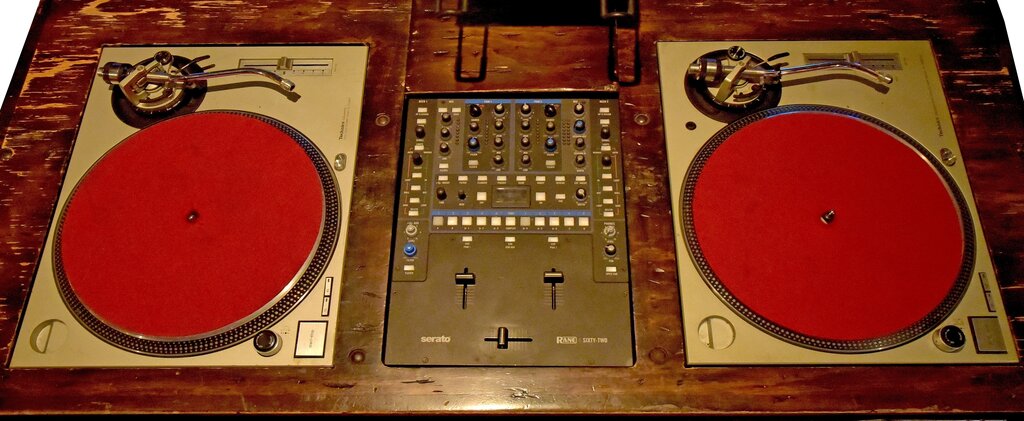
The deck is where the music plays from. Traditionally, this meant a turntable for playing vinyl records. Even in the digital age, the principles of the turntable are fundamental to DJing.
turntable
noun
A device that plays sound recordings in the form of vinyl records. It consists of a platter that rotates the record and a tonearm with a stylus that reads the grooves.
Key parts of a turntable include:
- Platter: The spinning plate that holds the record.
- Tonearm & Stylus: The arm holds a cartridge with a needle (stylus) that reads the record's grooves.
- Pitch Fader: A slider that adjusts the playback speed (pitch and tempo) of the record. This is crucial for matching the tempo of two tracks.
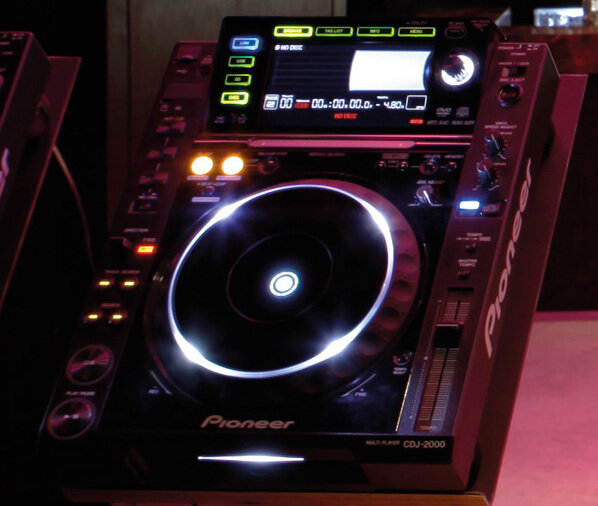
Today, many DJs use digital media players, often called CDJs or XDJs (even though they rarely play CDs anymore). These mimic the function of a turntable but play digital files from USB drives or laptops. They feature a large jog wheel to simulate the feeling of manipulating a record for scratching and adjusting playback, along with a pitch fader and other digital controls.
The Mixer
If the decks are the sources of your sound, the mixer is the heart of your setup. It's a control panel that takes the audio from your two (or more) decks and allows you to blend them together, adjust their sound, and send the final mix out to the speakers.
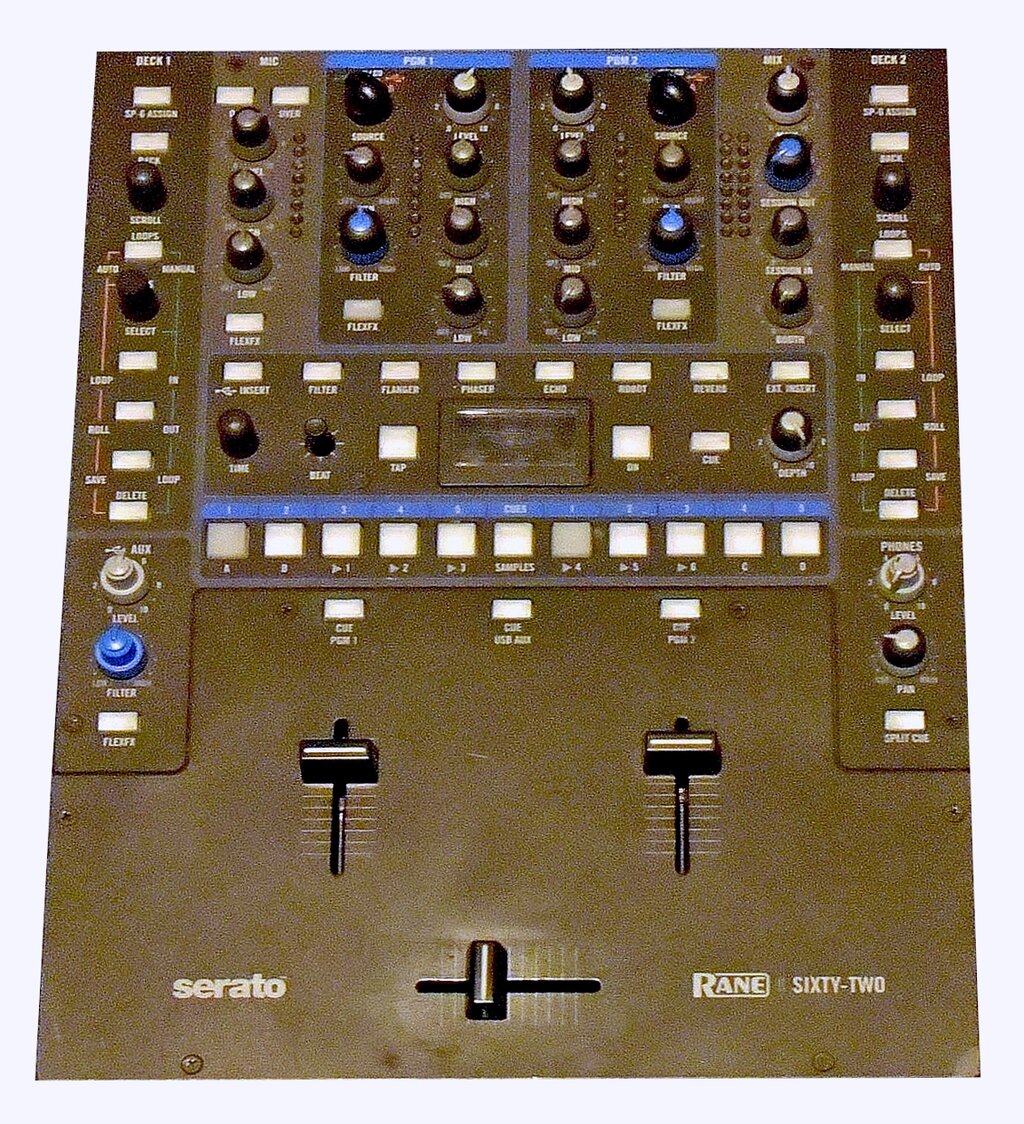
Here are the most important controls on any mixer:
| Control | Function |
|---|---|
| Channel Faders | Vertical sliders that control the volume of each individual deck. |
| Crossfader | A horizontal slider that quickly cuts or fades between your decks. |
| EQ Knobs | Dials to adjust the bass, mid, and treble frequencies for each channel. |
| Gain/Trim Knob | Sets the initial input level for a track to ensure it's not too quiet or loud. |
| Master Volume | Controls the overall volume of the final audio mix going to the speakers. |
Mastering the basic controls of a mixer is the first step toward creating smooth, professional-sounding transitions between songs.
Controllers and Headphones
For many beginners and digital DJs, a controller is the perfect starting point. A DJ controller is an all-in-one piece of hardware that combines two decks and a mixer into a single unit. It doesn't play music on its own; instead, it controls DJ software running on a connected laptop.
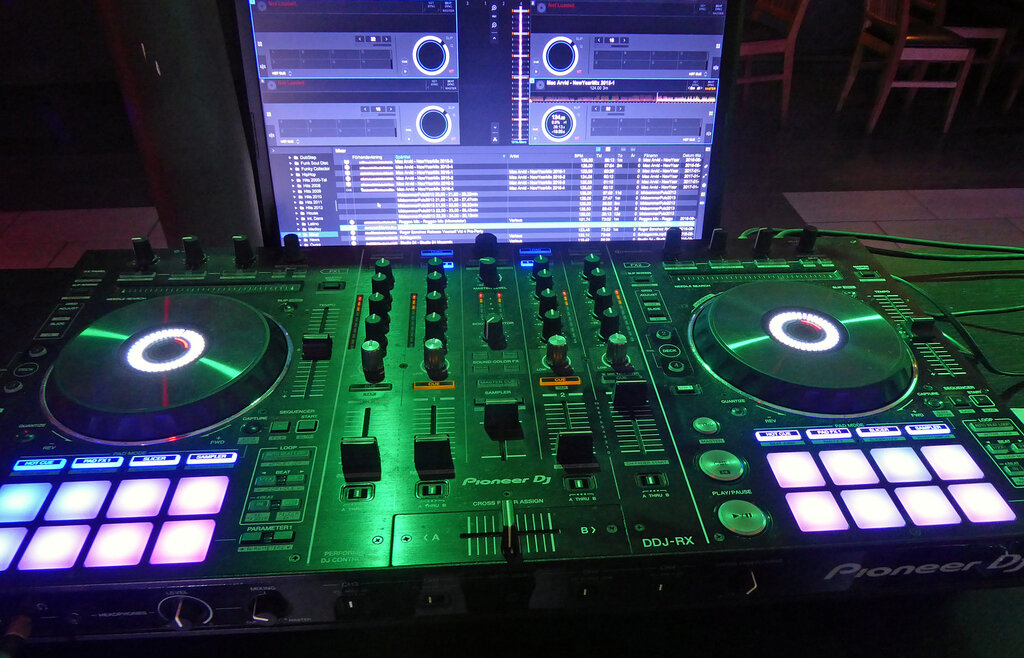
Controllers offer a more portable and often more affordable way to get a full-featured DJ experience.
No matter what kind of setup you use, a good pair of headphones is non-negotiable. They allow you to listen to the next track you want to play without the audience hearing it. This process, called cueing, is essential for preparing your mix.
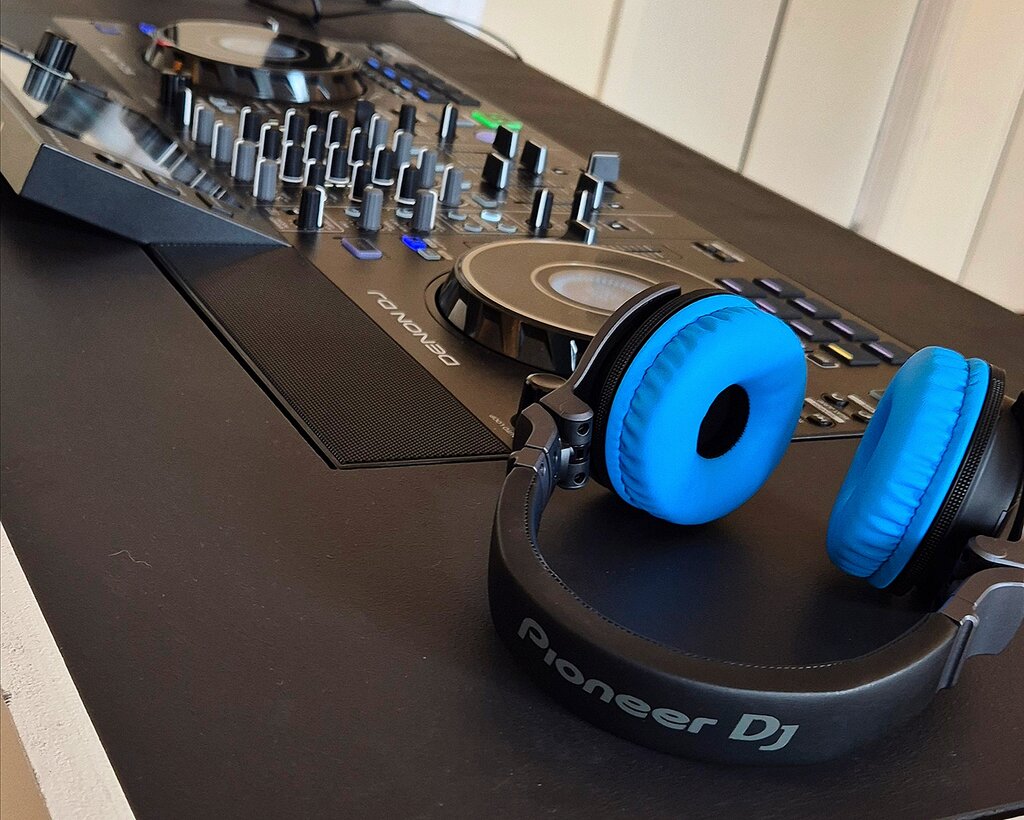
When choosing DJ headphones, look for good sound isolation to block out the noise from the main speakers, durability to withstand travel and constant use, and a comfortable fit for long sessions.
Setup and Care
Connecting your gear follows a simple path called the signal chain. Audio flows from your decks into the mixer, where you blend it, and then out from the mixer to the amplifier and speakers.
Proper care will make your equipment last. Use dust covers when your gear isn't in use. Clean your vinyl records and stylus regularly to maintain sound quality and prevent damage. Be gentle with faders and knobs, and transport your equipment in protective cases to avoid damage.
Now that you know the tools of the trade, let's test your knowledge.
What is the primary function of the pitch fader on a DJ deck?
What is the key difference between a standalone DJ setup (like CDJs and a mixer) and a typical DJ controller?
Understanding your equipment is the foundation of DJing. With these basics down, you're ready to start learning how to use them.