Django Web Framework Essentials
Introduction to Django
What is Django?
Django is a powerful toolkit for building websites with Python. Think of it like a prefabricated kit for a house. Instead of cutting every piece of wood yourself, you get pre-made walls, doors, and windows that you just need to assemble. This approach, called a framework, handles many of the common, tedious parts of web development, letting you focus on the unique features of your site.
Django is a high-level Python web framework that encourages rapid development and clean, pragmatic design.
Django follows a "batteries-included" philosophy. This means it comes with a lot of built-in features right out of the box, like a user authentication system, an admin interface for managing your site's content, and tools for creating forms. This saves you from having to write a lot of boilerplate code from scratch.
The MVT Architecture
To keep code organized, Django uses the Model-View-Template (MVT) architectural pattern. It's a way of separating the different concerns of a web application into three distinct parts. Understanding this structure is key to working effectively with Django.
The MVT pattern helps make your code more modular, maintainable, and easier to debug.
Here’s a breakdown of each component:
-
Model: This is the data layer. It defines the structure of your application's data and is responsible for interacting with the database. If you're building a blog, you might have a
Postmodel with fields for a title, content, and publication date. -
View: This is the logic layer. When a user requests a page, the view is responsible for fetching the right data from the Model, processing it, and passing it to the appropriate Template.
-
Template: This is the presentation layer. It's typically an HTML file with special Django syntax that determines how the data is displayed to the user. It receives data from the view and renders the final webpage.
Setting Up Your Workspace
Before you install Django, it's a best practice to create a virtual environment. A virtual environment is an isolated space on your computer for a specific Python project. This prevents conflicts by ensuring that the packages you install for one project don't affect other projects.
First, open your terminal or command prompt and navigate to the directory where you want to create your project. Then, run the following command to create a virtual environment. We'll call ours venv.
python -m venv venv
Next, you need to activate it. The command differs slightly depending on your operating system.
On macOS and Linux:
source venv/bin/activate
On Windows:
venv\Scripts\activate
Once activated, you'll see the name of your virtual environment in parentheses in your terminal prompt. Now you're ready to install Django. You can do this using pip, Python's package installer.
pip install django
Your First Django Project
With Django installed, you can create a new project. A project is a collection of settings for an instance of Django, including database configuration, Django-specific options, and application-specific settings.
Run this command in your terminal, replacing myproject with the name you want for your project.
django-admin startproject myproject
This command creates a myproject directory with the basic file structure you need. Here are the most important files it generates:
| File | Purpose |
|---|---|
manage.py | A command-line utility for interacting with your project. |
myproject/settings.py | Contains all the project's configuration. |
myproject/urls.py | Declares the URL paths for your project. |
myproject/wsgi.py | An entry-point for web servers to serve your project. |
Let's test it out. First, navigate into your new project directory:
cd myproject
Then, start the development server:
python manage.py runserver
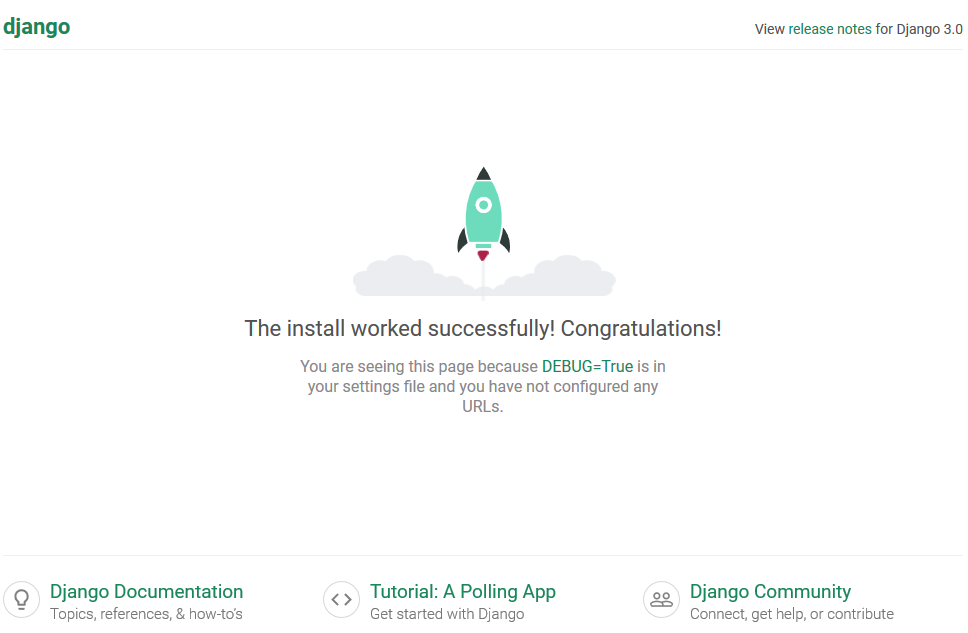
You'll see some output in the terminal, including a URL like http://127.0.0.1:8000/. Open this URL in your web browser, and you should see a welcome page.
What is the primary purpose of using a virtual environment when developing a Django project?
In Django's MVT (Model-View-Template) architecture, which component is responsible for defining the structure of the application's data and interacting with the database?
You've now got the foundational knowledge of what Django is, how it's structured, and how to get a project up and running.