Django Web Development Fundamentals
Introduction to Django
What is Django?
Django is a powerful web framework that helps you build websites and applications with Python. Think of it as a toolkit that handles many of the common, repetitive tasks of web development, so you can focus on the unique parts of your project.
Django is a high-level Python web framework that encourages rapid development and clean, pragmatic design.
Django follows a "batteries-included" philosophy. This means it comes with a vast collection of built-in features that you'd otherwise have to build yourself. This includes things like user authentication, a site administration panel, and a way to interact with your database without writing raw SQL.
The MVT Architecture
To keep code organized and maintainable, Django uses an architectural pattern called Model-View-Template, or MVT. It's a variation of the more widely known Model-View-Controller (MVC) pattern. MVT separates the application's logic into three distinct, interconnected parts.
Let's break down what each part does:
- Model: This is your data layer. A model defines the structure of your application's data, like a blueprint for a database table. Each model maps to a single table, and it handles all interactions with the database—creating, retrieving, updating, and deleting records.
- View: This is the logic center. When a user requests a page, the view is responsible for processing that request. It interacts with the model to fetch the necessary data and then passes that data to a template to be displayed.
- Template: This is the presentation layer. It's typically an HTML file with special Django-specific syntax. The template determines how the data from the view is structured and rendered for the user in their browser. It's what the user actually sees.
In short: The Model manages the data, the View handles the logic, and the Template displays the information.
Getting Started
Ready to build something? First, you need to set up your development environment. It's a best practice to use a virtual environment for each project. This creates an isolated space for your project's dependencies, so different projects don't interfere with each other.
First, create and activate a virtual environment:
# For macOS/Linux
python3 -m venv myenv
source myenv/bin/activate

# For Windows
python -m venv myenv
myenv\Scripts\activate
With your virtual environment active, you can install Django using pip, Python's package installer.
pip install django
Once Django is installed, you can create a new project. This command sets up the basic file structure for you.
django-admin startproject myproject .
The . at the end tells Django to create the project in the current directory. After running this, your folder will contain a manage.py file and a myproject directory.
To see your new site in action, run the development server.
python manage.py runserver
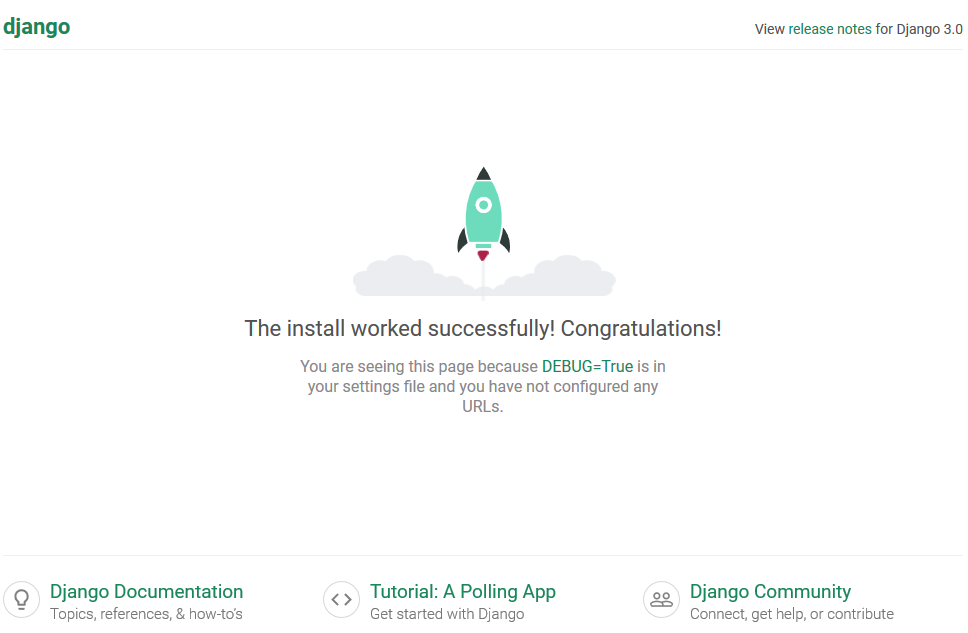
Now, open your web browser and go to http://127.0.0.1:8000/. You should see a success page, confirming that your installation worked.
Batteries Included
As mentioned, Django comes with powerful features out of the box. Here are a few key ones you'll use right away:
Object-Relational Mapper (ORM) Django's ORM lets you interact with your database using Python code instead of writing SQL queries. You define your data models as Python classes, and the ORM translates your code into database commands. This makes your code more readable and portable across different database systems.
Admin Interface One of Django's most loved features is its automatic admin interface. With just a few lines of code, Django can generate a complete, production-ready website for administrators to manage the site's content. You can create, edit, and delete any of the data models you've defined.
Authentication Building a secure user authentication system (handling sign-ups, logins, passwords, and permissions) is complex. Django provides a built-in system that handles all of this for you, complete with secure password hashing and user session management.
These features provide a solid foundation, allowing you to build complex web applications much more quickly and securely.