Django Web Development Fundamentals
Introduction to Django
What is Django?
Django is a powerful framework for building web applications using Python. Think of it as a toolkit that handles many of the common, tedious parts of web development for you. This includes things like managing databases, handling user accounts, and creating admin panels.
Its "batteries-included" philosophy means it comes with almost everything you need right out of the box. This lets you focus on the unique parts of your application instead of reinventing the wheel. Django encourages rapid, clean, and practical design, making it a popular choice for everything from simple blogs to complex e-commerce sites.
Django is a high-level Python web framework that encourages rapid development and clean, pragmatic design.
Setting Up Your Environment
Before installing Django, it's a best practice to create a virtual environment. A virtual environment is an isolated space on your computer for a specific Python project. This prevents conflicts between different projects that might require different versions of the same library.
First, make sure you have Python installed. You can check by running python --version or python3 --version in your terminal. Once confirmed, create a directory for your project, navigate into it, and create a virtual environment. We'll call ours venv.
# For macOS/Linux
python3 -m venv venv
source venv/bin/activate

# For Windows
python -m venv venv
venv\Scripts\activate
Once activated, you'll see (venv) at the beginning of your terminal prompt. This indicates that any Python packages you install will be contained within this environment.
Creating a Project
With your virtual environment active, you can now install Django using pip, Python's package installer.
pip install django
After the installation finishes, you can create a new Django project. A project is a collection of settings and apps for a particular website. Let's create a project named myproject.
django-admin startproject myproject .
The . at the end tells Django to create the project in the current directory, which is cleaner than creating an extra folder. Now, run the development server to see your project in action.
python manage.py runserver
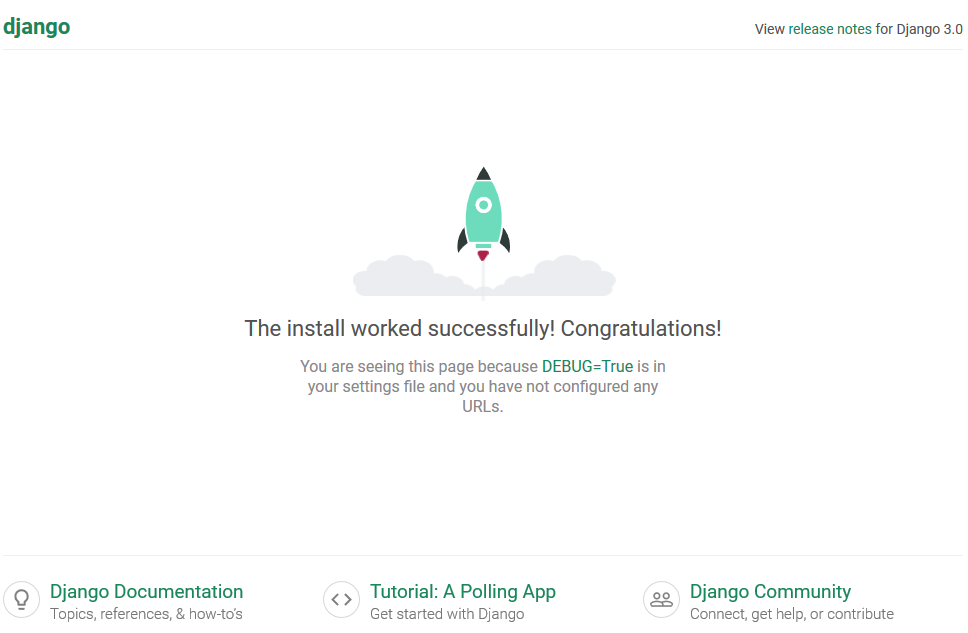
If you navigate to http://127.0.0.1:8000 in your web browser, you should see a success page.
The MVT Architecture
Django structures applications using the Model-View-Template (MVT) architectural pattern. It's a way of organizing your code to keep different concerns separate, which makes your project easier to manage as it grows.
Let's break down each part using a restaurant analogy:
-
Model: This is your data layer. It defines the structure of your data and how it's stored, usually in a database. In our analogy, the Model is like the restaurant's menu—it defines what food items are available and their properties (ingredients, price).
-
View: The View is the logic layer. It receives a request from a user, interacts with the Model to fetch the necessary data, and then passes that data to a Template. The View is the waiter who takes your order (the request), gets the food from the kitchen (the Model), and brings it to your table.
-
Template: This is the presentation layer. It's typically an HTML file with special syntax that determines how the data is displayed to the user. The Template is the empty plate and table setting. It provides the structure, and the waiter (the View) places the food (the data) onto it before you see the final meal.
This separation makes your code more organized. The person designing the HTML (Template) doesn't need to know Python, and the person writing the business logic (View) doesn't need to know how the data is stored (Model).
What is the primary philosophy behind the Django framework?
True or False: A virtual environment in Python is used to isolate a project's dependencies, preventing conflicts with other projects.
You've now set up a Django project and learned about its core architecture. This foundation is the first step toward building dynamic and powerful web applications.