Django Fundamentals
Introduction to Django
What Is Django?
Django is a powerful tool for building websites and web applications using Python. Think of it as a professional toolkit for a builder. Instead of creating every tool from scratch, you get a box full of high-quality, ready-to-use components that fit together perfectly. This approach lets you build complex, secure, and functional websites much faster.
Django is a high-level Python web framework that follows the "batteries-included" philosophy.
This "batteries-included" idea is central to Django. It means that many common features you'd need for a web application are already built-in. This includes things like user authentication (signing up, logging in), a system for interacting with your database (the Object-Relational Mapper, or ORM), and an automatic admin panel for managing your site's content. You don't have to build these from the ground up.
Setting Up Your Workspace
Before starting a Django project, it's a best practice to create a virtual environment. This creates an isolated space for your project, ensuring that the packages and dependencies you install for one project don't interfere with others on your computer. It's like giving each project its own clean, organized workshop.
Think of a virtual environment as a dedicated toolbox for each project, preventing your tools from getting mixed up.
First, open your terminal or command prompt. To create a virtual environment, navigate to the directory where you want to store your project and run this command:
python -m venv my_env
This creates a new folder called my_env. Now, you need to activate it. The command differs slightly based on your operating system.
On macOS and Linux:
source my_env/bin/activate
On Windows:
my_env\Scripts\activate
Once activated, you'll see the name of your virtual environment in your command prompt. Now you can install Django inside this clean environment using pip, Python's package installer.
pip install Django
Creating Your First Project
With Django installed, you can now create the main structure for your website. Django provides a command-line utility to generate all the necessary files and folders.
django-admin startproject my_site
This command creates a my_site directory. Inside, you'll find a few key files:
| File | Purpose |
|---|---|
manage.py | A command-line utility for interacting with your project. |
settings.py | Contains all your project's configurations. |
urls.py | Defines the URL paths for your website. |
wsgi.py | Helps your Django application communicate with a web server. |
Now, let's make sure everything works. Navigate into your new project directory (cd my_site) and run the development server.
python manage.py runserver
You'll see some output in your terminal. If you open a web browser and go to http://127.0.0.1:8000, you should see a welcome page.
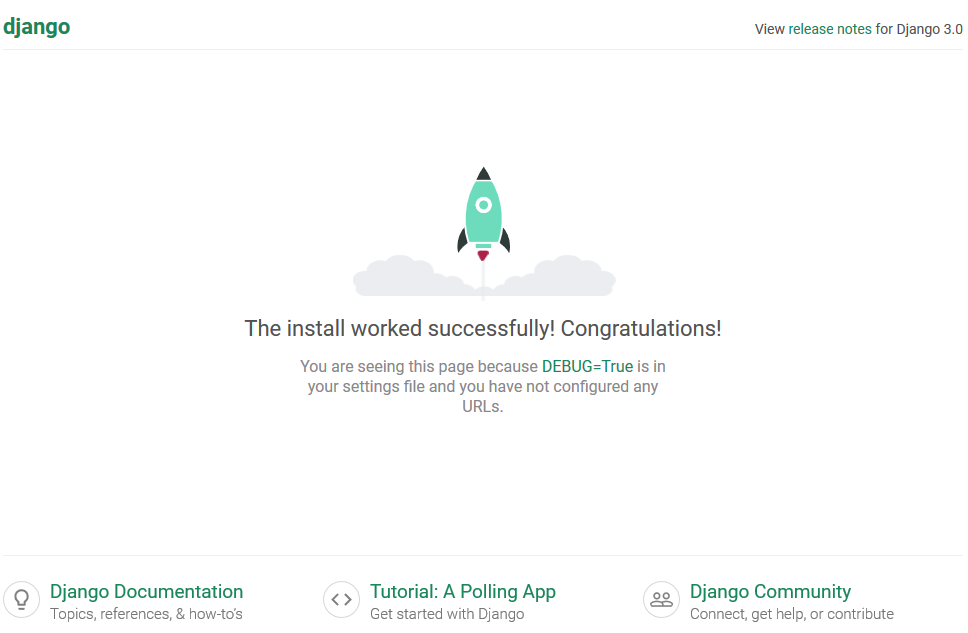
Congratulations! You've just set up and run your first Django project. This is the starting point from which you'll build out your web application.
What does Django's 'batteries-included' philosophy primarily signify?
What is the main purpose of creating a virtual environment for a Django project?