Digital Video Editing Essentials
Introduction to Video Editing
What is Video Editing?
At its core, video editing is the art of storytelling. It's the process of taking raw video footage, selecting the best parts, and arranging them in a sequence to create a finished piece. Think of a film director shooting hours of footage for a single scene. The editor's job is to sift through all that material and piece together the few minutes that will appear on screen.
Video editing is the process of modifying and refining raw footage to create a polished, engaging final product.
This process isn't just about removing mistakes. It's about shaping the raw material to guide the audience's attention and emotions. From Hollywood blockbusters to short social media clips, editing determines what the viewer sees, when they see it, and how it makes them feel. It's a crucial step that transforms a collection of clips into a coherent and compelling narrative.
The Language of Editing
To get started in editing, you need to know some of the basic language. These are the building blocks you'll work with in any editing software.
Clip
noun
A single, continuous segment of video or audio. Also sometimes called a shot.
You might have dozens or even hundreds of clips for a single project.
Cut
noun
An instantaneous transition from one clip to another. It's the most common transition in video editing.
A series of clips joined by cuts forms a sequence.
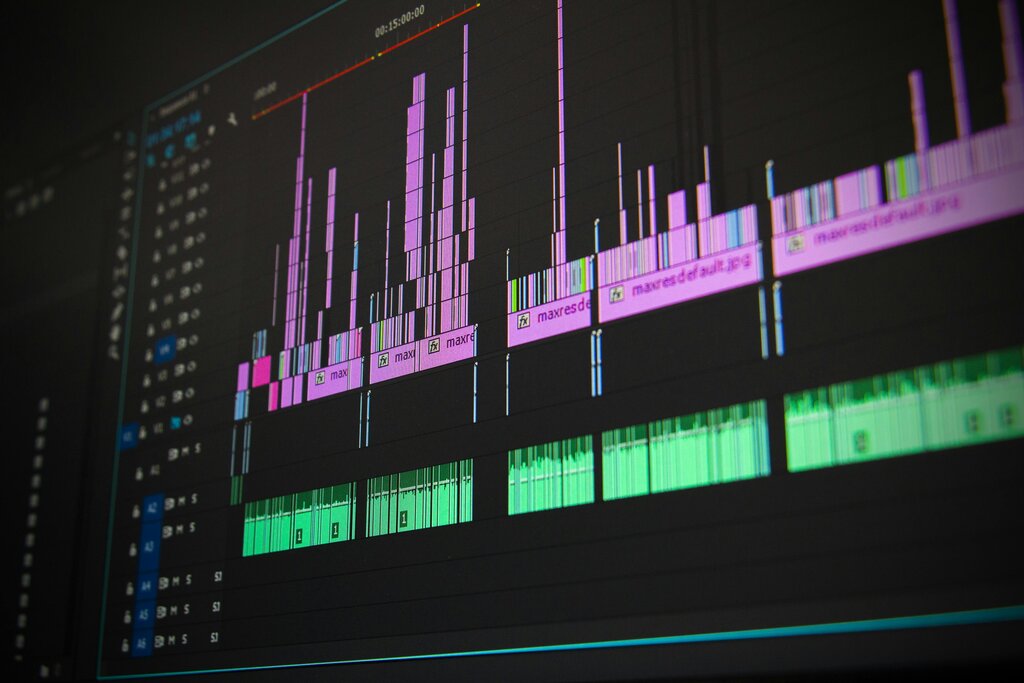
Timeline
noun
The interface in editing software where clips are arranged sequentially. It's a visual representation of your video from beginning to end.
Essentially, you place your clips onto the timeline and use cuts to move between them. This is the fundamental workflow of almost all video editing.
Building a Story
Editing is where the story truly comes together. The choices an editor makes about which shot to use and when to use it have a massive impact on the final product.
Selecting and sequencing shots isn't just about putting them in chronological order. An editor might start a film with a scene from the end to create mystery. They might cut between two different conversations to show a contrast. Each choice is deliberate.
Every cut should have a purpose. It should either advance the story, reveal character, or create a specific feeling.
A key concept here is continuity. This is the principle of making sure that the details in a scene are consistent from one shot to the next. If a character is holding a cup in their left hand in one shot, they should be holding it in the same hand in the next shot, unless they've explicitly moved it. If it's sunny outside a window, it shouldn't be raining in the next cut.
Breaks in continuity can distract the audience and pull them out of the story. A good editor works carefully to maintain this illusion of continuous time and space, even though the footage may have been shot hours or days apart.
Finally, editing shapes the narrative and pacing of a video. Pacing is the rhythm and speed of the story. A fast-paced action sequence might use many short, quick cuts to create a sense of chaos and excitement. A slow, dramatic conversation might use very long takes with few cuts, allowing the actors' performances to unfold naturally.
By controlling the length of shots and the rhythm of the cuts, an editor can make a scene feel tense, sad, funny, or energetic. This control over time and emotion is the real power of video editing.
What is the primary role of a video editor?
In video editing, what is the term for the principle of ensuring details in a scene are consistent from one shot to the next?
You now have a foundational understanding of what video editing is and the core concepts that guide an editor's work.