Digital Security Essentials
Understanding Digital Security
Your Digital Front Door
Think of your online life like your home. You have valuable things inside—photos, messages, financial information, personal documents. Just as you lock your front door to keep intruders out, you need to secure your digital world. Digital security is the practice of protecting your online information and accounts from being stolen or misused.
Every time you create an account, share a post, or send an email, you're leaving a digital footprint. Protecting this footprint is crucial because there are people who want to exploit it.
Common Online Threats
Understanding the threats you face is the first step toward defending against them. While the digital world has many dangers, most fall into a few common categories.
Phishing
noun
A fraudulent attempt to obtain sensitive information such as usernames, passwords, and credit card details by disguising as a trustworthy entity in an electronic communication.
Phishing is a trick. Imagine getting an urgent email from your bank, complete with the official logo, asking you to click a link to verify your account. The link, however, leads to a fake website designed to steal your login credentials. That's a classic phishing attack. They often create a sense of panic to make you act without thinking.
Always be skeptical of unexpected emails or messages that ask for personal information or urge you to click a link.
Another common threat is malware, which is short for "malicious software." This is any software designed to harm your computer or steal your data. Viruses, spyware, and ransomware are all types of malware. You might get it by downloading a file from a shady website or opening a compromised email attachment. Once on your device, it can do anything from logging your keystrokes to encrypting your files and demanding payment to get them back.
Finally, there’s unauthorized access. This is when someone logs into your account without your permission. It’s often the result of a weak, stolen, or reused password. Once inside, they can read your private messages, steal your information, or even impersonate you.
Your First Line of Defense
Your password is the main gatekeeper for your accounts. A weak password is like leaving your front door unlocked. A strong password, on the other hand, is a formidable barrier.
What makes a password strong? Three things:
- Length: The longer, the better. Aim for at least 12 characters.
- Complexity: Use a mix of uppercase and lowercase letters, numbers, and symbols.
- Uniqueness: Never reuse passwords across different websites. If one site is breached, attackers won't be able to access your other accounts.
| Weak Password | Strong Password |
|---|---|
password123 | R#cK-L1mb3r!9qZ |
johndoe | B!g-Sunfl0wer-Gr@ss |
12345678 | 47%purple#Moose-jumps |
Creating and remembering dozens of unique, complex passwords is a huge challenge. That’s why many people use a password manager, a tool that securely stores all your passwords in one place. We'll explore those later.

Adding a Second Lock
Even a strong password can be stolen. That's where two-factor authentication, or 2FA, comes in. It adds a second layer of security to your accounts, making it much harder for anyone else to get in.
Think of it this way: your password is the first lock. It’s something you know. 2FA adds a second lock that requires something you have, like your phone. When you log in, after entering your password, the service will ask for a temporary code sent to your phone or generated by an authenticator app. Without that code, you can't get in.
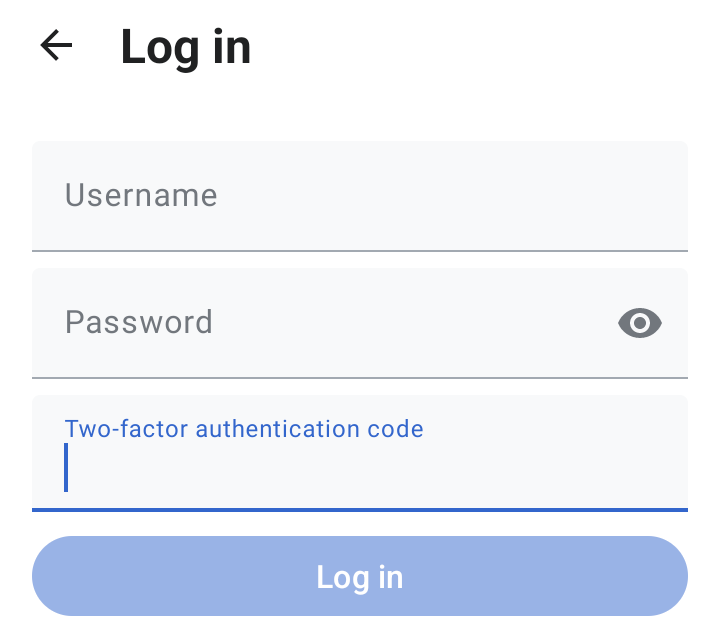
This means that even if a hacker steals your password, they are stopped in their tracks. They can't access your account because they don't have your phone.
If you want to keep your online accounts safe, adding two-factor authentication (2FA) is the single most important step you can take.
Understanding these basic threats and defenses is the foundation of good digital security. By using strong, unique passwords and enabling 2FA, you can protect yourself from the most common attacks.
You receive an email that looks like it's from your streaming service, warning that your account will be suspended unless you immediately click a link and re-enter your payment details. This is a classic example of what kind of threat?
What is the primary purpose of two-factor authentication (2FA)?
These concepts form the building blocks of personal digital security. In the next steps, we'll dive into how to put them into practice.