Digital Security Essentials Password Manager and 2FA
Digital Security Basics
Your Digital Front Door
Think of your online accounts—email, social media, banking—as digital versions of your home. Each one has a front door, and the key is usually your password. Just as you lock your house to keep your belongings safe, you need to secure your digital life to protect your personal information. Digital security is all about making sure you're the only one with the keys to your accounts.
Common Online Threats
To protect yourself, it helps to know what you're up against. While the digital world has many threats, a few common ones are responsible for most security problems.
Phishing
noun
A type of online scam where criminals impersonate legitimate organizations via email, text message, or other means to trick you into revealing sensitive information.
Phishing attacks are like a wolf in sheep's clothing. You might get an email that looks like it’s from a service you trust, like your bank or a streaming platform. It might claim there’s a problem with your account and urge you to click a link to fix it. That link, however, leads to a fake website designed to steal your username and password the moment you enter them.
Another major threat is malware, which is short for malicious software. This includes viruses, spyware, and ransomware. Malware can get onto your computer or phone if you click a shady link or download an infected file. Once inside, it can do anything from stealing your personal data to locking up your files and demanding payment.

Finally, there are data breaches. This is when a company's security is compromised, and sensitive user data—like names, email addresses, and passwords—is stolen. You might have perfect security habits, but if a service you use gets hacked, your information could still be exposed. These stolen credentials often end up for sale online, where criminals can buy them to try and access other accounts.
The Power of a Strong Password
Your password is your first and most important line of defense. Using something simple like "123456" or "password" is like leaving your house key under the doormat. It’s one of the first things an intruder will try.
A strong password acts as a much more complex lock. The best passwords have three key traits:
- They are long. The more characters a password has, the harder it is for computers to guess. Aim for at least 12 characters.
- They are complex. A good password uses a mix of uppercase letters, lowercase letters, numbers, and symbols (like !, @, or #).
- They are unique. This is the most crucial rule. You should use a different password for every single online account.
Using the same password everywhere is like having one key for your house, your car, and your office. If a thief gets that key, they can unlock your entire life.
When a company has a data breach, hackers take the stolen list of emails and passwords and try them on other popular websites. If you reuse your password, a breach at one site means your email, banking, and social media accounts are all at risk.
Your passwords are your first line of defence.
More Than Just a Password
Passwords are a form of authentication—a way to prove you are who you say you are. Specifically, a password is a knowledge factor: something only you should know.
But what if someone steals your password? To make accounts even more secure, many services now offer ways to add extra layers of authentication. These extra layers rely on different factors, such as:
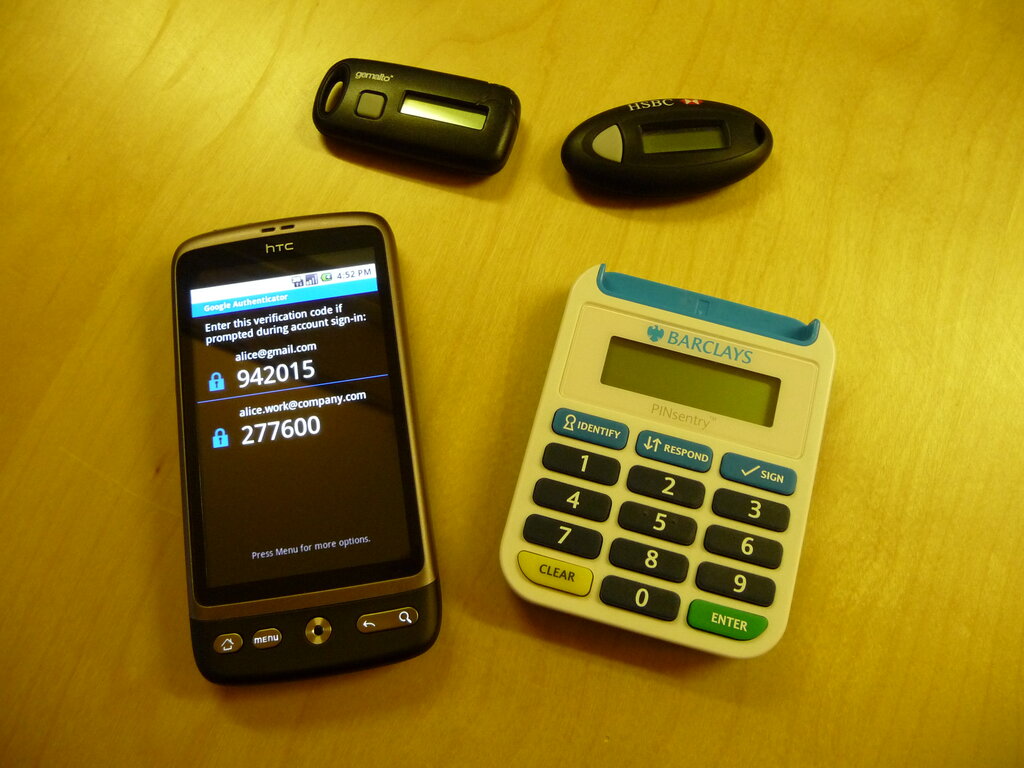
- A possession factor: Something you have, like your phone receiving a code via text message.
- An inherence factor: Something you are, like your fingerprint or your face.
When you combine a password with one of these other factors, you create a much stronger barrier against unauthorized access. Even if a hacker manages to steal your password, they won't be able to get in without also having your phone or your fingerprint. This strategy is a cornerstone of modern digital security.
Understanding these basic concepts—the threats you face, the importance of strong and unique passwords, and the idea of layered security—is the first step toward taking control of your digital life.
What is the primary goal of a phishing attack?
Using your fingerprint to unlock your phone is an example of what type of authentication factor?
Now that you've learned the fundamentals, you're better equipped to navigate the online world safely.