Digital Security Essentials
Understanding Digital Security
Guarding Your Digital Life
Think about how you protect your home. You lock the doors, maybe you have an alarm system. Your online life needs the same kind of attention. Digital security is all about protecting your information—your emails, bank accounts, photos, and personal data—from being accessed by people who shouldn't have it.
Every time you sign up for a new app, buy something online, or post on social media, you're creating a piece of your digital identity. Protecting it is crucial, and it starts with understanding the risks.
Common Online Threats
The internet has its share of dangers, but most fall into a few common categories. Knowing what they are is the first step toward avoiding them.
phishing
noun
A type of online scam where criminals impersonate legitimate organizations via email, text message, or other means to steal sensitive information.
Phishing attacks are like a wolf in sheep's clothing. You might get an email that looks like it’s from a service you trust, like your bank or a delivery company. It might ask you to click a link to update your details or track a package. But the link leads to a fake website designed to steal your username and password.
malware
noun
Short for "malicious software," it's any software intentionally designed to cause damage to a computer, server, client, or computer network.
Malware includes viruses, spyware, and ransomware. It can secretly install itself on your device if you click a bad link or download an unsafe file. Once there, it can do anything from slowing down your computer to stealing your personal information or holding your files hostage for a ransom.
Then there are data breaches. This is when a company's secure database is hacked, and user information—like names, email addresses, and passwords—is stolen. You might not have done anything wrong, but your data is now exposed. Attackers often sell this information or use it to try and access other accounts.

Your First Line of Defense
So, how do you protect yourself? It all starts with your passwords. They are the keys to your digital life. The problem is that many people reuse the same simple password for multiple websites. If a data breach happens at just one of those sites, attackers now have the key to many of your accounts.
This is why using a strong, unique password for every single account is one of the most effective security measures you can take. A strong password is long and uses a mix of uppercase and lowercase letters, numbers, and symbols. A unique password means you use it for one account and one account only.
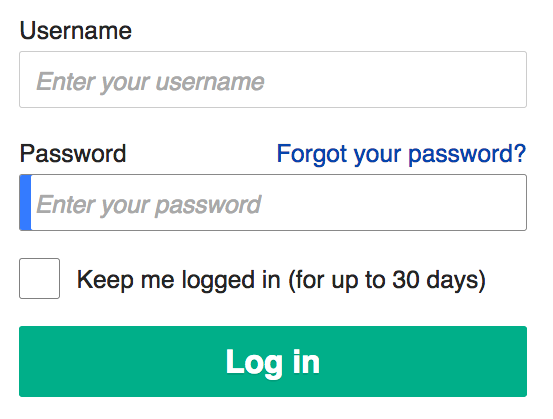
The single biggest mistake you can make is reusing passwords. A different, strong password for every account is your best defense.
Adding a Second Lock
Even with a strong password, your account can be vulnerable. That's where two-factor authentication, or 2FA, comes in. It adds a second layer of security to your accounts, making it much harder for anyone else to get in, even if they have your password.
If you want to keep your online accounts safe, adding two-factor authentication (2FA) is the single most important step you can take.
Think of it like a bank vault. Your password is the first key. But to open the vault, you also need a second key—a temporary code. With 2FA, this code is usually sent to your phone via an app or text message. This combines something you know (your password) with something you have (your phone).
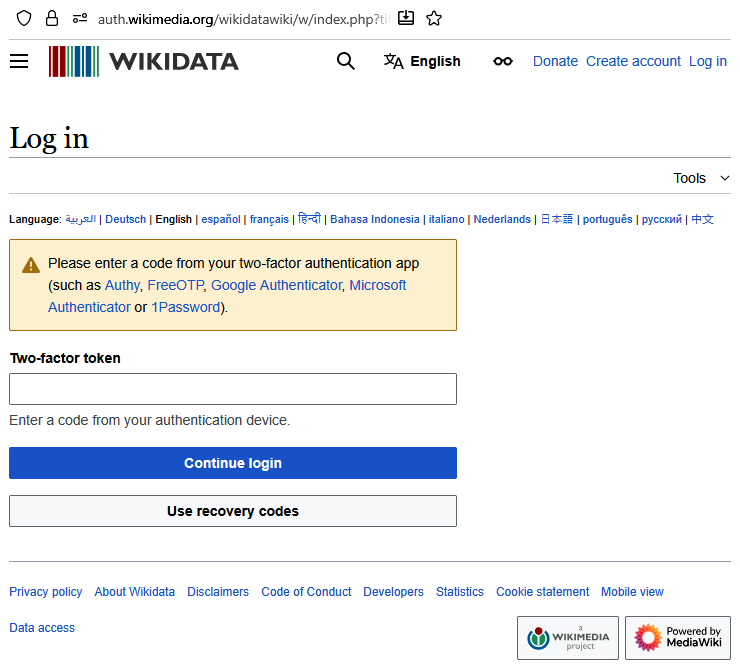
By understanding these threats and taking two simple but powerful steps—using strong, unique passwords and enabling 2FA—you can dramatically improve your online security. These practices form the foundation of a safe digital life.