Digital Security Essentials
Understanding Digital Security
Your Digital Front Door
Think of your online accounts—email, banking, social media—as rooms in your digital house. Each one holds something valuable, from personal conversations to financial information. Just like you lock the doors to your physical home, you need to secure the entrances to your digital life.
Unfortunately, there are always people trying to find an unlocked door. These digital threats aren't just a nuisance; they can lead to identity theft, financial loss, and a major loss of privacy. Understanding how they work is the first step to protecting yourself.
Common Threats to Watch For
Cyber threats come in many forms, but most have the same goal: to trick or force their way into your accounts. Three of the most common methods are phishing, malware, and data breaches.
Phishing is a form of digital trickery. An attacker impersonates a trustworthy source, like your bank or a popular online service, to fool you into handing over your login credentials or personal information. These attempts often arrive as emails or text messages with a sense of urgency.
Example Phishing Email: "URGENT: Your account has been compromised. Click here immediately to verify your password and secure your account."
Malware, short for malicious software, is any program designed to harm or exploit your devices. This includes viruses that corrupt files, spyware that secretly records your activity, and ransomware that locks your files until you pay a fee. Malware often spreads through suspicious downloads or infected email attachments.
Data Breaches happen when a company's security is compromised and user data is stolen. This can include names, email addresses, and passwords. Even if you do everything right, a breach at a service you use can expose your information. If you use the same password on multiple sites, a breach at one company can give attackers the key to all your accounts.
Your First Line of Defense
The single most important barrier protecting your accounts is your password. It’s the lock on your digital front door. A weak password is like leaving that door unlocked, while a strong one is like installing a deadbolt.
Your passwords are your first line of defence.
So what makes a password strong?
- Length: Longer is always better. A password with 12 or more characters is much harder to guess than one with six.
- Complexity: A mix of uppercase letters, lowercase letters, numbers, and symbols creates far more possible combinations.
- Uniqueness: Every account should have a different password. This way, if one account is compromised in a data breach, your other accounts remain safe.
A weak password often uses common words (password123), personal information (Fido1999), or simple patterns. These are easy for both humans and computers to guess.
Adding a Second Lock
Even the strongest password can be stolen. That's where two-factor authentication, or 2FA, comes in. It’s like adding a second, different kind of lock to your door. Even if someone steals your key (your password), they still can't get in without the second piece of verification.
Authentication
noun
The process of verifying that someone is who they claim to be. A password is one factor of authentication.
2FA requires you to provide two different types of proof of your identity when you log in:
- Something you know: This is your password.
- Something you have: This is the second factor, usually a temporary code generated by an app on your phone or sent via text message.
By requiring both, 2FA makes it dramatically harder for an unauthorized person to access your accounts. Even if a data breach exposes your password, your account remains secure because the attacker doesn't have your phone to receive the 2FA code.
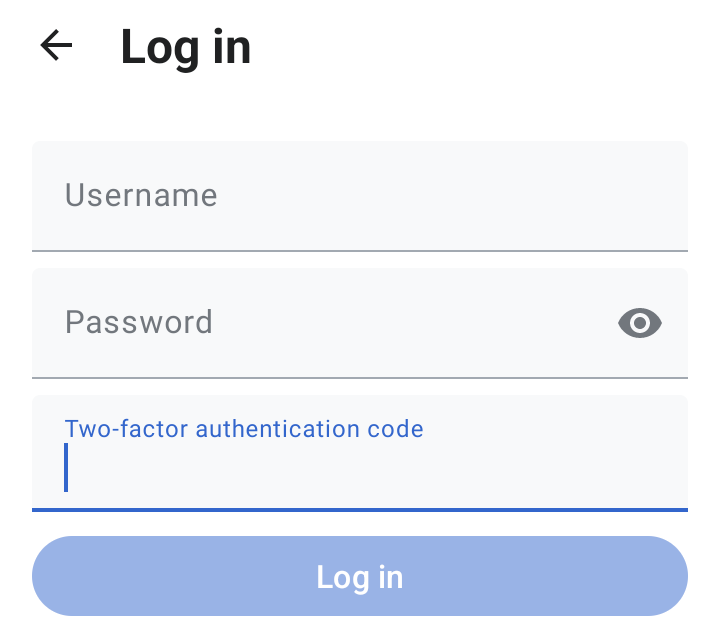
Enabling 2FA is one of the most effective steps you can take to protect your digital life.
If you want to keep your online accounts safe, adding two-factor authentication (2FA) is the single most important step you can take.
Understanding these basic threats and defenses is the foundation of good digital security. By using strong, unique passwords and enabling two-factor authentication wherever possible, you build a powerful defense against most common attacks.