Digital Security Essentials
Understanding Digital Security
Protecting Your Digital Life
Every time you go online, you leave behind small traces of information. Think of it like a trail of digital footprints. This trail can include your email address, your passwords, your credit card numbers, and even personal details you share on social media. Just like you lock your front door to protect your home, you need to take steps to protect this information online.
Digital security is all about keeping your personal data safe from people who shouldn't have access to it. It’s not about being paranoid; it's about being smart and aware. When your information falls into the wrong hands, it can lead to identity theft, financial loss, and other serious problems. Let's look at a few common ways this can happen.
Common Digital Threats
There are many ways attackers try to get your information. Most methods aren't super technical. Instead, they often rely on tricking you into making a mistake. Understanding these tricks is the first step to avoiding them.
Phishing
noun
A fraudulent attempt, usually made through email, to steal your personal information.
Phishing is like a digital fishing trip, but you're the fish. An attacker sends a message that looks like it's from a legitimate company, like your bank or a popular online store. The message might say there's a problem with your account or offer you an amazing deal. It will then ask you to click a link and enter your username and password.
That link leads to a fake website that looks just like the real one. When you type in your credentials, you’re handing them directly to the attacker.
A tell-tale sign of phishing is a sense of urgency. The message often creates panic, telling you to act immediately or your account will be closed.
Another common threat is malware, which is short for 'malicious software.' This is any software designed to harm your computer or steal your data. Malware can get onto your device if you download a file from a shady website or click a malicious link in an email. Once installed, it can do things like record your keystrokes to steal passwords, encrypt your files and demand a ransom, or use your computer to attack others.

Finally, there are data breaches. This happens when a company that stores your information, like a retailer or a social media site, gets hacked. The attackers steal the company's user data, which can include names, email addresses, and passwords.
You may not have done anything wrong, but your information can still be exposed. If you use the same password on multiple sites, a breach at one company means attackers can now try that same password to access your accounts elsewhere.
Your First Line of Defense
You can’t stop every data breach, but you can make your accounts much harder to break into. The two most powerful tools you have are strong passwords and two-factor authentication.
A strong password is your account's main lock. A weak, easy-to-guess password is like leaving your key under the doormat. Attackers use automated software to try millions of common passwords in a matter of seconds. A good password should be:
- Long: Aim for at least 12 characters. The longer, the better.
- Complex: Use a mix of uppercase letters, lowercase letters, numbers, and symbols.
- Unique: Never reuse passwords across different websites. If one site is breached, your other accounts remain safe.
| Weak Password | Strong Password |
|---|---|
password123 | j$7h#G*p9!sK |
ilovepizza | b@cKflIp!2024 |
qwerty | 4nK!e-Br@c3-jAr |
The next step is to add another layer of security called two-factor authentication, or 2FA. It means that even if someone steals your password, they still can't get into your account.
Think of 2FA like needing two keys to open a safe. The first key is your password (something you know). The second key is a temporary code, usually sent to your phone (something you have).
When you log in to an account with 2FA enabled, you'll first enter your password. Then, you'll be asked to provide a second piece of information. This is often a six-digit code from an authenticator app on your phone or one sent to you via text message. Without that code, access is denied.
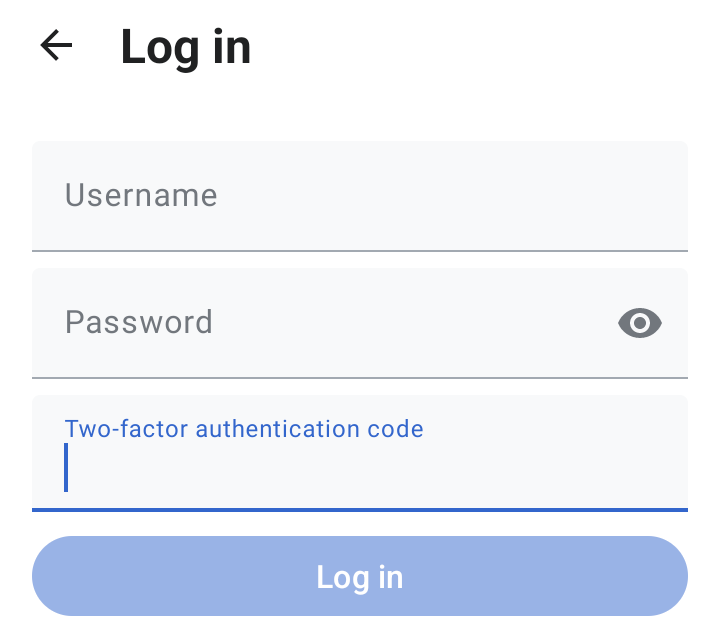
If you want to keep your online accounts safe, adding two-factor authentication (2FA) is the single most important step you can take.
Now, let's test your knowledge on these core security concepts.
Which of the following best describes a phishing attack?
According to digital security best practices, which of these is NOT a characteristic of a strong password?
By understanding threats and using simple defenses like strong passwords and 2FA, you make yourself a much harder target for attackers. It's a fundamental part of navigating the modern digital world safely.