Digital Audio Toolkit Mastery
Digital Audio Workstations
The Heart of the Studio
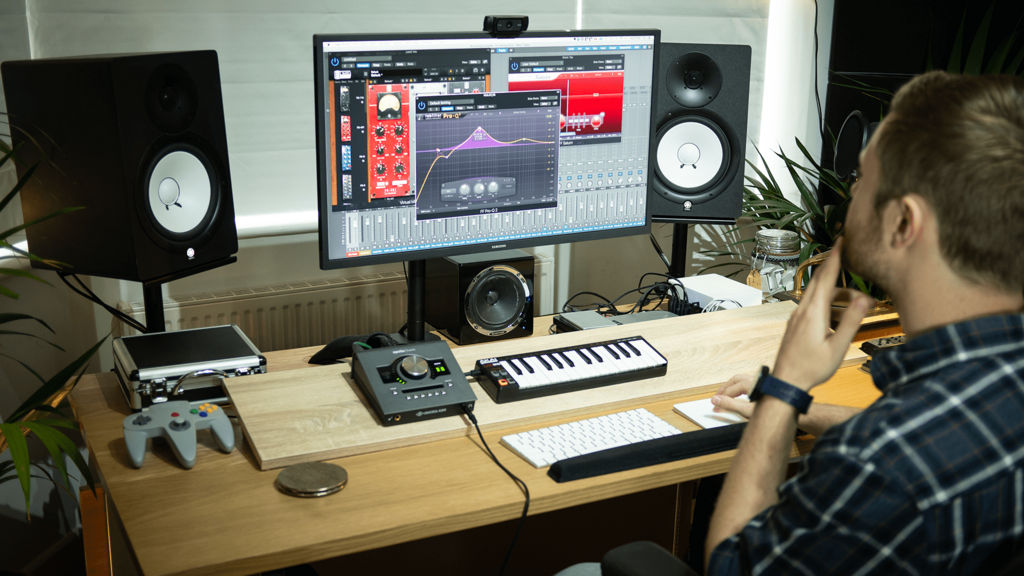
Think of a Digital Audio Workstation, or DAW, as a complete recording studio inside your computer. It’s the software where all the magic happens: recording voices and instruments, editing out mistakes, mixing all the parts together, and polishing the final track. Just like a writer uses a word processor to write and edit a book, an audio producer uses a DAW to shape sound.
The Digital Audio Workstation (DAW) is the heart of your home studio.
Before DAWs, recording audio involved massive mixing consoles and reels of magnetic tape. Now, this powerful technology is accessible to anyone with a computer. All DAWs share the same basic functions, allowing you to arrange audio clips on a timeline, apply effects, and control volume levels. But each one has a unique feel and special features that make it better for certain tasks.
The Main Players
While there are dozens of DAWs on the market, a few have become industry standards. They're used in professional recording studios, film sets, and home setups around the world. Let's look at some of the most popular options.
Here's a quick rundown of four major DAWs, what they're known for, and who uses them most.
| DAW | Key Features & Strengths | Ideal For |
|---|---|---|
| Pro Tools | The long-time industry standard for professional studios. Unmatched for high-level audio editing, recording large bands, and mixing. | Music production, film post-production, major recording studios. |
| Logic Pro | Exclusive to Mac. Praised for its intuitive interface and massive built-in library of virtual instruments, loops, and effects. | Songwriters, electronic music producers, composers, and Mac users. |
| Cubase | A pioneer in MIDI technology. Offers deep and precise control over virtual instruments and MIDI editing. | Electronic musicians, film composers, and producers who work heavily with MIDI. |
| Adobe Audition | Part of the Adobe Creative Cloud suite. Excels at audio cleanup, restoration, and podcast production. Seamlessly integrates with Premiere Pro for video work. | Podcasters, video editors, and audio restoration specialists. |
How to Choose
Choosing a DAW is a personal decision, as it will become your primary creative tool. There's no single "best" option, only the one that's best for you. Here are a few things to consider.
First, think about your main goal. Are you recording a podcast, composing electronic music, or scoring a film? Your primary use will point you toward certain software. A podcaster will love Audition's vocal editing tools, while a songwriter might prefer Logic Pro's creative instruments.
Next, consider your budget and computer. Logic Pro only runs on Macs. Pro Tools and Audition often use a subscription model, while Logic Pro and Cubase are typically one-time purchases. Many DAWs offer free trials, which are a great way to test the software and see how it feels. Your workflow is important, and you'll only discover what you like by trying a few options out.
Ultimately, the specific DAW you choose is less important than learning how to use it well. All the major players are incredibly powerful. The key is to pick one that inspires you to create.