Designing Kid-Friendly Educational Apps
Understanding Child Development
How Children Learn and Grow
Before designing an educational app, you first need to understand your user. And when your user is a child, that means understanding the incredible journey of human development. Children aren't just small adults. Their brains, bodies, and social skills are constantly evolving, and what works for a two-year-old will be completely lost on a seven-year-old, and vice-versa.
Creating an effective learning experience starts with knowing how children perceive the world at different ages. Let's explore the key areas of development that every educational app creator should know: how children think, feel, and move.
The Thinking Brain
Cognitive development is all about how children learn to think, reason, and solve problems. A child's mind is a work in progress, with abilities unfolding in predictable stages. Understanding these stages helps you create challenges that are just right—not too easy to be boring, and not too hard to be frustrating.
A helpful way to think about this is through the stages identified by psychologist Jean Piaget. While every child is unique, these stages provide a great roadmap.
| Stage | Age Range | Key Characteristics | App Ideas |
|---|---|---|---|
| Sensorimotor | 0-2 years | Learns through senses and actions. Discovers cause-and-effect. | Simple tap-and-reveal games. Apps where touching the screen makes a sound or an animation. |
| Preoperational | 2-7 years | Uses symbols and language. Thinking is imaginative but often illogical. | Digital coloring books, simple puzzles, storytelling apps with characters. |
| Concrete Operational | 7-11 years | Thinks logically about real-world events. Understands conservation (e.g., quantity doesn't change if shape does). | Math games with tangible objects, basic strategy games, science simulations. |
| Formal Operational | 12+ years | Can think abstractly and test hypotheses. Considers multiple outcomes. | Complex puzzles, coding challenges, apps that require strategic planning and long-term thinking. |
The goal is to match your app's complexity to the child's cognitive stage. For toddlers, focus on direct interaction. For older kids, you can introduce abstract rules and strategic goals.
Feelings and Friendships
Learning isn't just about facts and figures; it's also deeply connected to our emotions and social interactions. As children grow, they learn to identify their feelings, understand others' emotions (empathy), and navigate social situations like sharing and cooperating.
Your app can play a powerful role in this journey. For young children (ages 2-5), social development often starts with "parallel play," where they play alongside others but not necessarily with them. They are learning basic concepts like taking turns. Apps for this age can model positive social behaviors through stories or simple games where characters share or help each other.
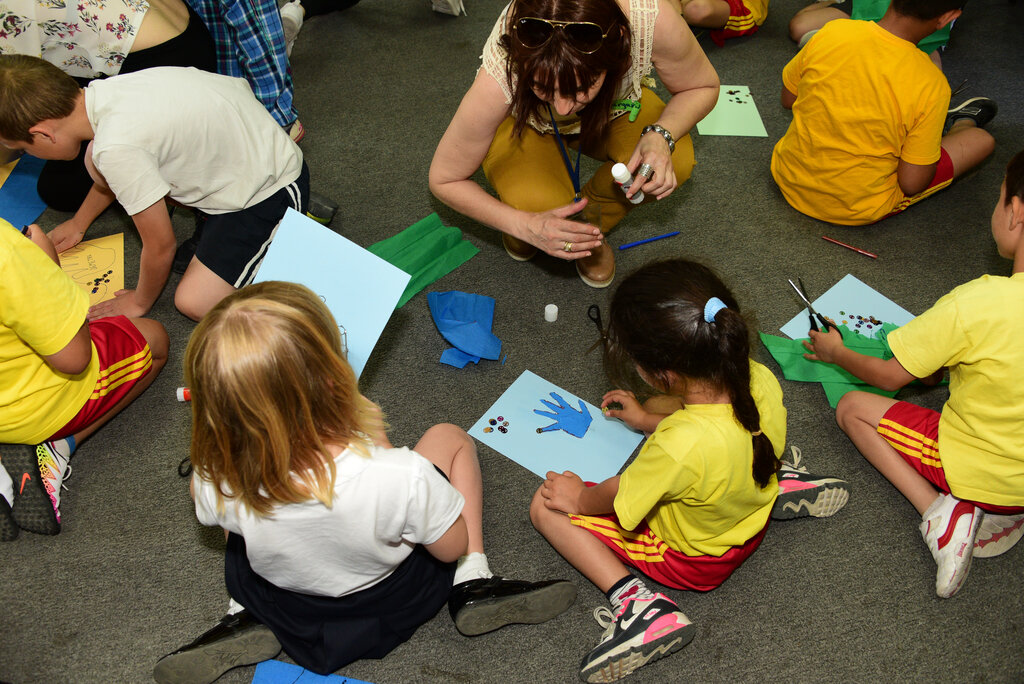
As they get older (ages 6-10), children move into cooperative play. They start to understand teamwork and value friendships. Educational apps can support this by including collaborative modes where two players work together to solve a puzzle, or by presenting stories that explore complex social themes like empathy, conflict resolution, and understanding different perspectives.
Mastering Movement
Physical development, or the growth of motor skills, is another critical piece of the puzzle. This is divided into two main categories: fine motor skills and gross motor skills.
motor skill
noun
A learned ability to cause a predetermined movement outcome with maximum certainty.
Fine motor skills involve small, precise movements of the hands and fingers. Think of a toddler clumsily trying to pick up a cheerio versus an older child carefully coloring inside the lines. For an app, this means designing controls that match a child's dexterity. A toddler needs big, simple buttons to tap. A five-year-old can handle dragging and dropping. An eight-year-old might be able to use more complex gestures, like pinching or rotating.
If the controls are too difficult for a child's fine motor skills, they'll get frustrated with the interface and quit before they even start learning.
Gross motor skills involve the large muscles in the arms, legs, and torso, used for activities like running, jumping, and balancing. While less directly related to a typical app on a tablet, it's important to remember that children need to move. Some of the most innovative educational tech incorporates physical movement, using a device's camera to track a child's motion in an interactive game. Promoting a healthy balance between screen time and physical activity is always a good thing.
Ready to test what you've learned? Let's see how well you can apply these developmental concepts.
Why is understanding cognitive development stages crucial when designing an educational app for children?
An app designed for a 3-year-old shows two characters in the same area, each playing with their own toys without interacting. This is a digital representation of ____.
By understanding how children think, feel, and move, you can create educational experiences that are not just fun, but truly effective and supportive of their growth.