Demystifying the Computer
Introduction to Computers
What is a Computer?
At its heart, a computer is a machine that follows instructions. It takes in raw facts, called data, and works with them to create something new and useful, called information. Think of it like a chef following a recipe. The ingredients are the data, the chef's actions are the processing, and the final delicious meal is the information.
computer
noun
An electronic device for storing and processing data, typically in binary form, according to instructions given to it in a variable program.
This basic process of input, processing, and output is the foundation of everything a computer does, from sending an email to playing a video game. You provide the input (like clicking a mouse or typing), the computer processes it, and then it gives you an output (like a web page loading or a character moving on screen).

A Quick Trip Through Time
Computers haven't always been the sleek devices we carry in our pockets. The earliest electronic computers were enormous, taking up entire rooms. Machines like ENIAC, one of the first, were used for complex calculations and were a marvel of their time, filled with thousands of vacuum tubes and miles of wire.
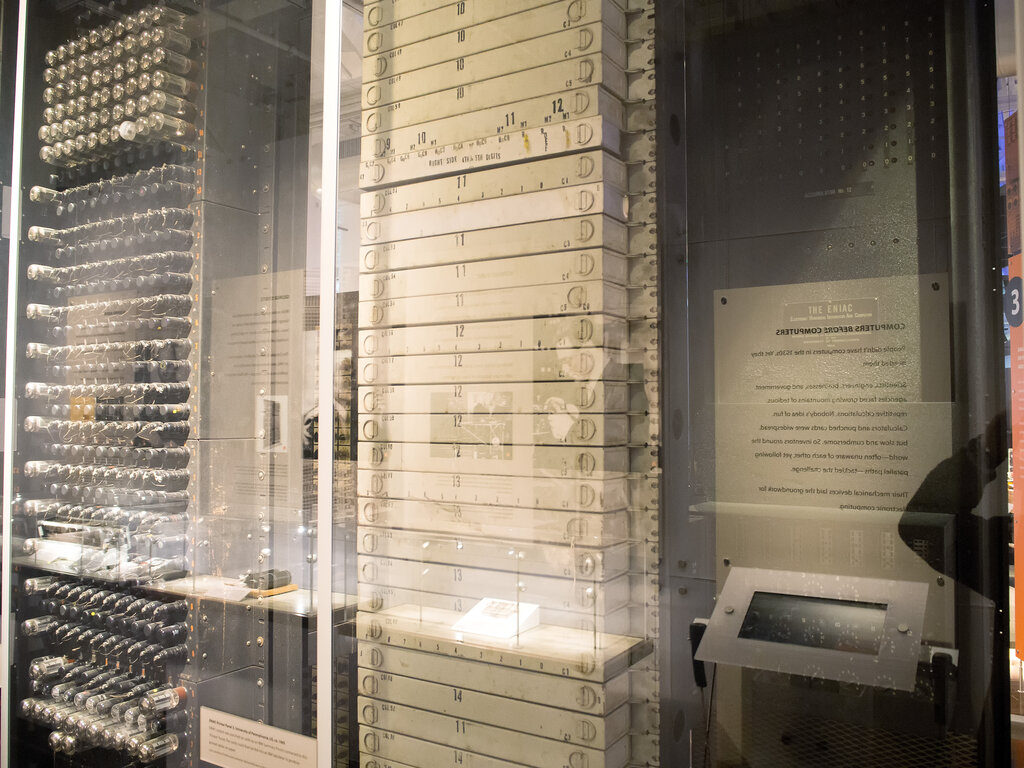
Over decades, a series of inventions—like the transistor and the integrated circuit—allowed engineers to shrink computer components down to a microscopic scale. This progress made computers smaller, faster, cheaper, and vastly more powerful. What once filled a room now fits in the palm of your hand, connecting billions of people and powering much of the modern world.
Computers for Every Need
Today, computers come in many shapes and sizes, each designed for different situations. Though they look different, they all operate on the same basic principles of processing data. The main differences are their size, power, and how we interact with them.
| Type | Key Features | Common Uses |
|---|---|---|
| Desktop | Large screen, powerful components, requires a constant power source. | Office work, gaming, video editing, software development. |
| Laptop | Portable all-in-one design with a built-in screen and battery. | Work or school on the go, general use at home. |
| Tablet | Lightweight, touch-screen interface, very portable. | Browsing the web, watching videos, reading, simple games. |
| Smartphone | Fits in a pocket, combines computing with communication. | Calling, texting, social media, navigation, quick tasks. |
Whether it's a powerful desktop for graphic design or a smartphone for navigating a new city, we're using a device that takes our commands, processes them, and gives us a helpful result. Understanding this simple idea is the first step to understanding the digital world.
Now, let's test what you've learned about the basics of computers.
What is the fundamental three-step process that all computers follow?
In the analogy of a chef following a recipe, the ingredients represent the computer's...