Dell Data Domain Storage Systems Explained
Introduction to Data Storage
Where Data Lives
Every piece of digital information, from a family photo to a company's entire financial history, needs a place to live. This home is called data storage. It's the digital equivalent of a filing cabinet, a library, or a massive warehouse. Without a reliable place to store data, our computers, phones, and the entire internet couldn't function. The systems that manage this information are the bedrock of modern IT infrastructure, ensuring data is safe, accessible, and ready when we need it.
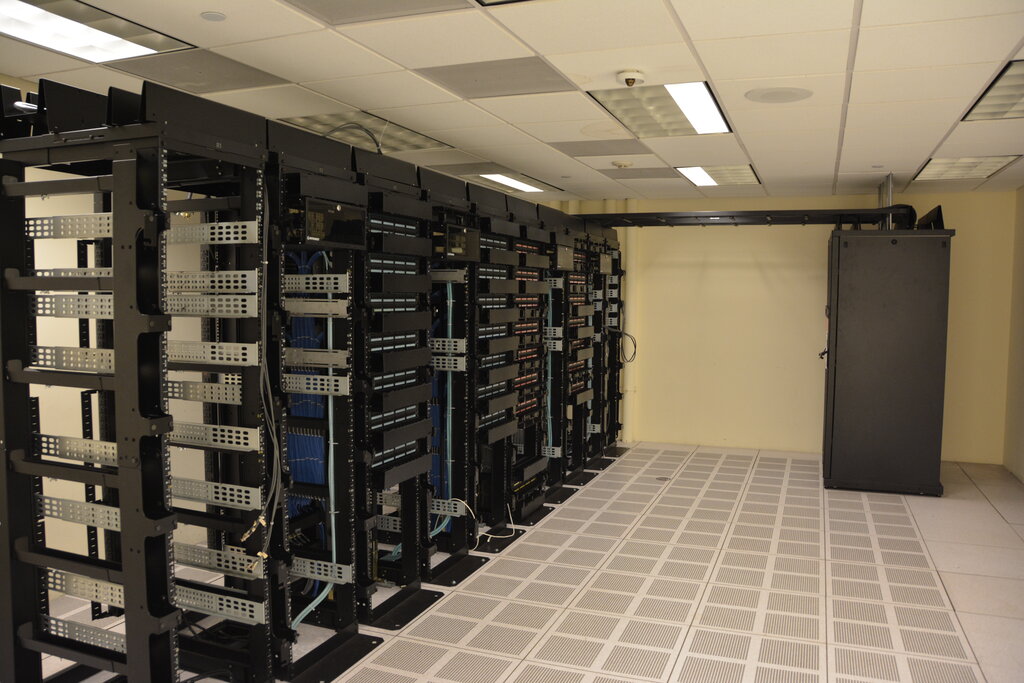
The essential function of a data center is to store, process, and transmit data.
But not all storage is created equal. The way data is stored depends on who needs to access it, how quickly they need it, and how much of it there is. Let's explore the three fundamental ways organizations arrange their data storage.
Direct-Attached Storage (DAS)
The simplest type of storage is called Direct-Attached Storage, or DAS. The name says it all: the storage device is physically connected to the computer that uses it. Think of the hard drive inside your laptop or an external drive you plug in via a USB cable. In a business setting, this often means a server is directly cabled to its own dedicated storage array.
Because the connection is direct, access is very fast. It's a straightforward and cost-effective solution for a single machine. However, its greatest strength is also its biggest weakness. The data is isolated. If another server needs that data, it can't get it. Sharing is difficult, and if the server goes down, the data becomes inaccessible.
DAS is simple and fast for a single computer, but it doesn't scale well for sharing data across multiple systems.
Network-Attached Storage (NAS)
What if you need a shared filing cabinet that many different people can access? That’s the idea behind Network-Attached Storage, or NAS. A NAS device is a dedicated storage system that connects to a network. Any computer on that network can access the data stored on the NAS, assuming they have the right permissions. It's like having a shared drive for your entire team or company.
Network-Attached Storage
noun
A file-level data storage server connected to a computer network providing data access to a diverse group of clients.
NAS systems are optimized for serving files. They handle requests like "give me this document" or "save this spreadsheet." This is managed over a standard Ethernet network, the same kind you likely use for internet access. This makes NAS easy to set up and manage, providing a centralized location for files that multiple users can work on collaboratively.
Storage Area Network (SAN)
For high-performance applications that need raw, block-level storage—like large databases—a Storage Area Network, or SAN, is the solution. A SAN is a dedicated, high-speed network whose sole purpose is to connect servers to storage devices. Unlike NAS, which handles files, a SAN provides what's called "block storage." To the server, the storage appears as if it were a local drive, even though it's physically located elsewhere on the network.
Think of NAS as sharing finished files, while a SAN provides the raw building blocks (blocks) that servers use to create their own file systems.
This network is separate from the regular user network (LAN) and uses specialized technology like Fibre Channel to ensure extremely fast and reliable data transfer. This high performance makes SANs ideal for mission-critical applications where speed and low latency are essential. They are more complex and expensive than DAS or NAS, but they offer unparalleled performance, scalability, and flexibility for enterprise environments.
To summarize, the choice between DAS, NAS, and SAN depends entirely on the need.
| Storage Type | Best For | Analogy |
|---|---|---|
| DAS | A single computer needing fast, dedicated storage. | An external hard drive for your laptop. |
| NAS | Sharing files among many users on a network. | A central file server for an office. |
| SAN | High-performance applications like databases. | A private, high-speed highway for data. |
Understanding these fundamental storage architectures is the first step in designing robust and efficient IT systems. Now, let's test your knowledge.
Which storage type is characterized by a storage device being physically cabled to a single computer or server, making the data isolated to that one machine?
A creative agency needs a centralized, easy-to-manage solution for its team of designers to share and collaborate on large graphic design files over their standard office Ethernet network. Which storage architecture is best suited for this purpose?