Databricks PySpark Data Pipelines
Databricks and PySpark Foundations
Beyond a Single Machine
If you've worked with data in Python, you've likely used pandas. It's powerful for analyzing datasets that fit into your computer's memory. But what happens when a dataset is too large for one machine to handle? This is where distributed computing comes in, and it requires a different set of tools and a new way of thinking.
Enter Databricks and PySpark. Databricks provides a cloud-based platform designed for large-scale data engineering and machine learning. At its core is Apache Spark, a powerful open-source engine for processing massive datasets in parallel. PySpark is the Python API for Spark, allowing you to use a familiar language to command a powerful distributed system.
The Databricks Workspace
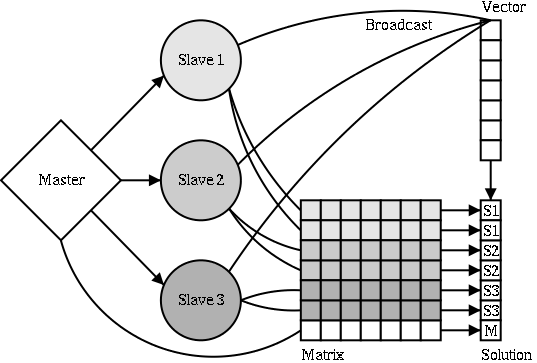
The Databricks workspace is your command center. It's a collaborative environment where you'll find your notebooks, data, and compute resources. The key component is the cluster. A cluster is essentially a group of computers (called nodes) that work together to run your code. Instead of processing data on your single laptop, you distribute the workload across the many machines in your cluster.
Creating a cluster is straightforward in the Databricks UI. You specify the number of workers, the type of machines to use, and the Spark version. Once your cluster is running, you can attach a notebook to it. Databricks notebooks are similar to Jupyter notebooks but are optimized for this distributed environment, allowing you to mix Python, SQL, and other languages in the same file and visualize results on the fly.
A New Mindset: PySpark vs. Pandas
Switching from pandas to PySpark involves more than just learning new syntax; it requires a fundamental shift in how you think about data operations. Pandas uses eager execution. When you run a command, like filtering a DataFrame, pandas does it immediately. This is intuitive but requires the entire dataset to be loaded into the memory of a single machine.
PySpark, on the other hand, uses lazy evaluation. When you tell Spark to perform an operation on a DataFrame (called a transformation), it doesn't run it right away. Instead, it builds a plan of execution. This plan is known as a Directed Acyclic Graph (DAG). Each transformation you write adds another step to this graph.
The computation only begins when you call an action, such as count() to count rows or show() to display data. At that point, Spark's optimizer looks at the entire DAG and figures out the most efficient way to execute it across the cluster. This approach allows Spark to handle datasets that are fragmented across many machines and are far too large to fit in the memory of any single one.
Your Gateway to Spark
The main entry point for any PySpark application is the SparkSession. It's the object you use to create DataFrames, register tables, and access Spark's configuration. In Databricks notebooks, a SparkSession is conveniently created for you and is available as the spark variable.
from pyspark.sql import SparkSession

# Create a SparkSession (if not in a Databricks notebook)
spark = SparkSession.builder \
    .appName("MyFirstApp") \
    .getOrCreate()
A common task is reading data from various file formats. While Spark natively supports formats like CSV and Parquet, others like Excel require external libraries. You can add these libraries to your cluster from repositories like or PyPI.
For example, to enable your cluster to read Excel files, you can install the spark-excel library from Maven. You would provide its coordinate when configuring your cluster or session.
To configure your cluster to read Excel files, you would add the Maven coordinate
com.crealytics:spark-excel_2.12:3.5.0to your cluster's library configuration. Alternatively, within a notebook, you can often use%pip install openpyxl pandasto add support for reading Excel files into pandas DataFrames, which can then be converted to Spark DataFrames.
Once configured, you can read an Excel file into a Spark DataFrame just as you would any other file source.
# Assuming the spark-excel library is installed on the cluster
df = spark.read \
    .format("com.crealytics.spark.excel") \
    .option("header", "true") \
    .option("inferSchema", "true") \
    .load("/path/to/your/file.xlsx")

df.show()
With these foundations, you're ready to start leveraging the power of distributed computing. The key is to remember the shift in thinking: you are no longer manipulating data directly but rather building an efficient, optimized plan for a cluster to execute.