Databricks Professional Data Engineer
Introduction to Databricks
What is Databricks?
Databricks is a single, cloud-based platform where data engineers, data scientists, and analysts can all work together. Think of it as a unified workshop for everything related to data. Instead of using a dozen different tools for storing, cleaning, analyzing, and modeling data, Databricks brings all those functions under one roof.
The platform was created by the same people who developed Apache Spark, a powerful open-source engine for large-scale data processing. Because of this, Databricks is incredibly fast and efficient at handling massive datasets—the kind that would crash a standard computer. It's designed to make big data processing and machine learning simpler.
Databricks integrates data engineering, data science, and machine learning on a single platform.
The Core Components
When you use Databricks, you'll primarily interact with three key components: Workspaces, Notebooks, and Clusters. They work together to create a powerful and collaborative environment.
Workspace The workspace is the environment where you manage all your assets. It's the first thing you see when you log in. Here, you can organize notebooks, libraries, and data into folders, much like you would on your computer. It’s a shared space, so teams can collaborate on projects, share code, and access the same data securely.
Notebooks A Databricks Notebook is an interactive document that allows you to write and run code, add text and images, and visualize results all in one place. You can write code in languages like Python, SQL, Scala, or R. Each piece of code is written in a 'cell,' which you can run independently. This makes it easy to experiment, test ideas, and see the output of your code immediately. It's a powerful tool for data exploration and analysis.
Clusters To process large amounts of data, you need a lot of computing power. A cluster is a group of computers that work together as a single system. In Databricks, you can easily create and manage these clusters. When you run code in a notebook, you 'attach' it to a cluster, which then provides the necessary power to execute your commands quickly. Databricks handles all the complex setup, so you can spin up a powerful cluster with just a few clicks.
Running in the Cloud
Databricks isn't a program you install on your own computer. It's a platform that runs on top of major cloud providers: Amazon Web Services (AWS), Microsoft Azure, and Google Cloud Platform (GCP). This is a huge advantage.
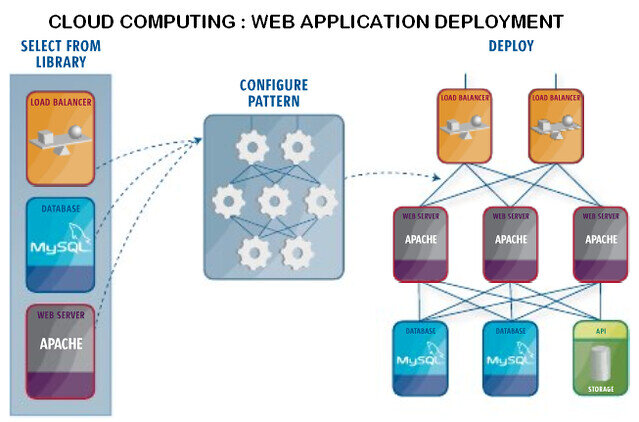
By integrating with these services, Databricks can access nearly limitless storage and computing resources. Your data lives securely in your own cloud account (like in Amazon S3 or Azure Blob Storage), and Databricks connects to it. When you need more processing power, Databricks can quickly get more resources from the cloud provider. This makes it highly scalable, meaning it can handle a small dataset today and a massive one tomorrow without any issue.
This setup separates your data storage from your computing. Your data remains in your cloud account, while Databricks provides the engine to process it.
Role in Data Engineering
For data engineers, Databricks simplifies the entire process of building and managing data pipelines. A data pipeline is the process of moving data from a source, transforming it, and loading it into a destination where it can be used for analysis.
Here’s how Databricks helps:
- Data Ingestion: Databricks can easily connect to hundreds of data sources, from databases to streaming data feeds, to pull information into the platform.
- Data Transformation: Using Notebooks and the power of Spark, engineers can write code to clean, reshape, and enrich raw data, turning it into a clean and reliable format. This is often the most complex part of data engineering, and Databricks provides powerful tools to make it manageable.
- Analysis and Collaboration: Once data is processed, it's ready for analysis. Because everyone is on the same platform, data engineers can work seamlessly with data analysts and scientists, who can immediately start building reports, dashboards, and machine learning models from the prepared data.
By providing a unified environment, Databricks helps break down the barriers between different data roles and speeds up the entire process from raw data to valuable insights.
Ready to test your knowledge? Let's review what we've covered.
What is the primary purpose of the Databricks platform?
In the Databricks environment, what is the role of a 'Cluster'?
This gives you a foundational look at what Databricks is and how its core parts work together to simplify big data.