Database Management Systems Explained
Introduction to Databases
What Is a Database?
At its core, a database is just an organized collection of information. Think of a library. It stores thousands of books, but you can find the one you want because they're organized by genre, author, and a cataloging system. A database does the same thing for digital data, whether it's user profiles for a social media app, inventory for an online store, or patient records at a hospital.
The main purpose of a database is to store, manage, and retrieve data efficiently and reliably. It brings order to digital information.
From Files to Systems
Before modern databases, people stored information in simple computer files, like text documents or spreadsheets. This approach works for small amounts of data, but it quickly becomes messy and inefficient as the data grows.
Imagine a company storing employee information in separate text files for each department. The HR department has a file with an employee's home address, while the payroll department has another file with the same address. If the employee moves, they have to update their address in both places. If they forget one, the data becomes inconsistent. This is just one of several major problems with the old file-based approach:
- Data Redundancy: The same information is stored in multiple places, wasting space.
- Data Inconsistency: If a piece of data is updated in one place but not another, the records become unreliable.
- Difficulty in Accessing Data: Retrieving information that spans multiple files requires custom, complex programs.
- Data Integrity Issues: It's hard to enforce rules, like ensuring an employee ID is always a unique number.
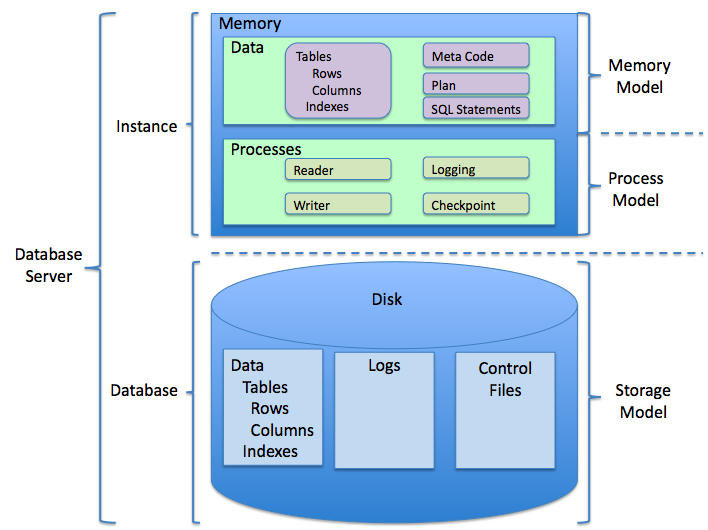
To solve these problems, the Database Management System (DBMS) was created. A DBMS is the software that acts as an intermediary between the user and the database itself. It handles all the requests to read, write, and update data, ensuring everything stays organized and consistent.
DBMS stands for Database Management System. It is software that allows users to define, create, maintain, and control access to a database.
The DBMS provides a centralized view of the data. Instead of many separate files, you have one coherent repository. The system manages storage, security, and integrity, freeing up developers to focus on building applications.
The Blueprint of a Database
Databases aren't just random collections of data; they are built according to a specific plan. This plan involves two key concepts: data models and schemas.
Data Model
noun
An abstract model that organizes elements of data and standardizes how they relate to one another and to the properties of the real world. It's the high-level blueprint.
A data model is the conceptual plan. It's where you decide what kind of information you need to store and how different pieces of information are connected. For example, in an e-commerce database, the data model would state that a Customer can have many Orders, and each Order contains multiple Products.
Schema
noun
The structure of a database described in a formal language supported by the DBMS. It's the concrete implementation of the data model.
If the data model is the architect's blueprint for a house, the schema is the actual frame of the house built from that blueprint. It defines the specific tables, the columns in those tables, the type of data each column holds (e.g., text, number, date), and the relationships between the tables.
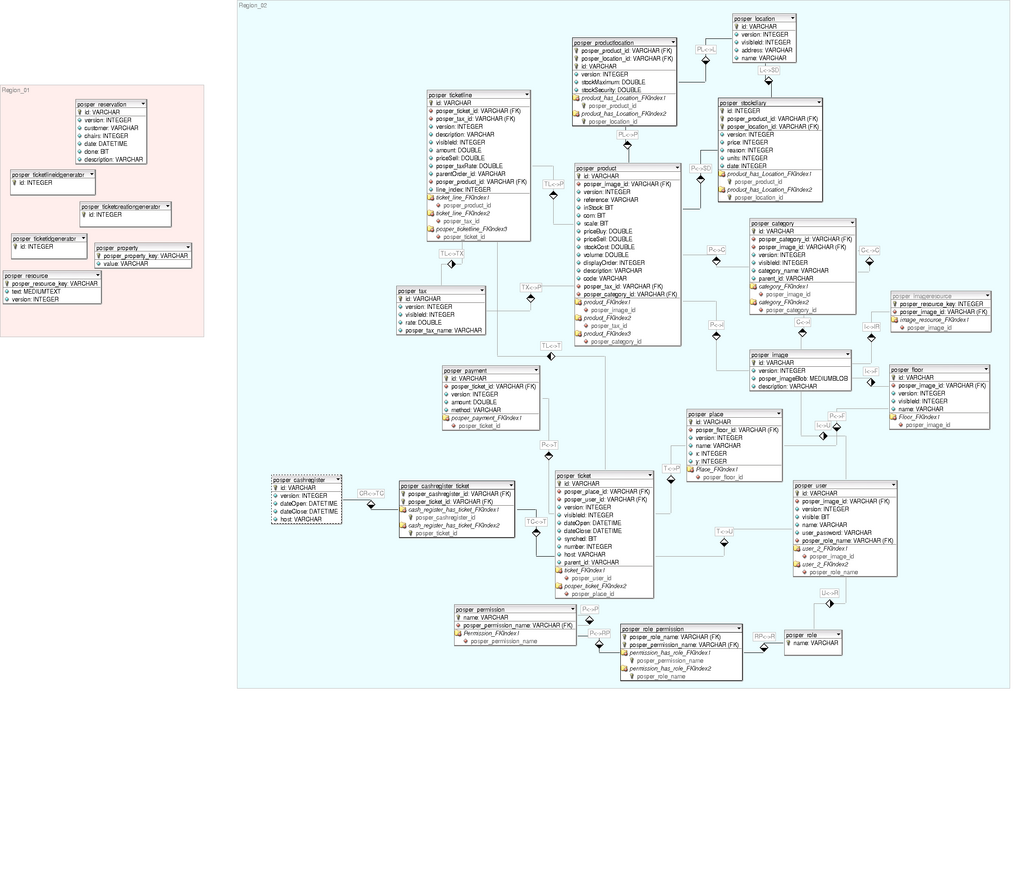
Together, the data model and schema provide a clear, organized structure, making the database powerful and easy to use. Now, let's check your understanding.
What is the primary purpose of a database?
A company keeps employee records in separate spreadsheets for HR and Payroll. When an employee moves, their address is updated in the HR file but not the Payroll file. Which problem of file-based systems does this scenario best illustrate?
Understanding these fundamentals provides the foundation for working with any kind of database.