Database Fundamentals
Introduction to Databases
What Is a Database?
At its core, a database is just an organized collection of data. Think of a digital filing cabinet. But instead of manila folders, it uses a structured system to store and manage information so it can be easily accessed, updated, and retrieved.
Before modern databases, data was often stored in individual files on a computer. Imagine a company keeping customer information in one spreadsheet, order details in another, and product inventory in a third. This file-based approach creates a lot of headaches.
What if a customer changes their address? You'd have to find every file where that address is listed and update it manually. If you miss one, the data becomes inconsistent.
This is where a Database Management System, or DBMS, comes in. A DBMS is the software that interacts with the user, applications, and the database itself to capture and analyze data. It's the gatekeeper and organizer for the filing cabinet.
DBMS
noun
A Database Management System is software that allows users to create, read, update, and delete data in a database, while also handling security and data integrity.
Why Bother With a DBMS?
Using a DBMS solves the problems of the old file-based systems. It provides a centralized way to manage data, which offers several key advantages.
Reduced Redundancy: A DBMS helps minimize duplicate data. Instead of storing a customer's address in ten different files, it's stored once in a central location. This saves space and makes updates much simpler.
Data Consistency: By reducing redundancy, you also ensure consistency. When an address is updated in one place, every application that uses that data gets the new, correct version. The DBMS enforces rules to make sure data is always reliable.
Easier Access: A DBMS provides a standard way to retrieve and manipulate data. Instead of writing complex code to parse a file, you can ask the database for exactly what you need in a straightforward manner.
Improved Security: It allows administrators to set up user accounts and permissions. You can control who gets to see certain data and who has the power to change it.
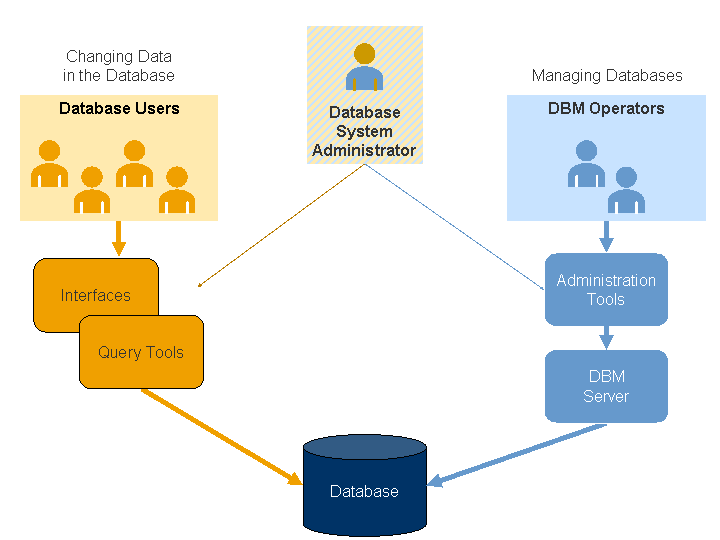
The Building Blocks
Every database is built on a few fundamental components. Understanding these parts is key to seeing how the whole system works together.
Schema: The schema is the blueprint of the database. It defines the structure, like how the data is organized and how different parts relate to one another. Just as a builder needs a blueprint before constructing a house, a database needs a schema before storing any data.
Tables: Data in most databases is stored in tables. A table is a collection of related data held in a structured format with rows and columns. For example, you might have a Customers table. Each row would represent a single customer, and each column would represent a piece of information about them, like FirstName, LastName, and Email.
Queries: If a database is a filing cabinet, a query is the request you give to the clerk to find something for you. A query is a command used to retrieve, modify, add, or delete data. You write a query to ask the database a question, like "Show me all customers who live in California," and the DBMS retrieves the answer for you from the appropriate tables.
Now that you understand the basic purpose and structure of a database, let's test your knowledge.
What is the primary purpose of a database?
A company stores its customer addresses in multiple separate spreadsheets. When a customer moves, an employee has to update the address in every single file. Which advantage of a DBMS would most directly solve this problem?
These core concepts—schemas, tables, and queries—are the foundation of how we interact with nearly all modern databases.