Data Science Fundamentals in Python
Python Basics
Python's Clean Syntax
Python is known for its readability. The code often looks like plain English, which makes it one of the easiest programming languages to learn. You don't need to worry about complex symbols or rigid formatting that other languages require. Let's start with the classic first program: printing "Hello, World!" to the screen.
print("Hello, World!")
That's it. One simple line is all it takes to get the computer to display a message. This focus on simplicity is a core part of Python's design.
Storing Information
To do anything useful, we need a way to store and label information. In programming, we use variables for this. Think of a variable as a labeled box where you can put information. You give the box a name, and you can change what's inside it later.
The information itself comes in different forms, or data types.
- Integers: Whole numbers, like 10, -5, or 0.
- Floats: Numbers with decimal points, like 3.14 or -0.5.
- Strings: Text, enclosed in single or double quotes, like 'hello' or "data science".
- Booleans: Represent truth values. They can only be
TrueorFalse.
# An integer
year = 2024

# A float
pi_approx = 3.14

# A string
greeting = "Welcome to Python!"

# A boolean
is_learning = True
Decisions and Repetition
Programs often need to make decisions or repeat actions. Python uses control structures to manage this flow.
To make decisions, we use conditional statements. The if statement checks if a condition is true. If it is, it runs a block of code. You can add an else to run a different block of code if the condition is false.
age = 18

if age >= 18:
    print("You are old enough to vote.")
else:
    print("You are not old enough to vote.")
To repeat actions, we use loops. A for loop is perfect for iterating over a sequence of items, like a list of numbers. It runs a block of code once for each item in the sequence.
# This will print the numbers 0, 1, 2, 3, and 4
for number in range(5):
    print(number)
Reusable Code
As your programs get bigger, you'll find yourself writing the same bits of code over and over. Functions let you bundle up a block of code, give it a name, and run it whenever you want. Think of it like a recipe: you define it once, then you can follow the steps anytime just by using its name.
# Define a function to greet someone
def greet(name):
    print(f"Hello, {name}!")

# Call the function
greet("Alex")
greet("Jordan")
Python also has a vast collection of pre-written code in files called modules. These modules contain functions and variables you can use in your own programs. To use one, you just need to import it. This is a powerful feature that saves you from having to write everything from scratch.
# Import the 'math' module
import math

# Use the sqrt function from the math module
result = math.sqrt(25)
print(result) # Output: 5.0
Handling Errors
Sometimes, code doesn't work as expected. You might try to divide a number by zero or open a file that doesn't exist. These situations cause errors, or exceptions, that can crash your program.
Python provides a clean way to handle these issues using a try...except block. You put the code that might cause an error in the try block. If an error occurs, the code in the except block is executed, and the program can continue running instead of stopping.
try:
    # This line will cause a ZeroDivisionError
    result = 10 / 0
    print(result)
except ZeroDivisionError:
    print("Oops! You can't divide by zero.")
Your Data Science Workspace
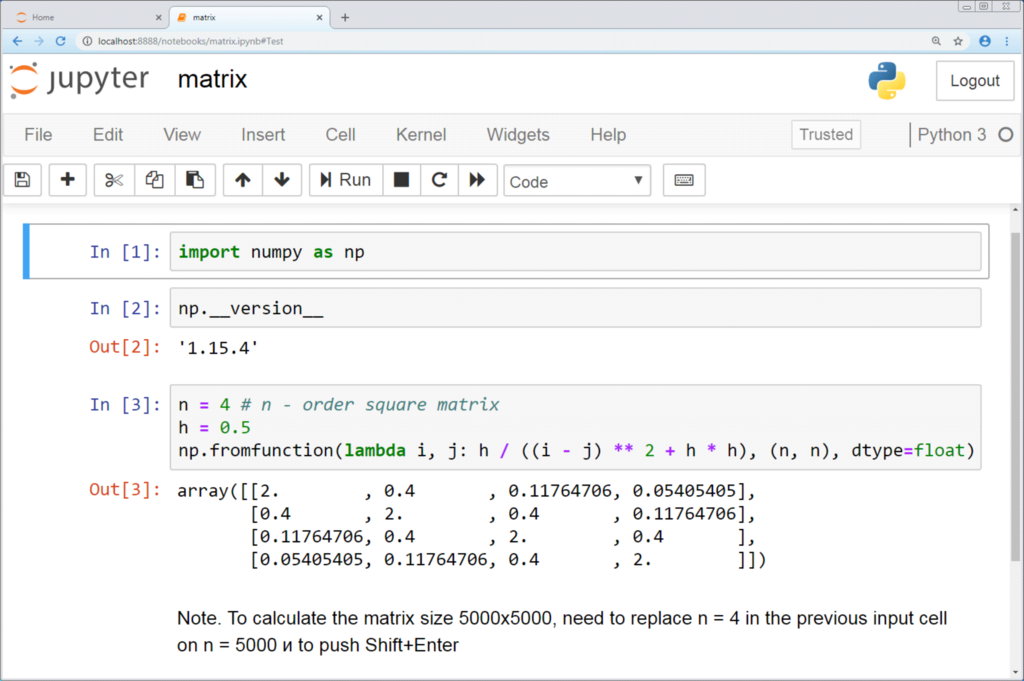
For data science, one of the most popular tools is the Jupyter Notebook. It's an interactive environment that lets you write and run code in small chunks, called cells. You can mix code cells with text, images, and charts, all in one document.
This makes Jupyter Notebooks perfect for exploring data, testing ideas, and sharing your findings with others. You can see the results of your code immediately, which helps you build your analysis step by step.
Now that you've seen the building blocks, let's test your understanding.
What is the data type of the value 3.14 in Python?
Which control structure is used to make decisions by checking if a condition is true or false?
Let's review some of the key terms we've introduced.
You now have a solid foundation in the core concepts of Python. With these fundamentals, you're ready to start exploring how to use Python for more complex data-related tasks.