Custom PC Architecture and Assembly
Architectural Bottlenecks and Selection
The Performance Tug-of-War
In a high-performance PC, the CPU and GPU work in a tight partnership. The CPU handles the logic: game physics, AI behavior, and preparing instructions for what to draw. The GPU takes those instructions and does the heavy lifting of rendering the image you see on screen. An ideal system keeps both processors busy. When one can't keep up with the other, you get a bottleneck.
A bottleneck is when one component’s limited performance holds back the potential of another, creating a ceiling on your system's overall speed.
This performance ceiling isn't fixed. It shifts depending on the application, the game settings, and even the resolution of your monitor. A system that's perfectly balanced for 4K video editing might be severely CPU-limited when running a competitive shooter at 1080p. The key is to understand how different tasks stress these two core components.
Finding the Bottleneck
The easiest way to see where the bottleneck lies is to look at your display resolution. At lower resolutions like 1080p, GPUs can often render frames faster than the CPU can prepare them. This makes the system "CPU-bound." The CPU is running at or near 100% utilization while the GPU waits for its next set of instructions.
As you increase the resolution to 1440p or 4K, the GPU has to work much harder to draw all those extra pixels. The workload shifts, and the system often becomes "GPU-bound." Here, the GPU is the one running at full tilt, while the CPU might have plenty of headroom. This is why upgrading your graphics card often gives a huge performance boost for 4K gaming, but might do very little for a high-refresh-rate 1080p setup if the CPU is already the limiting factor.
Different workloads also have unique demands. 3D rendering and machine learning tasks are often massively parallel, leveraging the thousands of cores in a modern GPU to their fullest extent. In these scenarios, the GPU is almost always the bottleneck, and investing in a top-tier card is critical.
Conversely, tasks like file compression, software compilation, or running complex simulations often depend on strong single-threaded performance from the CPU. They can't be easily broken up into parallel tasks for the GPU. For these workloads, a CPU with high instructions per clock (IPC) and a respectable clock speed is more important than a powerful graphics card.
Beyond Average FPS
When you look at component benchmarks, it's tempting to focus on the average Frames Per Second (FPS). While useful, this number doesn't tell the whole story. A high average FPS can hide moments of severe stuttering or hitching, which ruin the feeling of smooth gameplay. This is where come in.
Analyzing the 1% lows helps you diagnose instability. If you upgrade your GPU and see your average FPS increase but your 1% lows stay the same, your CPU is likely holding you back. A balanced system will see both metrics rise together. This data is far more valuable for choosing components than a simple average.
Choosing Your Components
When building a new system, start by defining your primary use case and target resolution.
- For high-refresh-rate 1080p gaming: Prioritize a CPU with excellent single-core performance. A mid-range GPU is often sufficient.
- For 4K gaming or 3D rendering: Invest the bulk of your budget in the most powerful GPU you can afford. A modern mid-range CPU will be more than adequate to keep it fed with data.
- For a balanced workstation (coding, video editing, gaming): Aim for a strong multi-core CPU and an upper-mid-range GPU. This provides flexibility without overspending on one component that will be underutilized in other tasks.
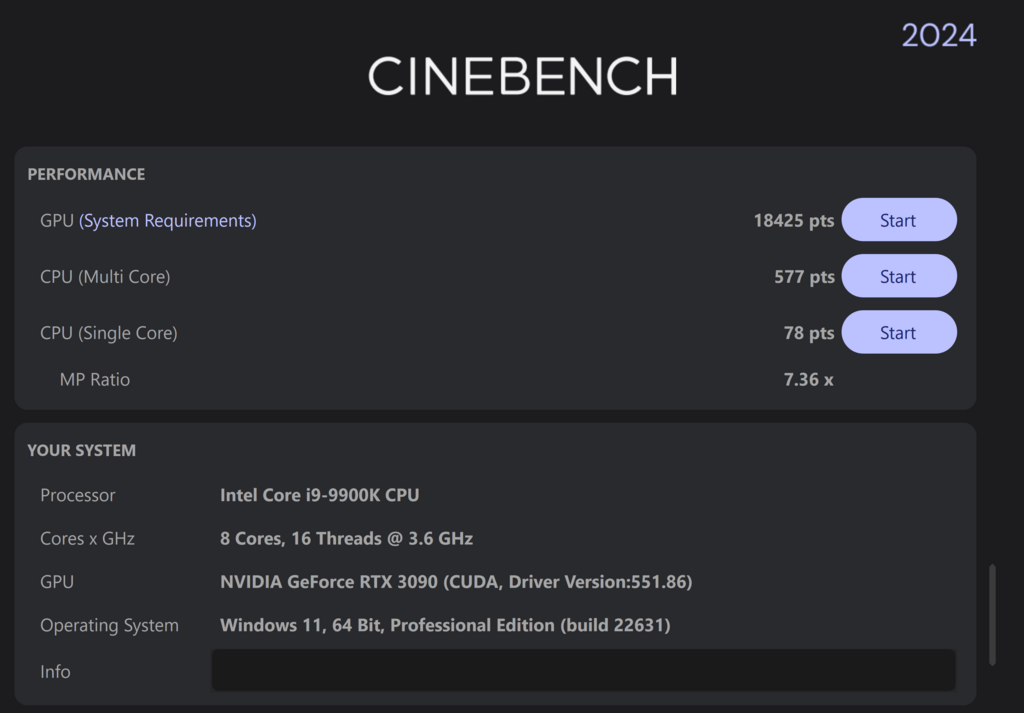
Architectures like AMD's and NVIDIA's represent the current performance ceiling. When selecting parts, look for benchmarks that test them in the specific applications you use. This real-world data is the ultimate guide to building a balanced, high-performance machine without wasting money on a bottleneck.
In a high-performance PC, what is the primary role of the CPU during gaming?
A user is playing a competitive shooter at 1080p resolution and finds their CPU usage is consistently at 100%, while their GPU usage is only around 60%. What is this situation called?