Containerization Explained
Introduction to Containers
What's in the Box?
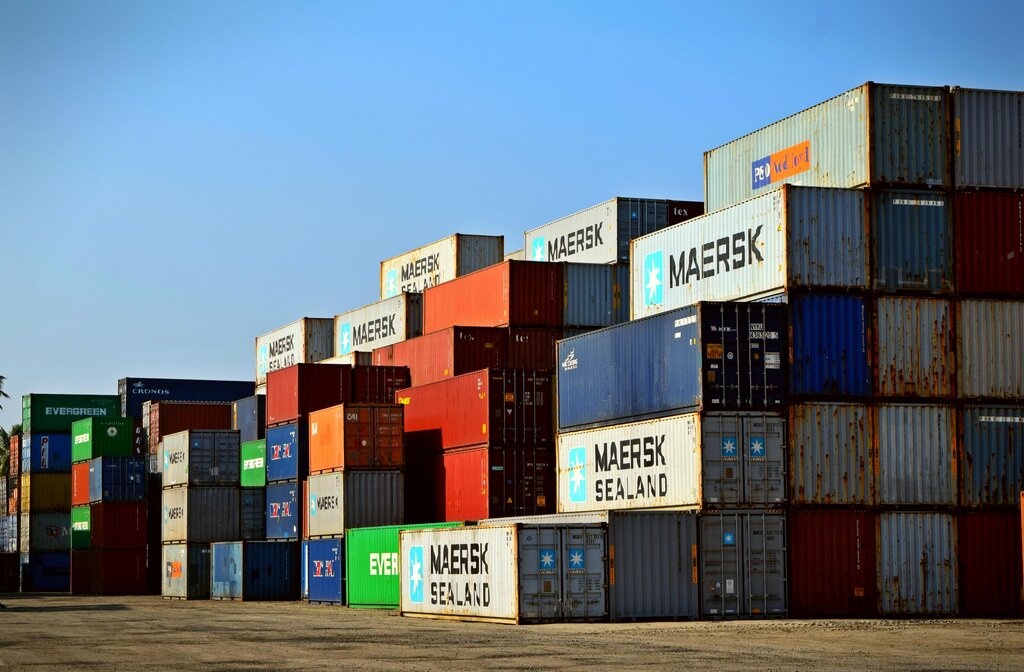
Think about global shipping. Before the standardized shipping container, loading a ship was a chaotic puzzle of different-sized crates, barrels, and sacks. Then came a simple idea: put everything in the same size box. Suddenly, loading, shipping, and unloading became incredibly efficient.
Software development had a similar problem for a long time. A developer would write code on their laptop and say, "It works on my machine!" But when that same code was moved to a different computer for testing or to a server for users, it would often break. Why? Because the new environment was different. It might have a different operating system, different supporting software, or different configurations.
This is where software containers come in. They are the shipping containers of the digital world.
A container refers to a lightweight, stand-alone, executable package of a piece of software that contains all the libraries, configuration files, dependencies, and other necessary parts to operate the application.
Essentially, a container bundles an application with everything it needs to run. This package can then be moved from one computing environment to another, and it will work consistently every time. The "works on my machine" problem disappears because the machine's specific setup no longer matters. The container brings its own environment with it.
Containers vs Virtual Machines
If you're familiar with virtualization, you might be thinking this sounds a lot like a virtual machine (VM). VMs also create isolated environments to run software. They solve a similar problem, but they do it in a much heavier way.
A virtual machine emulates an entire computer, including a full copy of an operating system (OS). If you have three VMs on one physical server, you have one host OS and three separate guest operating systems running on top of it. This takes up a lot of space and resources.
Containers take a more efficient approach. Instead of virtualizing the hardware, they virtualize the operating system. Many containers can run on one machine, all sharing the host OS kernel. They don't need a full guest OS, which makes them much smaller and faster.
The key insight: containers share the host's OS kernel but run as isolated processes, while VMs each have their own OS.
Because they are so lightweight, you can start a container in seconds, compared to the minutes it can take to boot up a virtual machine. This speed and efficiency allow developers to build, test, and deploy applications much more rapidly.
Why This Matters
The benefits of containers have transformed modern software development. Their portability means an application can move seamlessly from a developer's laptop to the cloud without any changes. This is a huge advantage.
Efficiency is another key factor. Because containers use fewer resources than VMs, you can run more applications on the same hardware. This saves money and energy. It also allows applications to scale up quickly. If a website suddenly gets a surge of traffic, new containers can be launched in seconds to handle the load.
This combination of portability, speed, and efficiency makes containers a cornerstone of modern application development, especially for cloud-based services and microservices architectures, where applications are broken down into smaller, independent pieces.
Now that you understand what containers are and why they are so useful, let's see how well you've grasped these concepts.
What is the primary problem that software containers solve, similar to how standardized shipping containers revolutionized global shipping?
How does a container achieve its lightweight and fast nature compared to a Virtual Machine (VM)?
In short, containers provide a powerful way to package and run applications. By creating a consistent, portable, and efficient unit, they solve fundamental problems in software development and deployment.