Computing Fundamentals Explained
Introduction to Computing
What Is a Computer?
At its heart, a computer is a machine that follows instructions to process information. Think of it as an incredibly fast and obedient assistant. No matter what it's doing, from playing a movie to sending an email, a computer performs four basic functions: input, processing, storage, and output.
This cycle is happening constantly. When you type on a keyboard, you provide input. The computer's brain, the processor, follows instructions to figure out what to do with that text, which is processing. If you save the document, it goes into storage. And when you see the letters appear on the screen, that's output.
Hardware vs. Software
Every computer is made of two things: hardware and software. They work together, and one is useless without the other.
Hardware is any physical part of the computer you can touch. This includes the screen, keyboard, mouse, and all the chips and wires inside. It's the body of the machine.
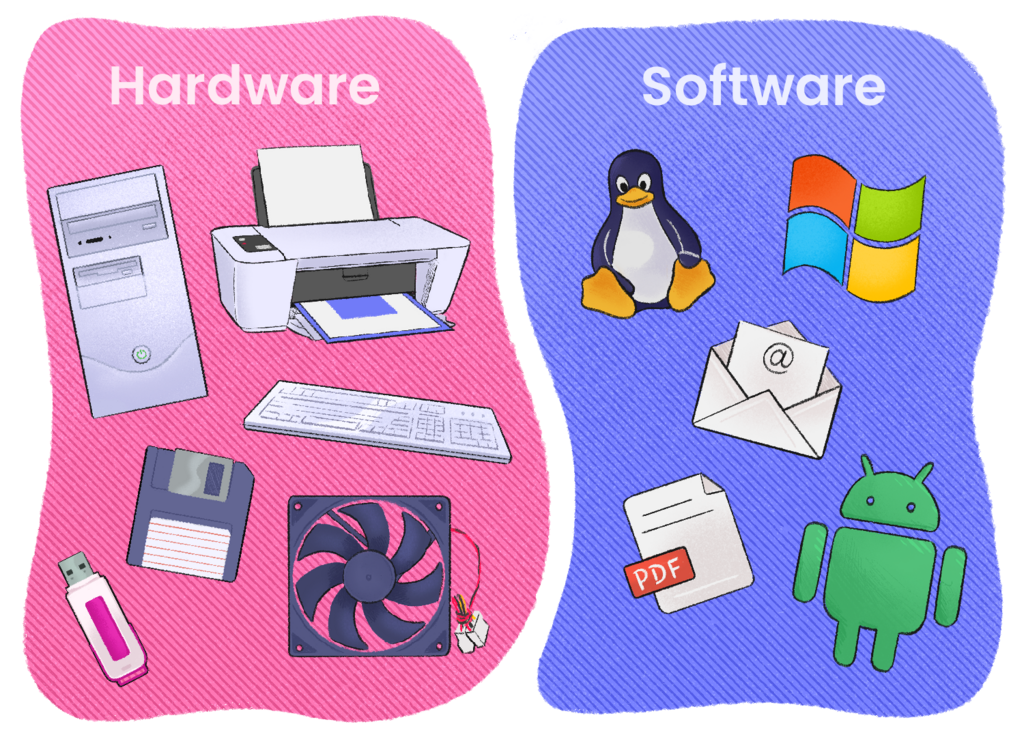
Software, on the other hand, is the set of instructions that tells the hardware what to do. You can't touch software. It includes the operating system (like Windows or macOS) and all the applications you use (like a web browser or a game). If hardware is the body, software is the mind.
A simple analogy: a piano is hardware. The sheet music that tells you what notes to play is the software. The piano can't make music without the instructions, and the sheet music is just paper without the piano to play it.
The Language of Computers
Computers don't understand words, images, or sounds the way we do. Everything, from a simple text message to a complex video game, is broken down into a simple language that the hardware can understand.
This language is called binary. It's a number system that uses only two digits: 0 and 1. These two digits correspond to the two states of a tiny electronic switch inside a computer chip: off (0) and on (1). Each individual 0 or 1 is called a bit.
Bit
noun
The smallest unit of data in a computer, represented as either a 0 or a 1.
By stringing together millions of these bits, computers can represent numbers, letters, colors, and sounds. For example, the letter 'A' in a common system is represented by the binary code 01000001. To a computer, every piece of information is just a long sequence of these ons and offs.
| Decimal Number | Binary Representation |
|---|---|
| 0 | 0 |
| 1 | 1 |
| 2 | 10 |
| 3 | 11 |
| 4 | 100 |
| 5 | 101 |
| 6 | 110 |
| 7 | 111 |
| 8 | 1000 |
You don't need to memorize binary code. The important takeaway is that computers operate on a very simple foundation of electrical signals being either on or off. All the complexity of modern computing is built on top of this simple idea.
Now let's review the key terms we've covered.
Ready to check your understanding? Let's try a few questions.
Saving a document to your hard drive is an example of which basic computer function?
Which of the following is an example of software?
Understanding these core concepts—what a computer does, the roles of hardware and software, and the binary language it speaks—is the first step into the world of computing.