Computer Vision for Inventory Automation
Introduction to Computer Vision
How Computers See the World
At its heart, computer vision is about teaching machines to see. It’s a field of artificial intelligence that trains computers to interpret and understand the visual world. Using digital images and videos, systems can identify and locate objects, then react to what they “see.”
Computer vision is the field of computer science that focuses on creating digital systems that can process, analyze, and make sense of visual data (images or videos) like humans do.
To a computer, an image isn't a single picture. It's a grid of tiny dots called pixels. Think of it like a mosaic, where thousands of colored tiles are arranged to create a larger image. Each pixel is the smallest possible unit of a digital image, and each one has a specific color and brightness.
When a computer processes an image, it's actually just analyzing a massive grid of numbers. Each number corresponds to a pixel, telling the computer exactly what color and intensity to display at that specific point in the grid. By reading all these numbers in order, the computer can reconstruct the image we see.
The resolution of an image is determined by the number of pixels it contains. A high-resolution image has many small pixels, allowing for fine details. A low-resolution image has fewer, larger pixels, which can make it appear blocky or blurry.
Adding Color
So how do pixels get their color? Most digital images use a system called the RGB color model. In this model, every color is created by mixing different amounts of Red, Green, and Blue light.
Each pixel is assigned three numerical values, one for each of these primary colors. These values typically range from 0 (no light) to 255 (maximum intensity). By combining these three values, a computer can generate millions of different colors. For example, a pixel with a value of (255, 0, 0) would be pure red, because the red channel is at its maximum while green and blue are off.
| Color | Red Value | Green Value | Blue Value |
|---|---|---|---|
| Black | 0 | 0 | 0 |
| White | 255 | 255 | 255 |
| Red | 255 | 0 | 0 |
| Green | 0 | 255 | 0 |
| Blue | 0 | 0 | 255 |
| Yellow | 255 | 255 | 0 |
A grayscale image is even simpler. Instead of three values, each pixel has just one value representing its brightness, ranging from 0 (black) to 255 (white). Values in between create different shades of gray.
What It's Used For
Once a computer can process the pixels and colors in an image, it can start to understand what it's seeing. This ability has an enormous range of applications that are becoming more common every day.
Computer vision powers everything from unlocking your phone with your face to helping self-driving cars navigate busy streets. In medicine, it analyzes scans to help doctors detect diseases earlier. In manufacturing, it spots defects on assembly lines.
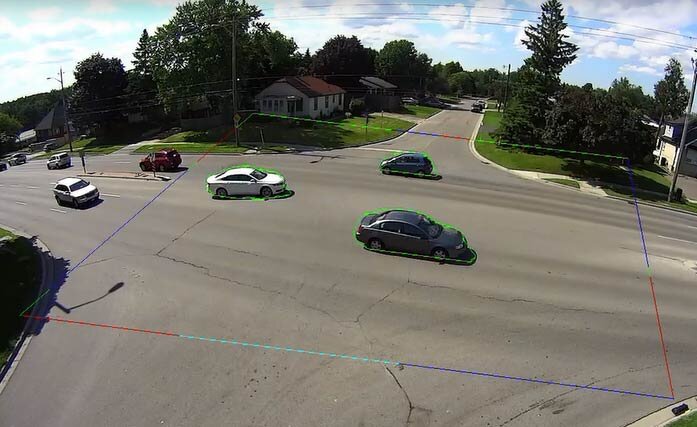
Another major application is in retail and logistics. Businesses use computer vision to automatically track inventory. Cameras can monitor shelves, identify products, and count how many are left. This helps prevent items from going out of stock and makes the whole supply chain more efficient.
By breaking down images into simple, numerical data, computers can perform tasks that once required human vision. This fundamental process of turning light into data is the first step in building powerful systems that can interpret the world around us.
Ready to check your understanding?
What is the smallest unit of a digital image, representing a single point of color?
In the RGB color model, a pixel is assigned the value (0, 255, 0). What color will this pixel be?
By understanding how computers process images, we can better appreciate the complex technologies that are shaping our world.