Computer Vision for Inventory Automation
Introduction to Computer Vision
What Computers See
Humans navigate the world primarily through sight. We recognize faces, read signs, and avoid obstacles without a second thought. Computer vision is a field of artificial intelligence that trains computers to interpret and understand the visual world in a similar way. Using digital images from cameras and videos, machines can identify and process objects, and then react to what they “see.”
Computer vision is the field of computer science that focuses on creating digital systems that can process, analyze, and make sense of visual data (images or videos) like humans do.
How does it work? At a basic level, the process involves a few key steps. First, an image or video is captured. The computer then processes this image, analyzing pixels to identify patterns, shapes, and colors. This step is called image processing.
Next, the system hones in on the most important pieces of information, a process known as feature extraction. Instead of looking at the entire image, it might focus on edges, corners, or specific textures that help distinguish one object from another. These features are the key characteristics that the system uses to make sense of the visual data.
Beyond Manual Counts
The applications for computer vision are vast and growing. It's the technology that powers self-driving cars, enables medical image analysis to detect diseases, and even lets you unlock your phone with your face. In the business world, it’s revolutionizing industries by automating tasks that once required human eyes.
One of the most powerful applications is in inventory management. Traditionally, tracking inventory involves tedious manual counts or scanning individual barcodes. These methods are slow, labor-intensive, and prone to human error. A missed item or a miscounted box can lead to stock discrepancies, lost sales, or overstocking.
Computer vision offers a more efficient alternative. By mounting cameras in warehouses or retail stores, businesses can automate the entire inventory tracking process.
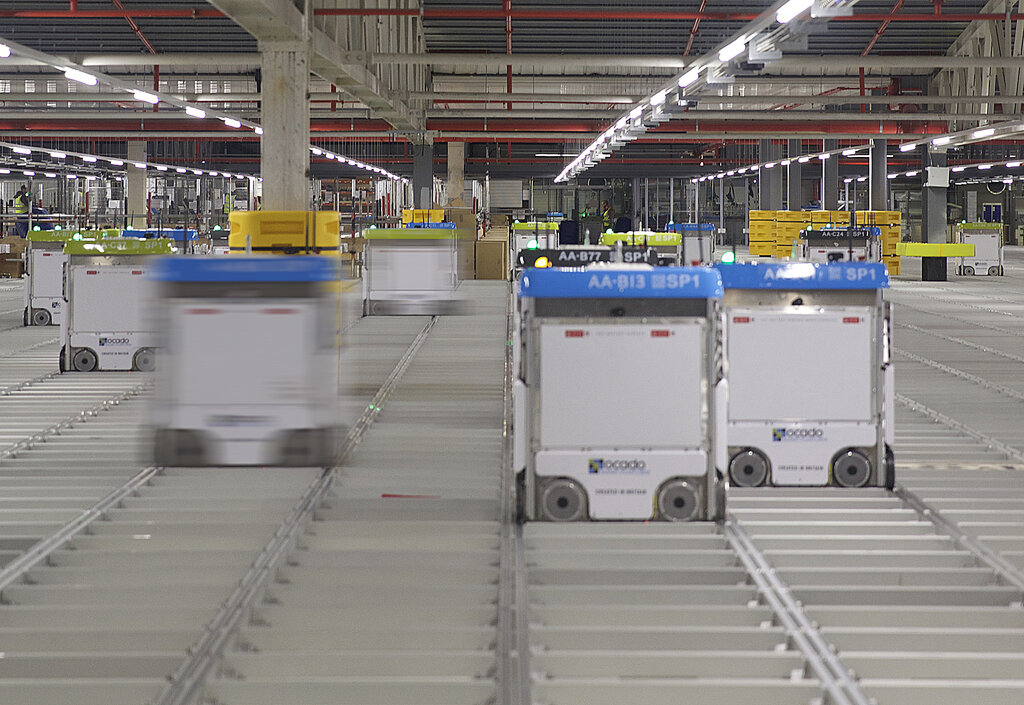
Instead of relying on periodic manual checks, a computer vision system can continuously monitor shelves. It can count items, identify when stock is low, and even detect if a product is in the wrong place. This provides a real-time, accurate view of inventory levels without the need for manual intervention.
Detection and Recognition
Two core concepts make this automation possible: object detection and object recognition.
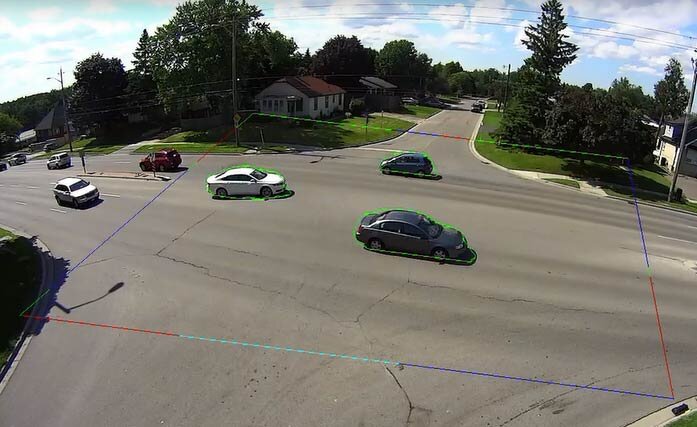
Object detection is the process of locating instances of objects within an image. If a computer vision system analyzes a picture of a warehouse shelf, its first job is to identify where the individual items are. It typically does this by drawing a bounding box around each object it finds.
Detection answers the question: "Where is something of interest?"
Object recognition, also known as image classification, is the next step. Once an object has been detected, the system's job is to identify what that object is. It classifies the item based on its learned features. For example, after drawing a box around an item, the system would say, "This is a bottle of brand X shampoo," or "This is a box of brand Y cereal."
Recognition answers the question: "What is this thing I've found?"
By combining these two capabilities, a computer vision system can autonomously scan a warehouse, locate every item, identify what it is, and update the central inventory database with a precise count. This lays the foundation for a much smarter, more responsive supply chain.
What is the primary goal of computer vision?
In computer vision, the initial step of analyzing pixels for patterns and colors is called _____, while the process of focusing on key characteristics like edges and corners is known as _____.