Computer Systems and Infrastructure Deep Dive
Computer System Components
Meet the Team
A computer isn't a single object. It's a team of specialized components working together. Each part has a specific job, but they all need to communicate to get anything done, from opening a file to streaming a video. Think of it like a well-organized workshop. You have a master craftsperson, a workbench for active projects, a storage room for tools and materials, and ways to bring things in and send finished products out. In a computer, these roles are filled by a few key pieces of hardware.
The functional components of a digital computer include the Input Unit, which takes in data; the CPU, which processes data with its Control Unit (CU), Arithmetic Logic Unit (ALU), and Registers; the Memory Unit, which stores data temporarily (RAM) or permanently (HDD/SSD); the Output Unit, which displays results; and the Bus System, which connects and transfers data between components.
The Brain of the Operation
At the heart of the computer is the Central Processing Unit, or CPU. It's often called the "brain" because it does the vast majority of the thinking and processing. Every time you click, type, or run a program, the CPU is executing instructions and making calculations at incredible speeds.
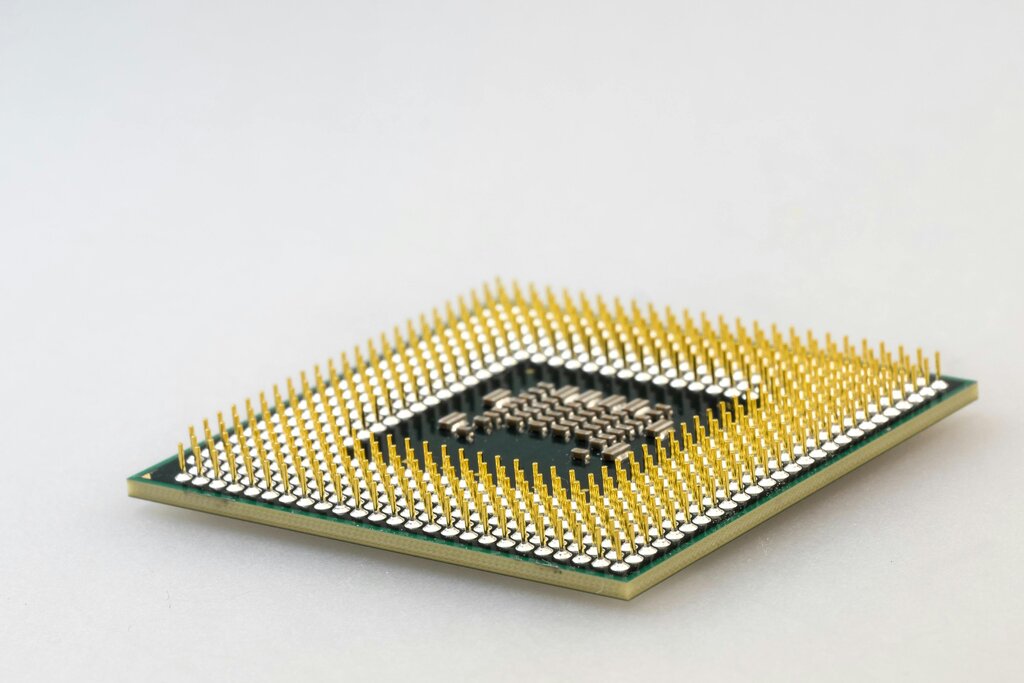
The CPU itself has two main parts that work in tandem. The Control Unit (CU) acts like a traffic cop, directing the flow of data and telling the other components what to do. It fetches instructions from the computer's memory and decodes them. The Arithmetic Logic Unit (ALU) is the calculator. It performs all the math (addition, subtraction) and logic (like comparing if one number is greater than another) operations.
CPU
noun
The electronic circuitry that executes instructions comprising a computer program. The CPU performs basic arithmetic, logic, controlling, and input/output (I/O) operations specified by the instructions.
The Computer's Memory
The CPU needs a place to hold the data and instructions it's actively working on. This is where memory comes in. Computer memory can be split into two main types: short-term and long-term.
Think of it this way: short-term memory is like your workbench, holding only what you need right now. Long-term memory is the warehouse, storing everything else until it's needed.
The computer's workbench is called Random Access Memory, or RAM. It's a temporary workspace that is extremely fast, allowing the CPU to access data almost instantly. When you open an application, its data is loaded into RAM. The key thing about RAM is that it's volatile, meaning it gets wiped clean when the computer turns off.
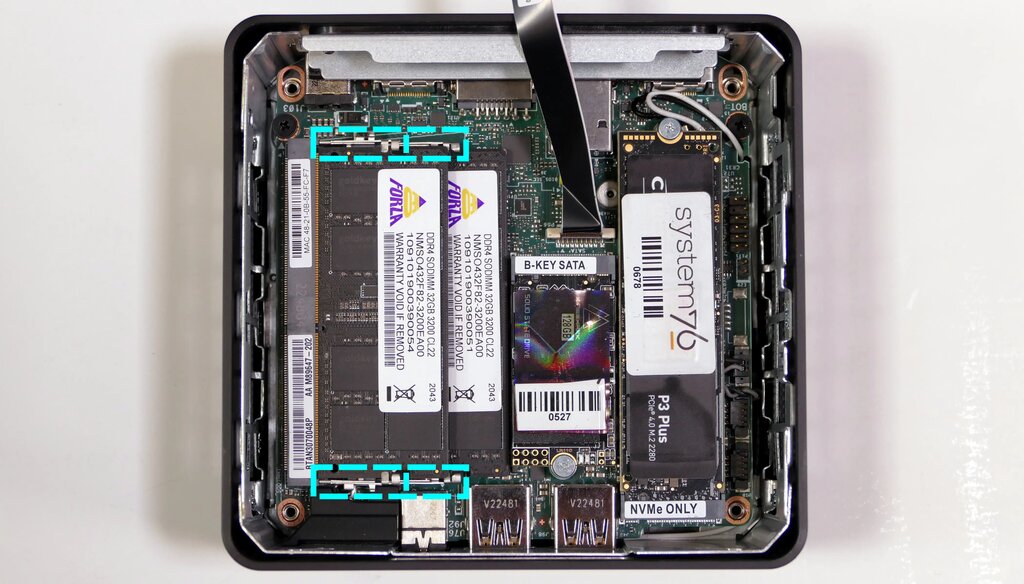
For permanent storage, computers use devices like hard disk drives (HDDs) or solid-state drives (SSDs). This is where your files, applications, and operating system are kept, even when the power is off. It's much slower than RAM, which is why data is copied from storage to RAM when you're actively using it.
| Feature | RAM (Random Access Memory) | Storage (SSD/HDD) |
|---|---|---|
| Purpose | Temporary workspace | Permanent file storage |
| Speed | Very Fast | Slower |
| Volatility | Volatile (clears on power off) | Non-volatile (retains data) |
| Analogy | Workbench | Warehouse |
How It All Connects
So we have a brain (CPU) and memory (RAM and storage). But how do they talk to each other? And how do we get information into the computer and see the results? This happens through Input/Output devices and the system bus.
Input Devices: These bring data into the system. Examples include your keyboard, mouse, microphone, and webcam.
Output Devices: These send data out of the system. Examples include your monitor, speakers, and printer.
All these parts—CPU, RAM, storage, and I/O devices—are connected by a set of electrical pathways called the system bus. The bus acts as the computer's highway system, allowing data to travel between all the different components. When you press a key on your keyboard, that signal travels along the bus to the CPU. When the CPU needs to display something on your screen, it sends the data through the bus to your monitor. This constant communication, happening millions of times per second, is what makes a computer work.
Understanding how these fundamental pieces fit together is the first step to understanding how computers operate. Each component is a marvel of engineering, but their true power is unlocked when they work in concert.
Now, let's test your knowledge on these core components.
What is the primary function of the Central Processing Unit (CPU)?
Which of the following best describes the difference between RAM and an SSD/HDD?
With these building blocks in mind, you're ready to explore what makes them run.