Computer Systems and Data Management
Computer Hardware
The Brain of the Machine
At the heart of every computer is a small, powerful chip that does most of the heavy lifting. This is the Central Processing Unit, or CPU. Think of it as the computer's brain. It's responsible for executing commands and running the programs you use every day.
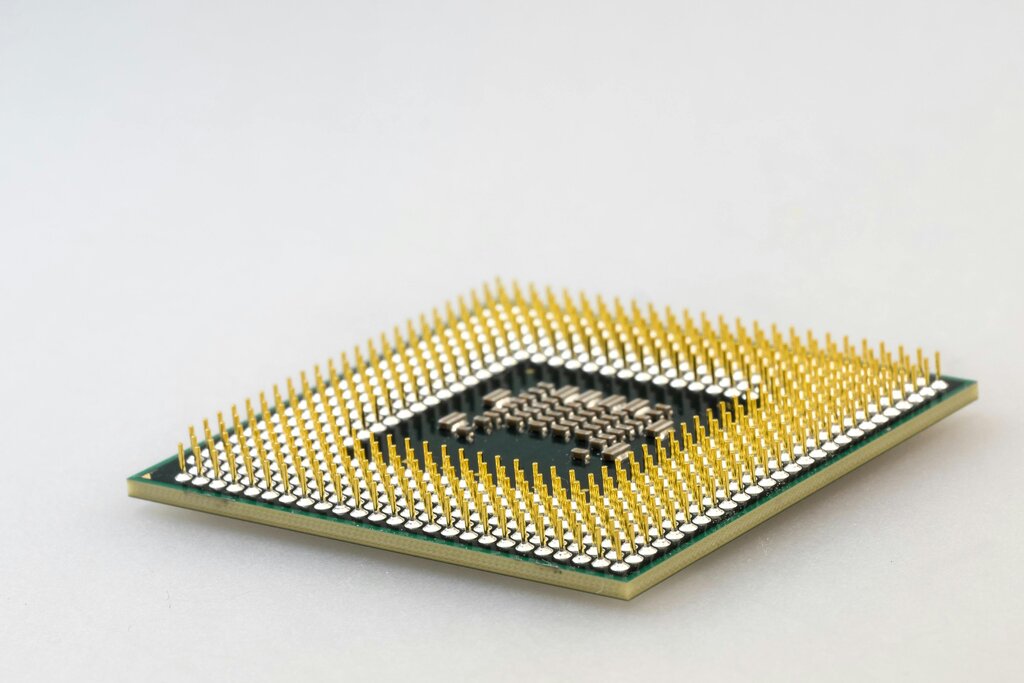
The CPU's main job is to perform a three-step cycle: fetch, decode, and execute. It fetches an instruction from memory, decodes what the instruction means, and then executes it. This cycle happens billions of times per second, allowing your computer to do everything from opening a file to playing a video.
Imagine a chef in a kitchen. The recipe book is the program, and the chef is the CPU. The chef reads one step (fetch), understands what it says—like 'chop the onions' (decode)—and then performs the action (execute). A modern CPU is like a chef who can perform billions of these steps in the blink of an eye.
CPU
noun
The primary component of a computer that processes instructions. It runs the operating system and applications, constantly receiving input from the user or active software programs.
Computer Memory
The CPU needs a place to store the data and instructions it's working on. This is where memory comes in. Computer memory can be split into two main types: short-term and long-term.
Think of it like a workbench. Your active workspace is for short-term tasks, while your cabinets are for long-term storage.
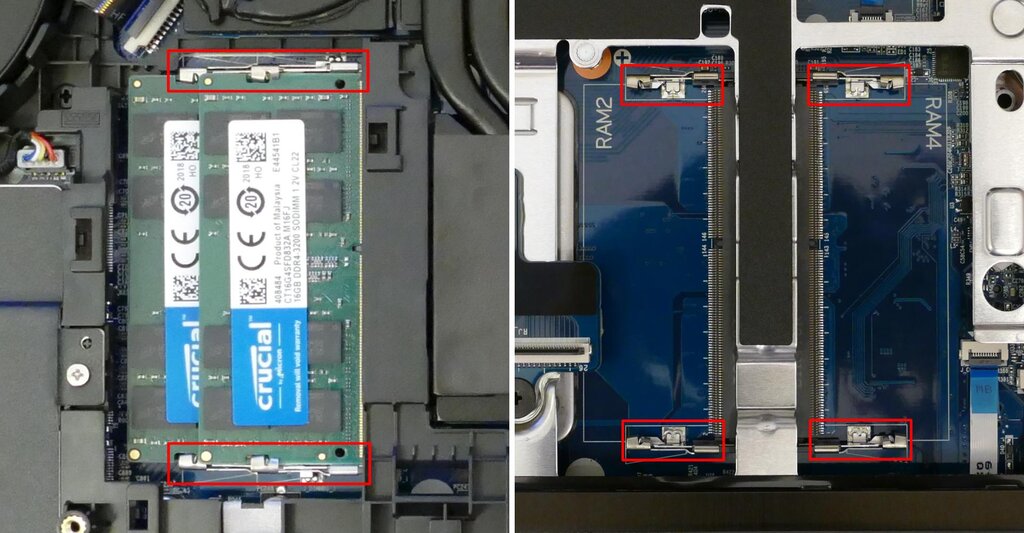
The short-term memory is called Random Access Memory, or RAM. This is the computer's workbench. When you open a program, it's loaded into RAM so the CPU can access it quickly. RAM is volatile, which means it forgets everything as soon as the computer is turned off. The more RAM you have, the more tasks your computer can handle at once without slowing down.
Long-term memory is your computer's storage. This is where your files, applications, and the operating system are kept permanently. Unlike RAM, storage is non-volatile; it holds onto its data even when the power is off. The most common types are Hard Disk Drives (HDDs), which use spinning platters to store data, and Solid-State Drives (SSDs), which use flash memory and have no moving parts, making them much faster.
Input and Output
A computer wouldn't be very useful if we couldn't interact with it. We need ways to give it information and ways for it to give information back to us. This is handled by input and output devices.
In any system—whether it’s a digestive system, a computer system, or a transit system—you have three main components: input, process, and output.
Input devices are how you send data to the computer. The most familiar examples are the keyboard you type on and the mouse you use to click. Other input devices include microphones for recording audio, webcams for video, and scanners for digitizing documents.
Output devices are how the computer presents data to you. The monitor you're looking at is the primary output device. Printers create physical copies of documents, and speakers play sound. They take the results of the CPU's processing and turn them into a form we can see, hear, or touch.
Beyond the essentials, we can connect many other pieces of hardware called peripheral devices. These expand a computer's capabilities. Examples include external hard drives for extra storage, webcams for video calls, or game controllers for playing games. They typically connect to the computer through ports like USB.
Ready to test your knowledge on these core components?
What is the primary three-step cycle performed by a CPU?
If you are working on a document and the power suddenly goes out, which component is most likely to lose your unsaved changes?
Understanding these physical parts is the first step to seeing how a computer works. Each component has a specific job, and they all work together to turn your commands into actions.