Computer Systems and Architecture
System Architecture
The Motherboard's Symphony
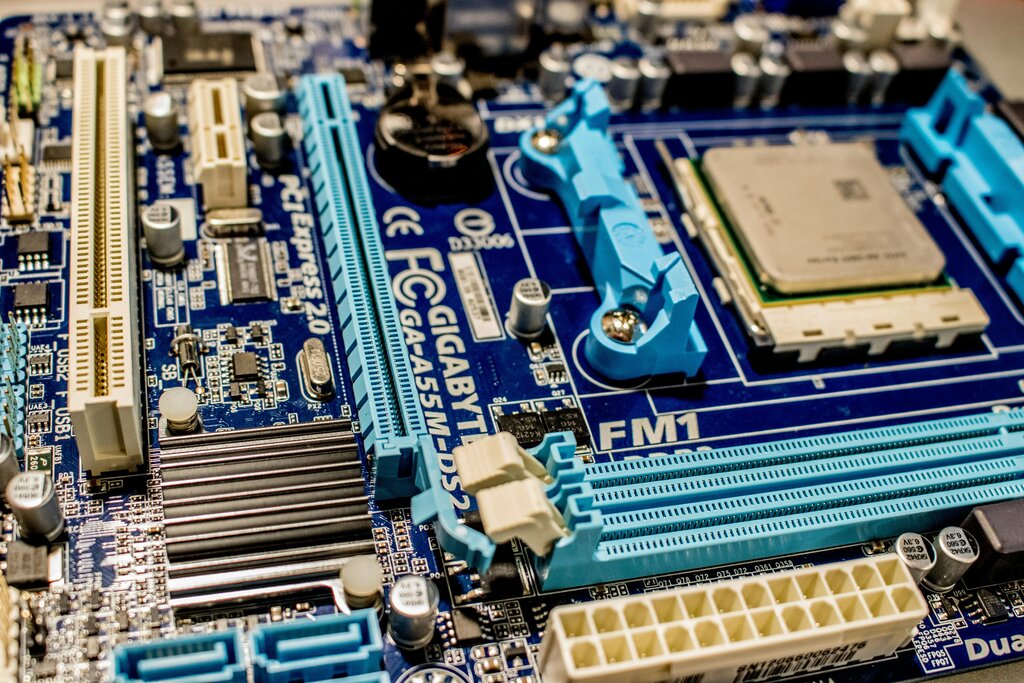
At the heart of every computer is the motherboard, a complex circuit board that acts like a bustling city's road system. It doesn't just hold the components; it connects them, allowing the Central Processing Unit (CPU), Random Access Memory (RAM), and storage devices to communicate. This intricate network of electrical pathways, collectively known as the system bus, ensures data gets where it needs to go.
The CPU's Rhythm
The CPU is the brain of the operation, constantly executing instructions from your programs. It follows a fundamental rhythm called the instruction cycle, often broken down into four steps: fetch, decode, execute, and write-back.
- Fetch: The CPU retrieves an instruction from RAM.
- Decode: The CPU's control unit interprets what the instruction means.
- Execute: The Arithmetic Logic Unit (ALU) performs the required calculation or operation.
- Write-back: The result is stored back in a register or RAM.
This cycle happens billions of times per second. The system bus is the critical pathway for the fetch and write-back stages, moving instructions and data between the CPU and memory. Think of it as a highway system with different lanes for different purposes: an address bus to specify the location in memory, a data bus to carry the actual data, and a control bus to coordinate the entire process.
Memory and High-Speed Data
For the CPU to work efficiently, it needs fast access to data, which is where RAM comes in. When evaluating RAM, two key metrics are latency and throughput. is the time delay before a data transfer begins. Throughput is the total amount of data that can be transferred in a given time. Think of it like a water pipe: latency is how long it takes for water to start flowing after you turn the tap, while throughput is the total volume of water that can flow through the pipe per minute.
While RAM is fast, some components need even more direct and higher-bandwidth connections to the CPU. Modern motherboards use for this. These are dedicated point-to-point data pathways primarily used for graphics cards, high-speed network cards, and NVMe SSDs. More lanes allocated to a device mean a wider 'highway' for data, allowing for higher throughput and better performance.
Waking Up the System
When you first turn on your computer, before the operating system even loads, a special piece of software takes control. This is the firmware, stored on a chip on the motherboard.
Its job is to perform a Power-On Self Test (POST) to check that all essential hardware is working correctly. It then identifies the available storage devices, finds the bootloader for your operating system, and hands over control. The BIOS/UEFI interface also allows you to configure low-level hardware settings, such as the boot order, RAM frequency, and fan speeds, giving you direct control over your system's foundation.
After the handoff from the BIOS/UEFI, the operating system (OS) takes charge. The OS acts as a master resource manager, abstracting the complex hardware interactions. It schedules which processes get CPU time, manages how applications use RAM, and directs data to and from storage. This management prevents conflicts and ensures the system remains stable and responsive, even when you're running dozens of applications at once. Understanding this flow, from firmware to OS to application, is key to diagnosing performance bottlenecks and building a well-balanced system.
What is the primary function of the system bus on a motherboard?
In the context of computer memory (RAM), which statement best describes latency and throughput?