Computer System Servicing Essentials
Computer Hardware Basics
The Computer's Foundation
Every computer is built upon a main circuit board called the motherboard. Think of it as the central hub or nervous system that connects every single component, allowing them to communicate with each other. Without it, the processor, memory, and other parts would just be isolated pieces of silicon and plastic.
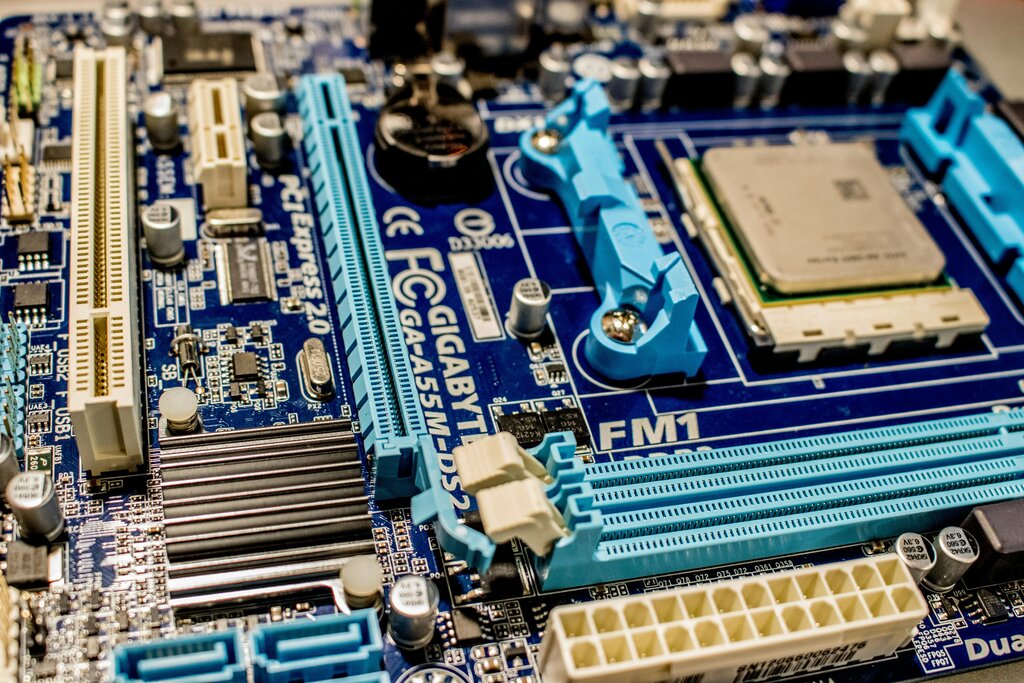
The motherboard is covered in slots and connectors. The most prominent is the CPU socket, which is specifically designed for the processor. You'll also see long, thin slots for RAM, and other expansion slots for adding components like graphics cards or network adapters. Every piece of hardware plugs into the motherboard in one way or another.
The Brain of the Operation
The Central Processing Unit, or CPU, is the computer's brain. It's a small chip that carries out the vast majority of the processing. Every time you open a program, save a file, or click your mouse, the CPU is executing billions of instructions per second to make it happen.
A CPU's main job is to fetch instructions from memory, decode them, execute them, and then write the results back to memory.
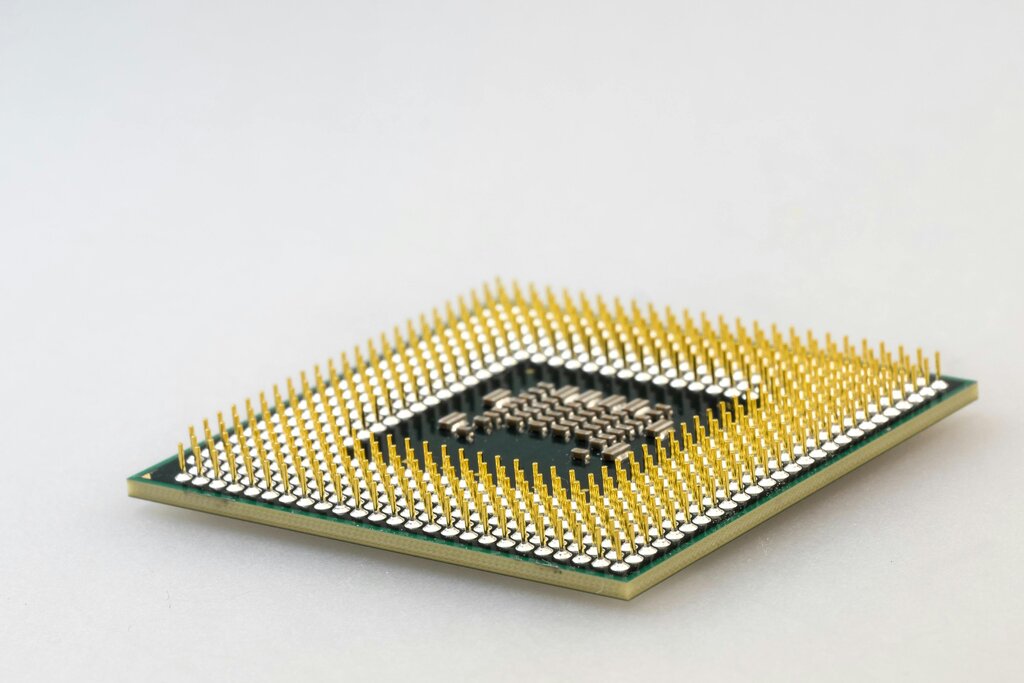
CPUs come in different architectures, with major manufacturers like Intel and AMD leading the market. Their performance is often measured by clock speed (in gigahertz, or GHz) and the number of cores. A core is like an individual processor within the CPU. A multi-core CPU can work on multiple tasks simultaneously, which is why modern computers can handle so much at once.
Short-Term Memory
Random Access Memory, or RAM, is the computer's short-term working memory. It's where the computer temporarily stores data for the applications you are actively using. Think of it like your desk space. The more RAM you have, the more programs and files you can have open and work with at the same time without the system slowing down.
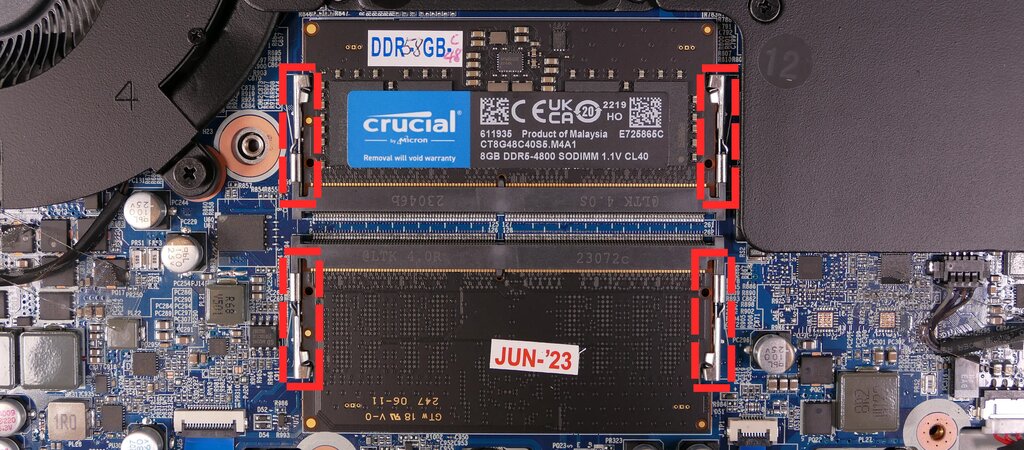
RAM is volatile, which means it forgets everything when the computer is turned off. Its purpose is speed. It gives the CPU lightning-fast access to the information it needs right now. Like CPUs, RAM comes in different types and speeds, such as DDR4 and DDR5. Motherboards are designed to work with specific types, so compatibility is key.
Long-Term Storage
While RAM is for temporary data, storage devices are for permanent data. This is where your operating system, applications, photos, and documents live, even when the power is off. There are two main types of storage devices today: Hard Disk Drives (HDDs) and Solid-State Drives (SSDs).
| Feature | Hard Disk Drive (HDD) | Solid-State Drive (SSD) |
|---|---|---|
| Technology | Spinning magnetic platters | Flash memory chips |
| Moving Parts | Yes | No |
| Speed | Slower | Much faster |
| Durability | More fragile | More resilient |
| Cost | Less expensive per gigabyte | More expensive per gigabyte |
HDDs are an older technology that uses a mechanical arm to read and write data on spinning disks. SSDs have no moving parts and use the same kind of flash memory found in USB drives, making them significantly faster and more durable. Using an SSD for your operating system can make a computer feel dramatically quicker. You might also encounter optical drives, which read data from CDs, DVDs, or Blu-ray discs, but they are becoming less common.
Powering Everything
The Power Supply Unit, or PSU, is the unsung hero of the computer. It takes the high-voltage alternating current (AC) from your wall outlet and converts it into the low-voltage direct current (DC) that all the other components need to operate.
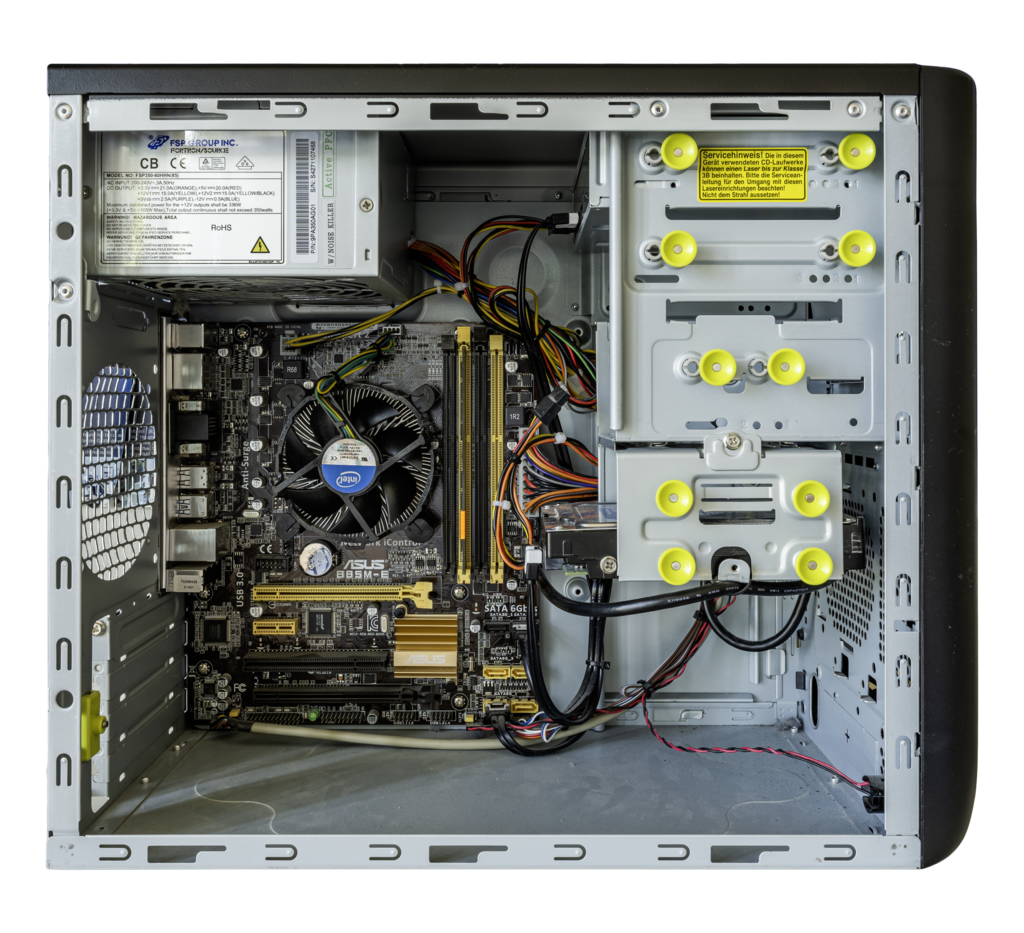
PSUs are rated in watts, which indicates the total amount of power they can supply. A high-performance gaming PC with a powerful CPU and graphics card will need a higher wattage PSU than a basic office computer. They also have efficiency ratings, like "80 Plus Bronze" or "80 Plus Gold," which tell you how efficiently they convert AC to DC power. A more efficient PSU wastes less energy as heat.
Talking to the Computer
Finally, we have peripheral devices. These are all the components you connect to the computer to interact with it. They fall into two main categories: input and output.
Input devices send data to the computer. This includes your keyboard, mouse, webcam, and microphone.
Output devices receive data from the computer. This includes your monitor, speakers, and printer.
These devices connect to the computer through various ports, most commonly USB. They are the bridge between you and the machine, allowing you to give it commands and see the results.
What is the primary role of the motherboard in a computer?
Random Access Memory (RAM) is described as volatile. What does this mean?
Understanding these core components is the first step in learning how a computer works. Each part has a distinct role, but they all work together on the motherboard to create a functioning system.