Computer Network Fundamentals
Introduction to Computer Networks
What Is a Network?
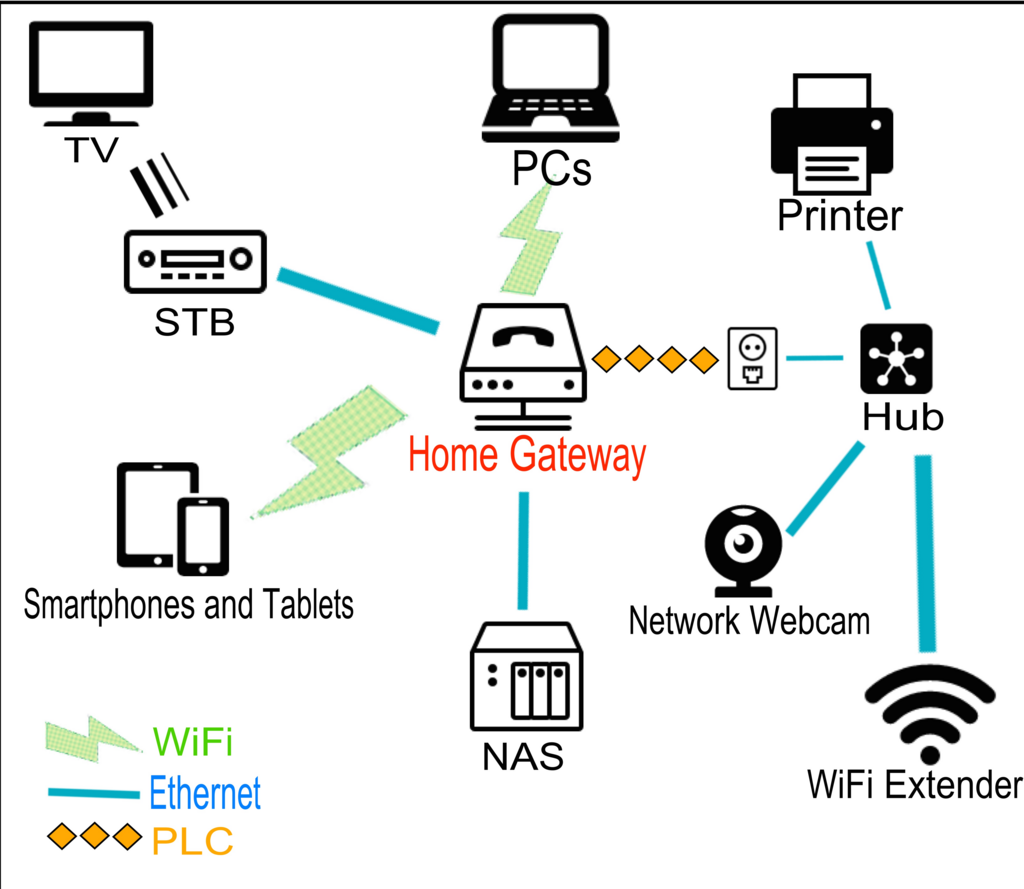
At its core, a computer network is just a group of devices connected together. Think of your laptop, phone, smart TV, and printer. When they can all talk to each other, they form a network. The primary reason for creating a network is to share things. This could be an internet connection, a file, or access to a printer.
The main purpose of a network is to let devices communicate and share resources.
Without a network, if you wanted to print a document from your laptop, you might have to save it to a flash drive, walk it over to a computer connected to the printer, and print from there. With a network, you can just click "Print" from your laptop, and the document is sent to the printer wirelessly. This simple convenience is what makes networks so powerful. They connect individual devices into a cohesive, useful system.

The Building Blocks
Every network, from the one in your home to the global internet, is built from the same three basic components: nodes, media, and network devices.
Node
noun
Any device on a network that can send, receive, or forward information.
Next is the networking medium, which is the physical path that connects the nodes. This is how the information actually travels. It generally comes in two forms:
- Wired: This usually means Ethernet cables. They look like slightly thicker phone cords and plug directly into your devices. Wired connections are typically fast and reliable.
- Wireless: This is what we know as Wi-Fi. It uses radio waves to send information through the air, offering convenience and mobility.
Finally, we have network devices. These are the pieces of hardware that manage the flow of traffic between nodes. The two most common are switches and routers.
A switch is like a mail sorter for a single office building. It operates within one local network and makes sure a message sent from one node gets to the correct destination node. A router, on the other hand, is like an airport. It connects different networks together. Your home router's main job is to connect all the devices in your house (your local network) to the internet (a massive, global network).
Networks at Scale
Not all networks are the same size. We categorize them based on the geographical area they cover.
Local Area Network (LAN): This is the smallest and most common type of network. A LAN connects devices in a limited area, like a home, a school, or an office building. Your home Wi-Fi is a perfect example of a LAN. Because the devices are close together, LANs are usually fast and inexpensive to set up.
Wide Area Network (WAN): A WAN spans a large geographical area, such as a city, country, or even the entire globe. A WAN is essentially a network of networks; it connects multiple LANs together. The most famous example of a WAN is the internet, which connects billions of devices worldwide.
Metropolitan Area Network (MAN): A MAN is larger than a LAN but smaller than a WAN. It typically covers a city or a large campus. A MAN might be used by a city government to connect its various offices and facilities, or by an internet service provider to connect customers in a specific urban area.
| Network Type | Scope | Example |
|---|---|---|
| LAN | Single building or campus | Your home Wi-Fi |
| MAN | A city or large town | A cable provider's city-wide network |
| WAN | Countries or worldwide | The Internet |
Now that you understand the basic building blocks and types of networks, let's test your knowledge.
What is the primary reason for creating a computer network?
Which of these is best described as a network that connects multiple LANs across a large geographical area, like a country?
Understanding these core concepts is the first step to grasping how our digitally connected world works.