Computer Hardware Architecture and System Integration
CPU Performance Metrics
Beyond Gigahertz
For years, the megahertz, and later gigahertz, race dominated CPU marketing. A higher number meant a faster processor. While not entirely wrong, clock speed is only half the story. The other, arguably more important, half is Instructions Per Cycle, or IPC. This metric measures how many tasks a CPU core can complete in a single clock cycle.
Think of it like this: Clock speed is how fast a worker moves their hands. IPC is how much work they get done with each hand movement. A fast worker who accomplishes little with each motion can be outpaced by a slower, more deliberate worker who is incredibly efficient.
This is why a modern 3.5 GHz processor can easily outperform a 5.0 GHz processor from a decade ago. Architectural improvements have dramatically increased the IPC, allowing more work to be done in each cycle, even if the cycles themselves are slower.
The Memory Bottleneck
A processor can only work as fast as it can get data. Waiting for data to arrive from the main system memory (RAM) is a major performance bottleneck. In CPU terms, a trip to RAM is like walking to a library in another city to fetch a book. To solve this, CPUs use a memory hierarchy of small, extremely fast storage areas called caches.
The hierarchy works like this:
- L1 Cache: The smallest and fastest cache, located directly on the CPU core. It's often split into an instruction cache (for program code) and a data cache (for the data the code is working on). Access is nearly instant.
- L2 Cache: Larger and slightly slower than L1, but still on the core. It serves as a backup for the L1 cache.
- L3 Cache: The largest of the caches, shared among all cores on the CPU. It's slower than L1 and L2 but massively faster than RAM.
When the CPU needs data, it checks L1 first. If it's not there (a 'cache miss'), it checks L2, then L3. Only if it misses in all three caches does it make the long trip to RAM. A high cache hit rate is crucial for performance.
Heat, Power, and Efficiency
High performance comes at a cost: power consumption and heat. Every CPU has a Thermal Design Power (TDP), which is a specification indicating the average power, in watts, the processor dissipates when operating at base frequency. It's more of a guideline for cooling system requirements than a strict measure of power draw.
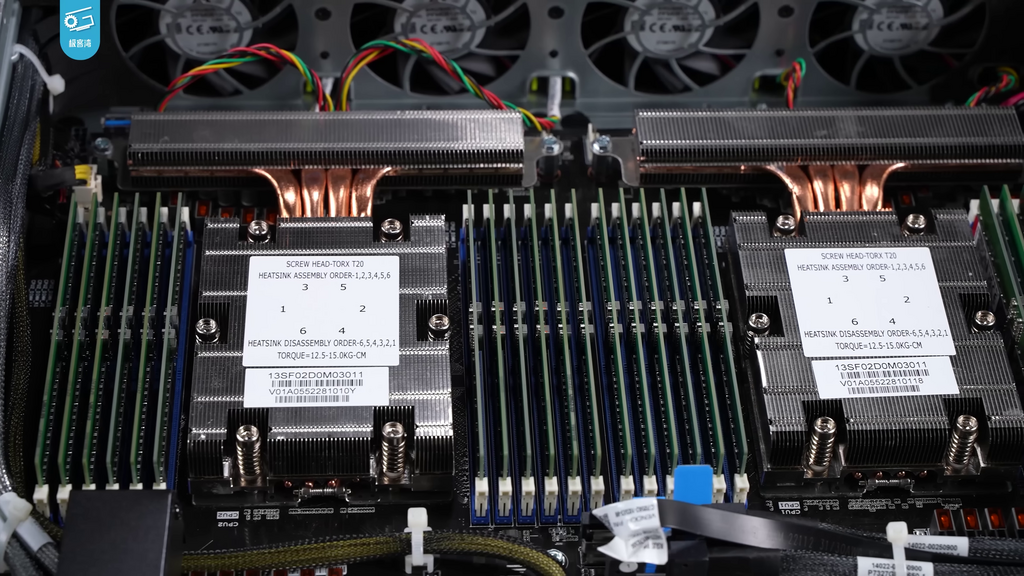
If a CPU's temperature exceeds its safe operating limit, it will engage in thermal throttling. The processor will automatically reduce its clock speed to lower heat production and prevent damage. This is why a powerful CPU with inadequate cooling can perform worse than a less powerful one with a great cooler.
To balance the demand for peak performance with the need for energy efficiency, manufacturers have developed hybrid architectures. Modern CPUs often contain two types of cores:
| Core Type | Purpose | Characteristics |
|---|---|---|
| Performance-cores (P-cores) | Handle demanding, foreground tasks like gaming or video editing. | High clock speeds, high IPC, high power consumption. |
| Efficiency-cores (E-cores) | Handle background tasks and low-intensity workloads. | Lower clock speeds, good IPC, very low power consumption. |
The operating system's scheduler is smart enough to assign tasks to the appropriate core. When you're browsing the web, your E-cores are likely doing most of the work. Fire up a demanding application, and the P-cores spring to life.
Smarter, Not Just Faster
Beyond raw speed and cache, modern CPUs use sophisticated techniques to boost IPC. One of the most important is branch prediction.
Programs are full of decisions, or 'branches' (like if-then-else statements). Instead of waiting to see which path the program will take, the CPU makes an educated guess. A special circuit called a branch predictor analyses past behaviour to predict the most likely outcome and starts executing instructions from that path ahead of time.
If the prediction is correct, the CPU has saved a significant amount of time. If it's wrong (a 'mispredict'), it has to discard the speculative work and start over from the correct path. This incurs a penalty, known as latency. The accuracy of the branch predictor is a key factor in a CPU's real-world performance. A modern processor can predict with over 90% accuracy, avoiding costly delays and keeping the processing pipeline full.
Why might a modern 3.5 GHz CPU outperform an older 5.0 GHz CPU?
What is the primary consequence of a CPU overheating and exceeding its safe operating limit?
These metrics—IPC, cache hierarchy, thermal management, and predictive technologies—provide a much richer picture of a CPU's capabilities than clock speed alone. When evaluating performance, it's the interplay between all these factors that truly matters.