Computer Fundamentals How They Work
Computer Hardware
The Computer's Core Team
Think of a computer not as a single object, but as a team of specialized components working together. Each part has a distinct job, and they all need to communicate perfectly to get anything done. Let's meet the key players, starting with the brain of the operation.
CPU
noun
The Central Processing Unit is the primary component of a computer that acts as its control center, executing instructions and performing calculations.
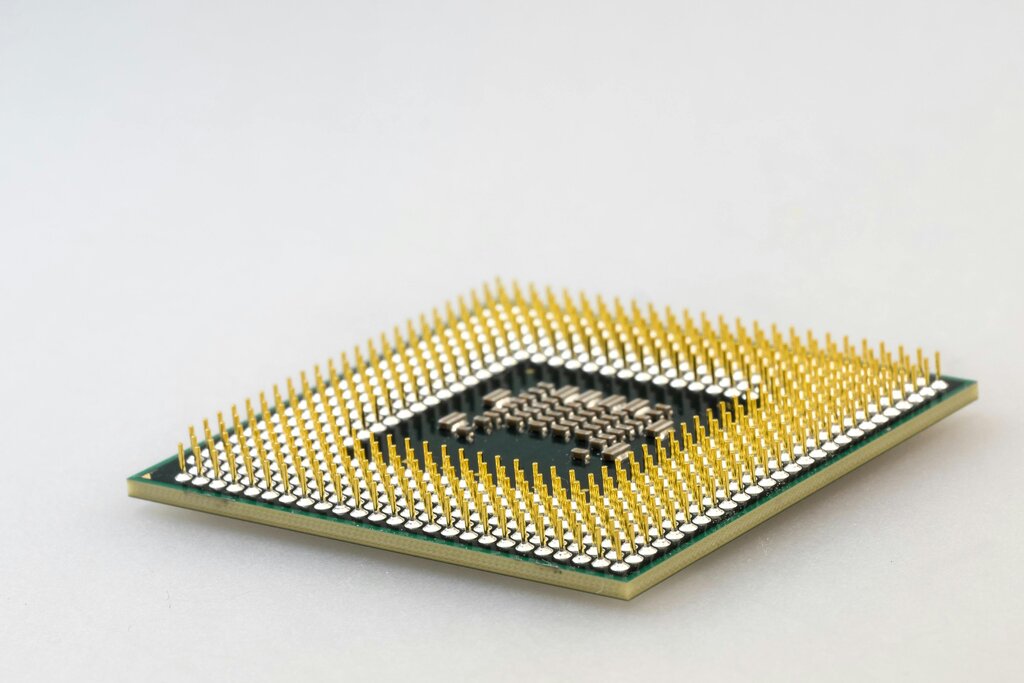
The CPU is a small, powerful chip that handles all the instructions it receives from hardware and software. Every time you click, type, or run a program, the CPU is the one doing the heavy lifting, processing those commands and making things happen. It's the engine that drives everything you do on your computer.
If the CPU is the brain, the motherboard is the central nervous system that connects everything.
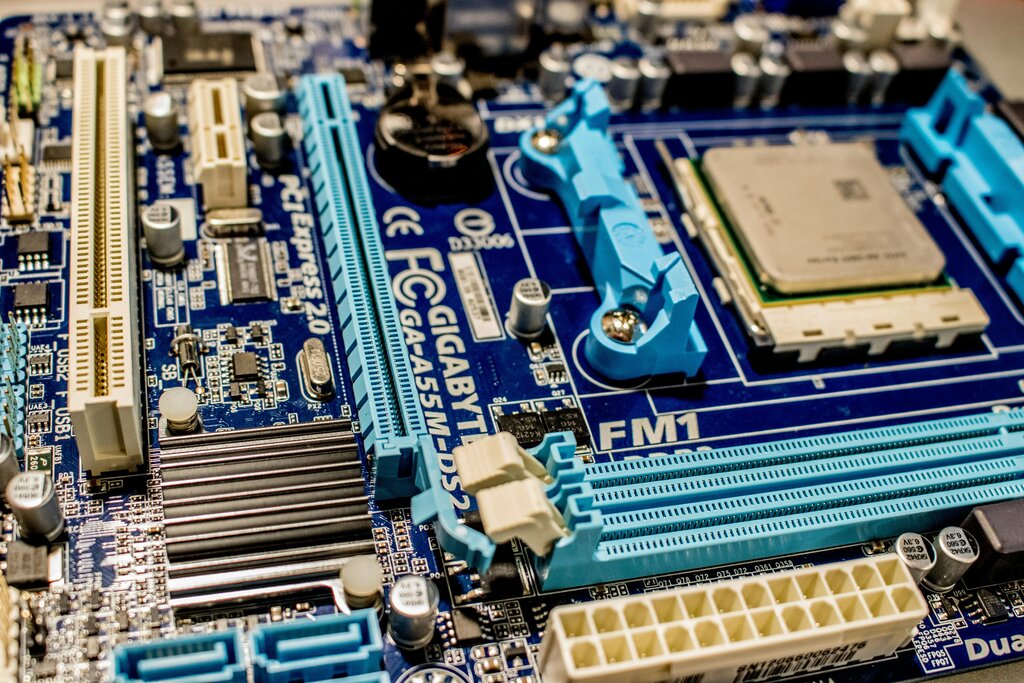
The motherboard is a large circuit board that acts as the communication hub. Every single component—from the CPU and memory to your hard drive and mouse—plugs into the motherboard. It contains electrical pathways called buses that allow data to flow between all the parts, ensuring they can work in harmony.
Memory vs. Storage
Computers need a place to hold information, but they use two very different types for different tasks: memory and storage. It's helpful to think of them like a desk and a filing cabinet.
Memory is your desk. It's where you put the papers you're actively working on. It's fast to access, but it's temporary and has limited space. Storage is your filing cabinet. It's where you keep all your files for the long term. It's slower to access, but it can hold a lot more and keeps your files safe even when the power is off.
RAM
noun
Random Access Memory is a form of computer memory that can be read and changed in any order, typically used to store working data and machine code.
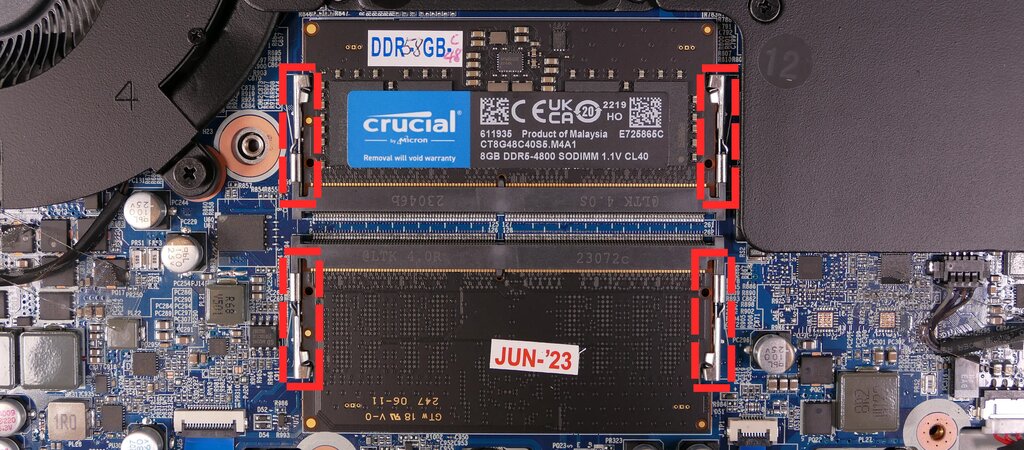
RAM is your computer's short-term memory, or its workspace. When you open a file or launch an application, the computer pulls it from long-term storage and places it in RAM for quick access by the CPU. The more RAM you have, the more tasks your computer can handle at once without slowing down. But RAM is volatile, meaning its contents are erased when the computer turns off, just like clearing your desk at the end of the day.
There's another kind of memory called Read-Only Memory (ROM). Unlike RAM, ROM is non-volatile, so it holds its information even without power. It contains essential startup instructions for the computer, like how to wake up and check that all the hardware is working correctly. You can't easily change what's on ROM; it’s like the printed instructions that came with a board game.
For long-term safekeeping, data lives on storage devices.
Your operating system, applications, photos, and documents all reside on a storage drive. There are two main types:
- Hard Disk Drives (HDDs) use spinning magnetic disks to store data. They are an older, more affordable technology and are great for storing large amounts of data.
- Solid-State Drives (SSDs) use flash memory chips, similar to a USB drive. SSDs have no moving parts, making them much faster, more durable, and quieter than HDDs.
Power and Peripherals
A computer is more than just its brain and memory. Several other components are essential for it to function and for us to interact with it.
The Power Supply Unit (PSU) is the component that converts the electrical power from a wall outlet into the specific voltages the computer's components need to operate.
Finally, we have the devices that let us communicate with the computer. Input devices send data to the computer. This includes your keyboard, mouse, microphone, and webcam. They are how you give the computer commands and information.
Output devices receive data from the computer. This includes your monitor (which displays visual information), speakers (which produce sound), and printer (which creates physical copies of documents). They are how the computer presents results back to you.
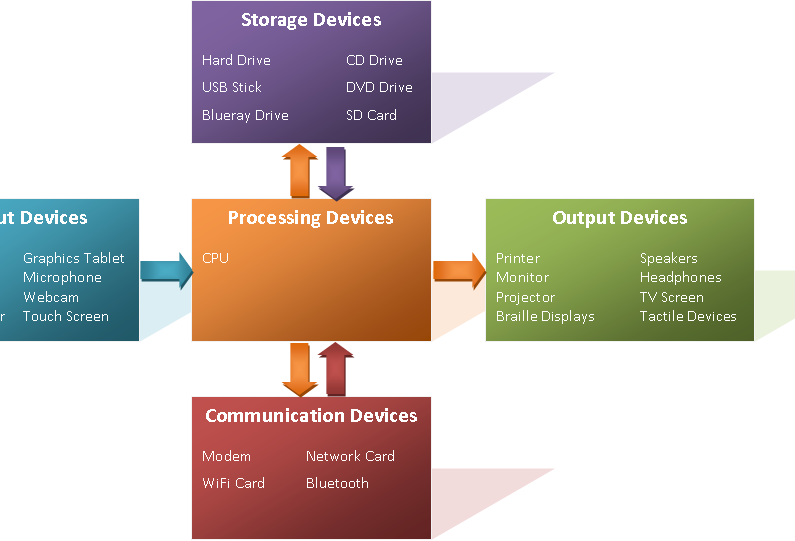
All these parts, from the tiniest transistor in the CPU to the monitor on your desk, work together as a complex, interconnected system. Understanding the role of each piece is the first step to understanding how computers work.