Computer Fundamentals Explained
Computer Hardware
The Physical Machine
At its core, a computer is a collection of physical parts that work together. This collection of tangible components is called hardware. Think of it like the organs in a body, each with a specific job, all connected to function as a whole. You can see and touch these parts, from the tiny chips to the large case that holds everything.
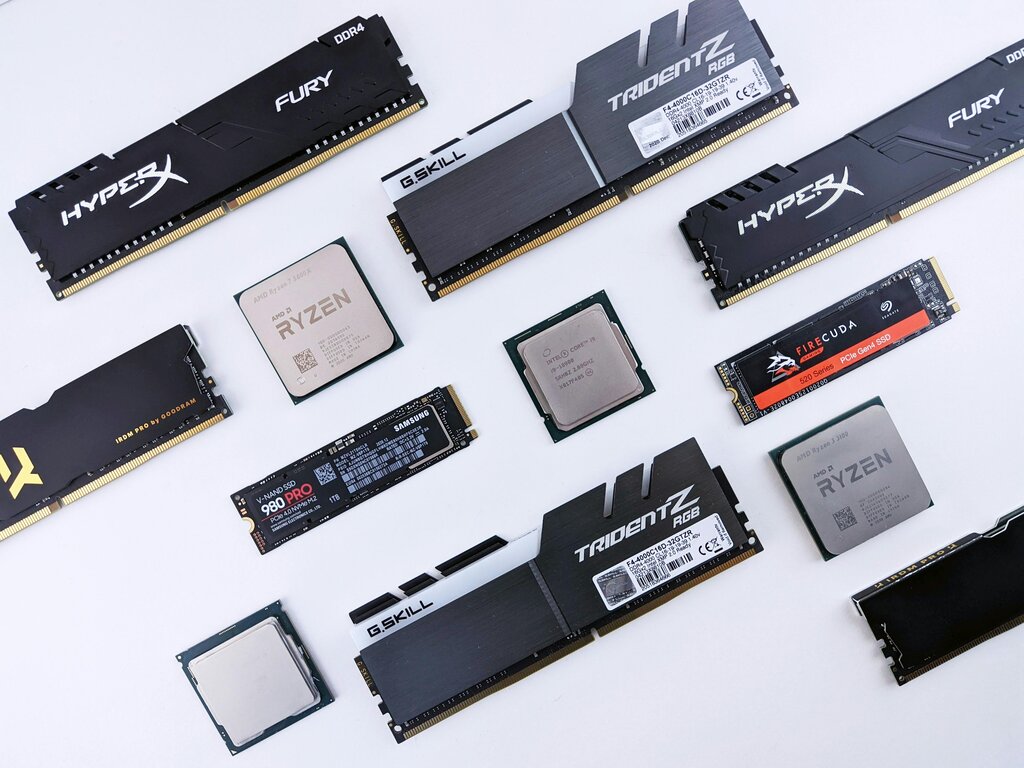
Let's look at the main players inside your computer and what each one does.
The Brain and Nervous System
Every computer has a central processing unit, or CPU. It's often called the "brain" of the computer because it performs most of the processing. The CPU executes the instructions of a computer program, performing the basic arithmetic, logic, controlling, and input/output operations specified by the instructions. When you click your mouse, type a key, or run a program, the CPU is what carries out those commands.
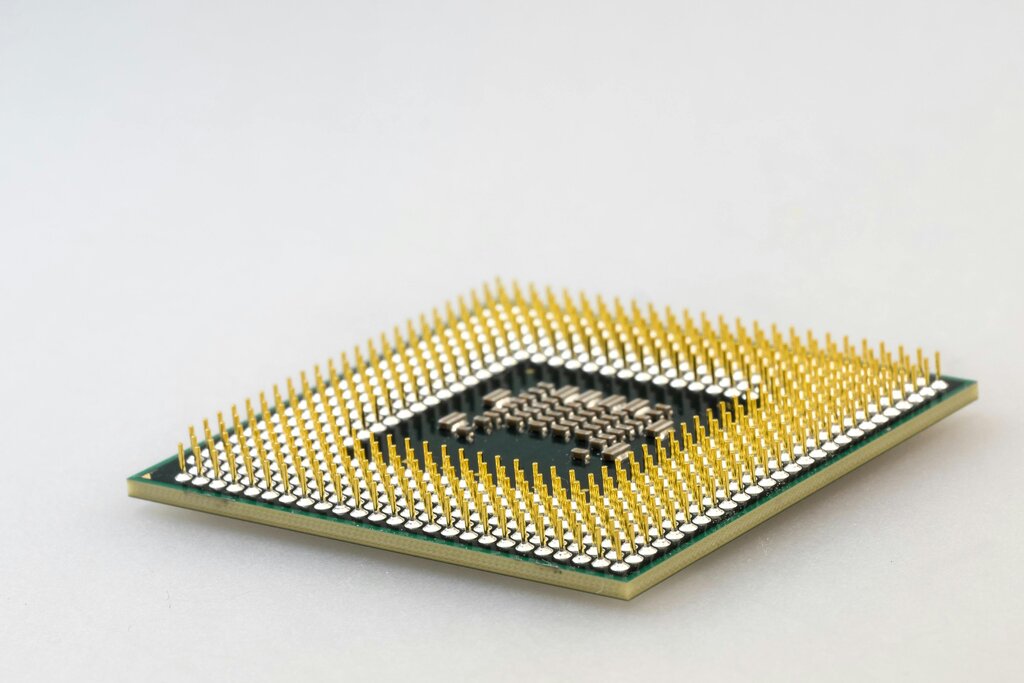
But a brain needs a nervous system to connect to the rest of the body. In a computer, that's the motherboard. It's a large circuit board that acts as the main hub, connecting all the essential components. The CPU, memory, and storage drives all plug into the motherboard, allowing them to communicate with each other.
The motherboard is the backbone of the computer, providing the electrical connections that let all the parts talk to one another.
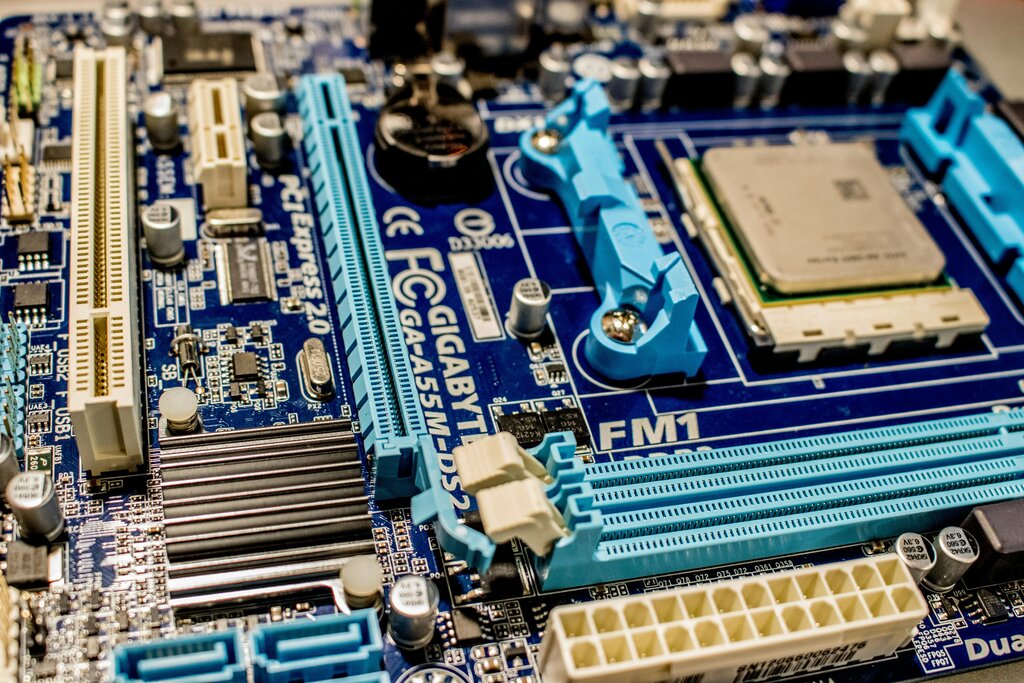
Memory and Storage
Computers have two main types of memory: short-term and long-term. The short-term memory is called Random Access Memory, or RAM. Think of RAM as your desk space. It's where you put things you're actively working on. When you open a file or run an application, it gets loaded into RAM for quick access by the CPU. The more RAM you have, the more things you can work on at once without slowing down. But just like a desk, when you turn off the power, everything on it is cleared.
RAM
noun
A form of computer memory that can be read and changed in any order, typically used to store working data and machine code.
For long-term storage, computers use devices like hard disk drives (HDDs) and solid-state drives (SSDs). This is like your file cabinet, where you store documents, photos, and programs for later use. The information stays here even when the computer is turned off.
HDDs use spinning magnetic disks to store data, like a tiny record player. SSDs use flash memory chips and have no moving parts, which makes them much faster and more durable.
| Feature | Hard Disk Drive (HDD) | Solid-State Drive (SSD) |
|---|---|---|
| Technology | Magnetic spinning platters | Flash memory chips |
| Speed | Slower | Much faster |
| Durability | More fragile (moving parts) | More durable (no moving parts) |
| Cost | Less expensive | More expensive |
Power and Peripherals
None of these components can work without electricity. The power supply unit (PSU) is responsible for taking the high-voltage alternating current (AC) from your wall outlet and converting it into the low-voltage direct current (DC) that computer components need to operate.
Finally, we have the parts we interact with directly. These are called peripheral devices. They allow us to give the computer input and see its output. The most common peripherals are the monitor (for visual output), the keyboard (for text input), and the mouse (for graphical input).
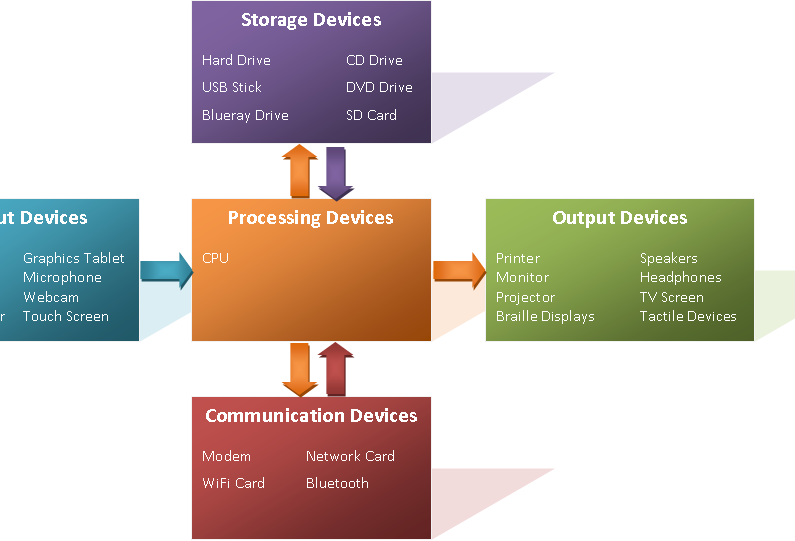
These core components, from the CPU to your keyboard, form the complete hardware system that allows a computer to function.
Ready to check your understanding of these essential parts?
Which component is often called the "brain" of the computer because it performs most of the processing and executes program instructions?
Information stored in RAM is kept safe even when the computer's power is turned off.
Together, these pieces of hardware create the powerful tools we use every day.