Computer Functionality Explained
Computer Components
The Building Blocks of a Computer
A computer might seem like a single, magical box, but it's actually a team of specialized parts working together. Each component has a specific job, and understanding these roles is the first step to understanding how computers work. Think of it like a workshop: you have a main workbench, storage shelves, tools to work with, and a way to bring materials in and send finished products out. A computer system is organized in a very similar way.

At the heart of this system is the component that does all the thinking.
The Brain: CPU
The Central Processing Unit, or CPU, is the brain of the computer. Its job is to read and execute instructions from software. Every time you click, type, or run a program, the CPU is what carries out those commands. It's constantly crunching numbers and making logical decisions at incredible speeds.
Imagine a chef in a kitchen. The recipe is the program, and the chef is the CPU. The chef reads each step, gathers ingredients (data), and performs the action required, like chopping or mixing. The CPU does the same thing, but with billions of tiny electronic operations per second.
CPU
noun
The electronic circuitry that executes instructions comprising a computer program. The CPU performs basic arithmetic, logic, controlling, and input/output (I/O) operations specified by the instructions.
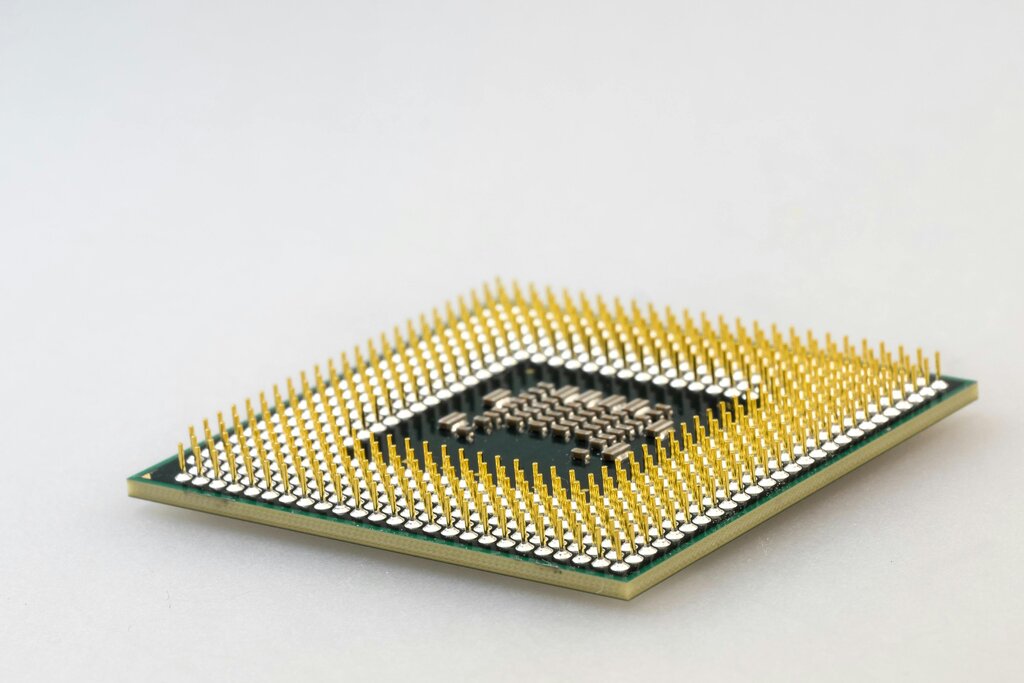
Inside the CPU, two main parts run the show. The Arithmetic and Logic Unit (ALU) handles all the math and logical comparisons (like is A greater than B?). The Control Unit (CU) acts as a traffic cop, directing the flow of data between the CPU and other components, ensuring every part of the computer works in sync.
Memory and Storage
A computer needs a place to hold the data and instructions it's working with. This is where memory and storage come in, but they serve different purposes. Memory is like your desk space—it’s where you keep what you're actively working on for quick access. Storage is like your filing cabinet—it’s where you keep everything for the long term.
Memory is for short-term, active tasks, while storage is for long-term safekeeping.
The main type of memory is RAM, or Random Access Memory. RAM is a fast, temporary workspace for your computer. When you open a program or a file, it's loaded from storage into RAM so the CPU can access it quickly. The more RAM you have, the more tasks your computer can handle at once without slowing down. However, RAM is volatile, meaning its contents are erased when the computer turns off.
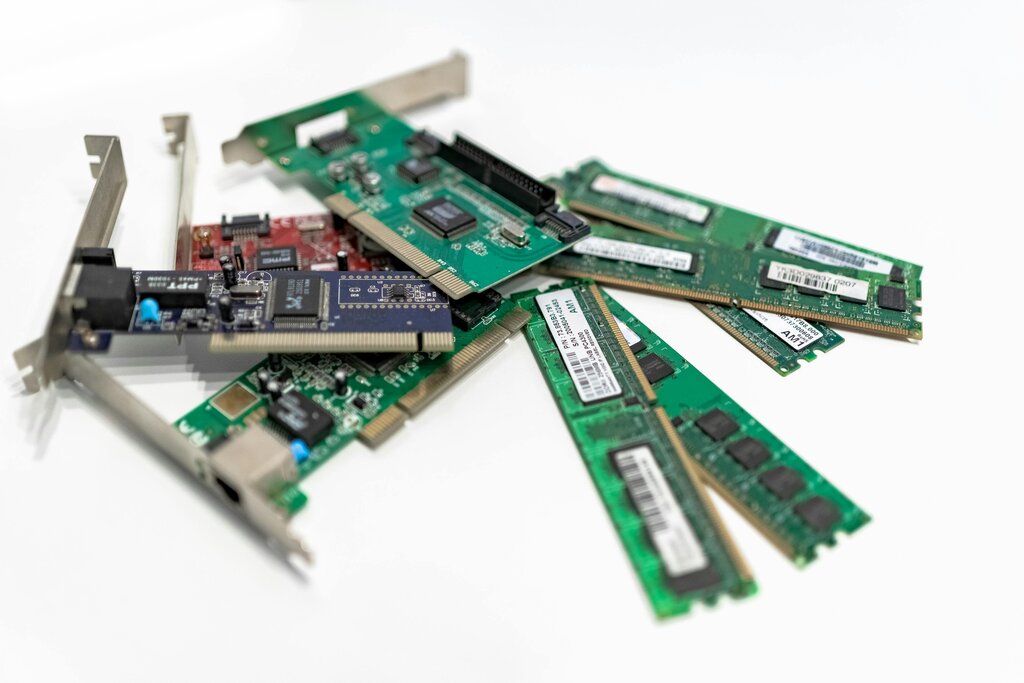
Another type of memory is ROM, or Read-Only Memory. Unlike RAM, ROM is non-volatile, so it keeps its information even when the power is off. It contains the essential startup instructions for the computer, a program called the BIOS (Basic Input/Output System). This tells the computer how to wake up and start the operating system when you press the power button.
For long-term data saving, we rely on storage devices. A Hard Disk Drive (HDD) is a traditional storage device that uses spinning magnetic platters to store data. They offer large amounts of storage for a low cost. A Solid-State Drive (SSD) is a newer type that uses flash memory chips, similar to a USB drive. SSDs are much faster, quieter, and more durable than HDDs because they have no moving parts.
Getting Information In and Out
The CPU and memory are powerful, but they're useless if you can't communicate with them. That's the job of input and output devices. They are the bridge between you and the computer.
Input devices send data into the computer. The most common examples are the keyboard, which sends text, and the mouse, which sends positional data for the cursor on your screen. Microphones, webcams, and scanners are also input devices.
Output devices receive data from the computer and present it to you. The monitor displays visual information, while speakers provide audio. A printer is another common output device, turning digital documents into physical copies.
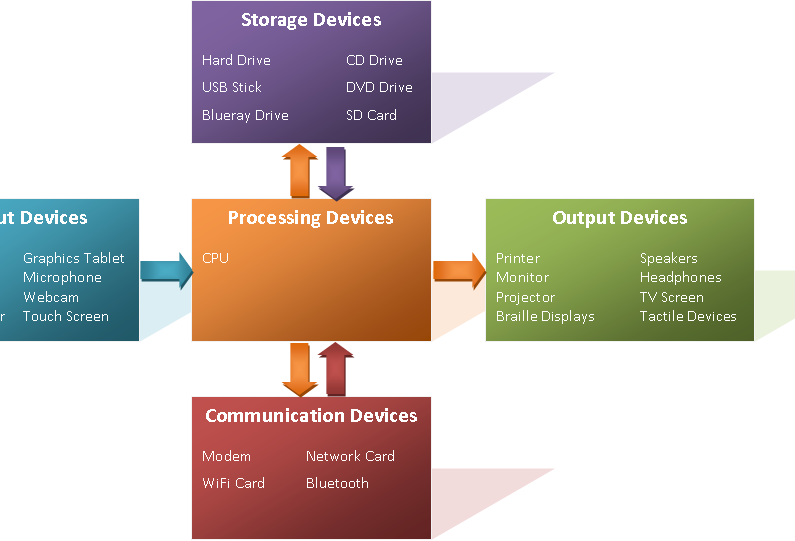
Together, these core components—CPU, memory, storage, and I/O devices—form the physical foundation of any computer system.
What is the primary function of the Central Processing Unit (CPU) in a computer?
If you are editing a document and the power suddenly goes out, which component is most likely to lose your unsaved changes?