Computer Bus Architecture Explained
Introduction to Computer Buses
The Computer's Highway System
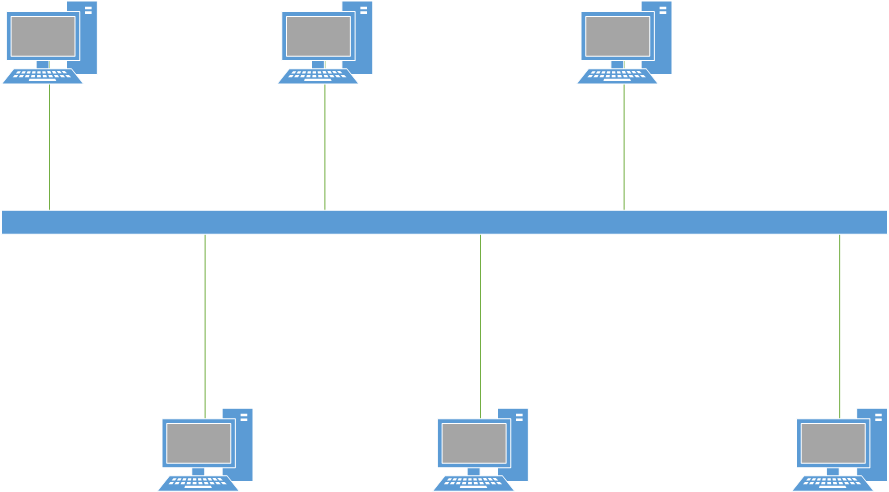
Think of a computer's components—the processor (CPU), memory (RAM), and storage (hard drive)—as different buildings in a city. For the city to function, there needs to be a road system connecting everything, allowing goods and messages to travel from one place to another. In a computer, this road system is called a bus.
A bus is a shared communication pathway that transfers data and signals between different parts of the computer. Instead of connecting every component directly to every other component with a tangled mess of wires, they all connect to this central highway. This design simplifies the internal layout and allows different parts to talk to each other in an organized way.
The Three Main Lanes
A computer bus isn't just a single wire. It's a collection of wires, grouped into three distinct types that each serve a specific purpose. You can think of them as three different kinds of lanes on our digital highway.
-
The Address Bus: This bus tells everyone where data is supposed to go. When the CPU needs to read a piece of information from memory, it first puts the memory location's address onto the address bus. Think of it as the address on an envelope. It doesn't carry the package itself, but it specifies the destination.
-
The Data Bus: This is the lane that carries the actual data. Once the address is set, the data can travel between the CPU and the specified memory location or device along the data bus. This is the package inside the envelope. The data bus is a two-way street; data can be sent to memory (a write operation) or retrieved from memory (a read operation).
-
The Control Bus: This bus carries command signals and status information. It’s like the traffic lights and road signs of the system. It tells the other components what to do with the information on the address and data buses. Signals like "read data from memory" or "write data to a device" are sent along the control bus. It also carries signals back to the CPU, such as letting it know that a device is ready to communicate.
Why Bus Design Matters
The design of a bus, known as its architecture, has a huge impact on a computer's overall performance.
The two most important factors are the bus's width and its speed.
Bus Width refers to the number of wires or lines in the data bus. A wider bus is like a highway with more lanes. A 32-bit data bus can transfer 32 bits of data at the same time, while a 64-bit bus can transfer 64 bits. More lanes mean more data can move at once, resulting in faster performance.
The width of the address bus is also important. It determines the maximum amount of memory the system can access. Each wire can be a 0 or a 1, so an address bus with more wires can specify a much larger number of unique memory addresses.
Bus Speed, often measured in megahertz (MHz), is how many times per second data can be sent across the bus. A faster bus speed, like a higher speed limit, allows for quicker data transfers.
Together, the width and speed of a bus determine its bandwidth—the total amount of data it can transfer per second. For a smooth and fast computing experience, you need a bus system that can keep up with the demands of the processor and other components. It's the unsung hero that ensures all parts of your computer can work together efficiently.