CompTIA Network+ Fundamentals
Networking Fundamentals
The OSI Model
To understand how computers communicate, it helps to have a map. The Open Systems Interconnection (OSI) model is that map. It’s a conceptual framework that breaks down the complex process of network communication into seven distinct layers. Each layer has a specific job, and they all work together to send data from one device to another.
Think of it like sending a package. You have to write the address, put it in a box, take it to the post office, and so on. Each step is a different layer of the process. The OSI model does the same thing for digital information.
Here's a quick look at what each layer does, from top to bottom:
-
Layer 7: Application Layer. This is the layer you interact with. When you use a web browser, send an email, or transfer a file, you're using application layer protocols like HTTP, SMTP, or FTP.
-
Layer 6: Presentation Layer. This layer acts as a translator. It takes data from the Application layer and formats it in a way the network can understand. It also handles tasks like data compression and encryption.
-
Layer 5: Session Layer. This layer creates, manages, and terminates the connection between two applications. It makes sure the conversation between devices can start, happen, and end cleanly.
-
Layer 4: Transport Layer. The Transport layer is responsible for end-to-end communication. It breaks data into smaller chunks called segments and ensures they arrive in the correct order and without errors. The two most common protocols here are TCP (reliable and connection-oriented) and UDP (fast and connectionless).
-
Layer 3: Network Layer. This is the routing layer. It determines the best physical path for the data to take to its destination. It uses logical addresses, like IP addresses, to navigate the data across different networks.
-
Layer 2: Data Link Layer. This layer handles communication between devices on the same network. It takes the packets from the Network layer and packages them into frames. It uses physical addresses, called MAC addresses, to send frames to the correct device on a local network.
-
Layer 1: Physical Layer. This is the hardware layer. It includes everything from cables and connectors to radio waves. This layer is responsible for transmitting the raw stream of bits (1s and 0s) over the physical medium.
A common mnemonic to remember the OSI layers from bottom to top is: Please Do Not Throw Sausage Pizza Away.
Networking Devices
The OSI model is a concept, but real networks are built with physical hardware. These devices perform the functions described in the different layers. Let's look at three of the most common ones.
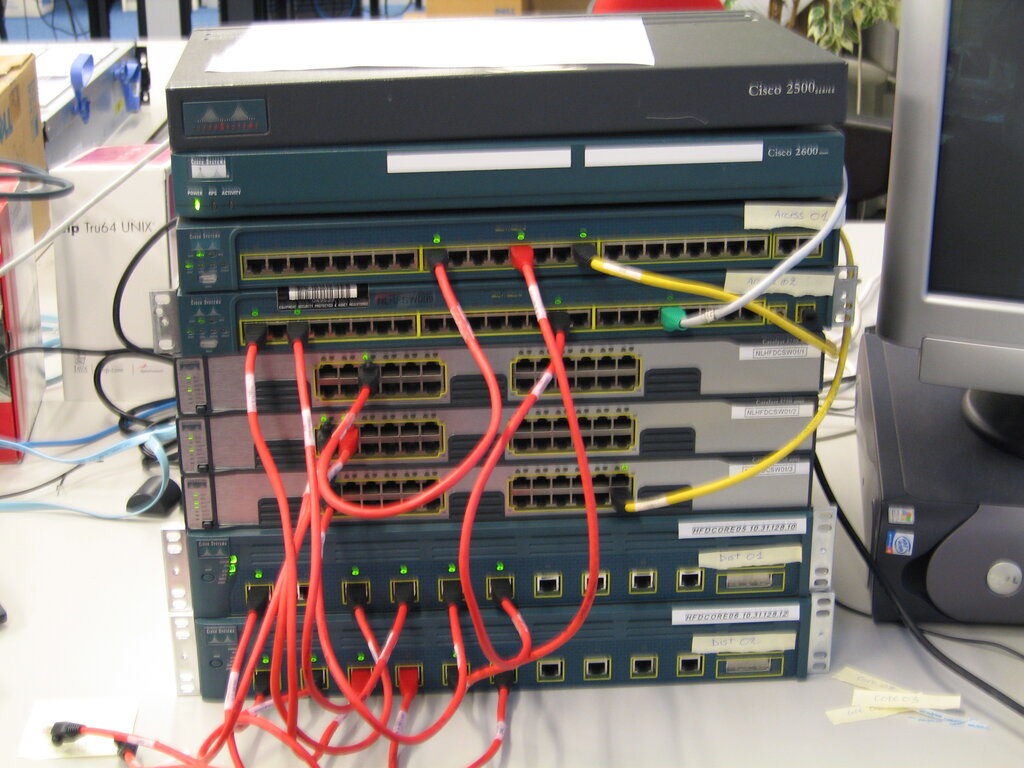
A switch is a device that connects other devices together on a single computer network. Think of it as a smart traffic cop for your local network. It operates at the Data Link layer (Layer 2) and uses MAC addresses to forward data only to the specific device that's supposed to receive it. This is much more efficient than older hubs, which would just broadcast the data to every device.
A router connects different networks together. If a switch manages traffic on a single street, a router directs traffic between different cities. It operates at the Network layer (Layer 3) and uses IP addresses to determine the best path to send data packets from one network to another, like from your home network to the internet.
A firewall acts as a security guard for a network. It stands between your internal network and an external one (like the internet) and monitors incoming and outgoing traffic. Based on a set of security rules, it decides what traffic to allow and what to block, protecting your network from unauthorized access.
| Device | Primary OSI Layer | Main Function |
|---|---|---|
| Switch | Layer 2 (Data Link) | Connects devices on the same local network. |
| Router | Layer 3 (Network) | Connects different networks and routes traffic. |
| Firewall | Layer 3 & 4 | Filters traffic based on security rules. |
Network Topologies
A network topology is the arrangement of the elements of a communication network. It’s like the floor plan of an office, showing how all the computers, printers, and other devices are connected. There are several types of topologies, but we'll focus on three fundamental ones.
In a star topology, all devices are connected to a central hub or switch. If one device or its cable fails, it doesn't affect the rest of the network. However, if the central switch fails, the entire network goes down. This is the most common topology used in home and office networks today.
In a bus topology, all devices share a single communication line, or bus. It's simple and inexpensive to set up, but it has drawbacks. If the main cable fails, the whole network is disabled. Also, since all devices share the same line, data collisions can happen if two devices try to send data at the same time, slowing the network down.
A mesh topology connects every device directly to every other device. This creates a highly reliable and redundant network. If one path fails, data can be rerouted through another. The downside is the cost and complexity of all the extra cabling. Full mesh topologies are rare, but the internet itself is a large-scale partial mesh network.
Which OSI model layer is responsible for determining the best physical path for data to travel across different networks, using logical addresses like IP addresses?
You are designing a network for a critical application where reliability is the top priority. The network must be able to continue functioning even if a single cable or connection fails. Which topology would be the best choice?
These concepts—the OSI model, common devices, and network topologies—are the foundation of computer networking. Grasping them is the first step toward understanding how our digital world is connected.