Coding Your First App
Introduction to Programming
Giving the Computer Instructions
At its heart, programming is simply the process of writing instructions for a computer to follow. Think of it like a very detailed recipe. You provide a list of steps, and the computer executes them exactly as you've written them. These instructions, bundled together, form what we call a program or software application.
Whether it's the app you use to check the weather or the web browser you're using right now, every piece of software is built on a foundation of these programmed instructions.
These instructions allow us to do amazing things, from sending messages across the globe to creating complex video games. Without programming, computers would just be boxes of metal and silicon, unable to perform any tasks.
The Building Blocks of Code
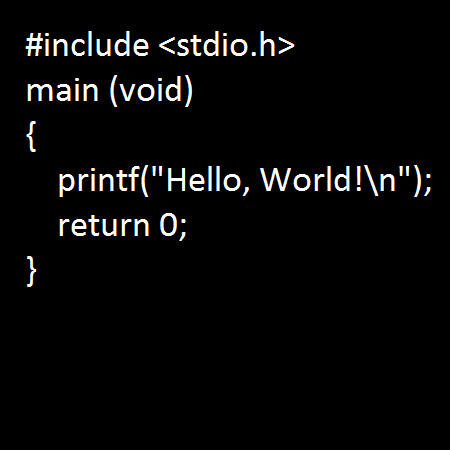
To write these instructions, programmers use special languages that computers can understand. Just like humans have English, Spanish, and Japanese, computers have languages like Python, JavaScript, and C++. While they look different, they all share the same fundamental concepts. Let's look at the key building blocks.
variable
noun
A storage location with a specific name that holds a value. The value can be changed as the program runs.
Imagine a variable as a labeled box where you can store information. You can put data in the box, take it out, or replace it with new data. For example, a game might use a variable called player_score to keep track of a player's points.
The information you store in a variable has a specific type, known as a data type. This tells the computer what kind of data it's working with.
| Data Type | Description | Example |
|---|---|---|
| Integer | Whole numbers | 10, -5, 0 |
| String | Text | "Hello, world!" |
| Boolean | True or false values | true, false |
| Float | Numbers with decimals | 3.14, -0.5 |
Knowing the data type is crucial because it determines what you can do with the data. You can perform math on integers, for example, but not on strings.
Making Decisions and Repeating Actions
Programs aren't just a straight list of steps. They need to be able to make decisions and perform repetitive tasks. This is where control structures come in. They control the flow of the program.
The two most common control structures are conditionals and loops.
Conditionals allow a program to make a choice. They work on a simple "if-then" logic. For example: If the user's password is correct, then log them in. Otherwise, show an error message. This decision-making ability is what makes software interactive and smart.
Loops are used to repeat an action multiple times without having to write the same code over and over. Imagine you need to send an email to 100 people. Instead of writing the "send email" instruction 100 times, you'd use a loop that runs 100 times.
Loops are essential for efficiency, especially when working with large amounts of data.
Packaging Code with Functions
As programs grow, it's important to keep them organized. A function is a named block of code that performs a specific task. You can write a function once and then use it anytime you need to perform that task, simply by calling its name.
function
noun
A reusable block of code that performs a specific action. It can take inputs (arguments) and return an output.
For instance, you could create a function called calculate_total that takes a price and a tax rate as input and returns the final cost. This makes your code cleaner, easier to read, and less repetitive. Functions are the key to building complex applications from simpler, manageable parts.
At its core, what is programming?
What is the primary role of a variable in a program?
These concepts—variables, data types, control structures, and functions—are the foundation of all programming. Mastering them is the first step toward building anything you can imagine with code.