Cloud Storage Cost Optimization
Cloud Storage Basics
What Is Cloud Storage?
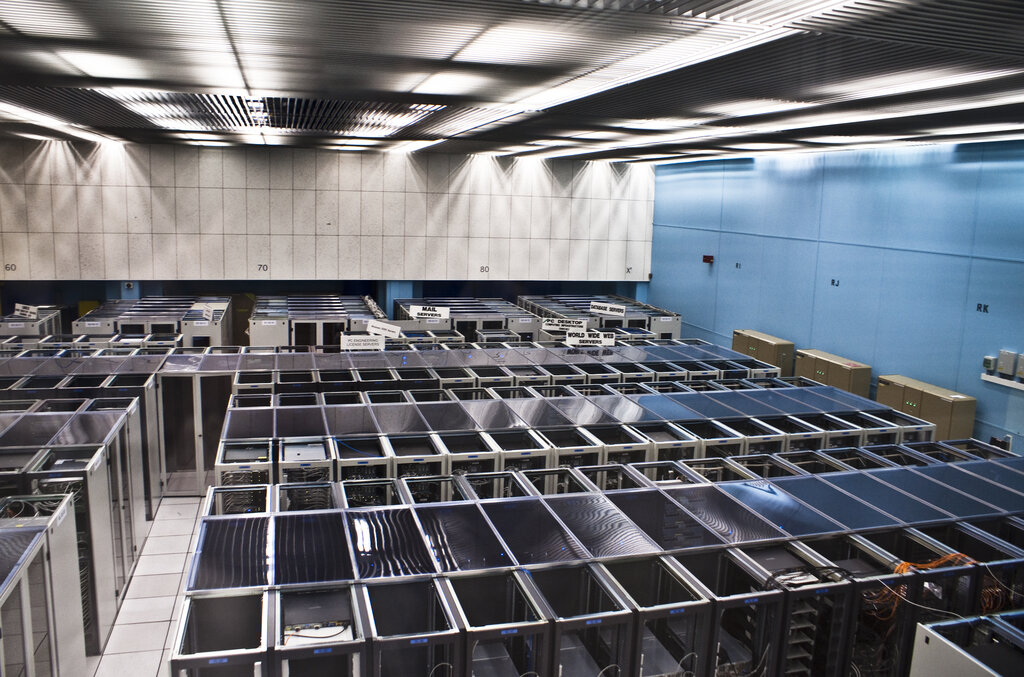
Think of cloud storage like a digital self-storage unit. Instead of renting a physical space to keep your boxes, you're renting space on massive, powerful computers—called servers—to hold your digital files. These servers are housed in secure buildings called data centers, which are owned and operated by companies like Amazon, Google, and Microsoft.
When you save a file to the cloud, you're sending a copy of it over the internet to one of these data centers. The provider then makes sure your data is safe, secure, and available to you whenever you need it, from any device with an internet connection. It’s a way to access your files without having to carry around a physical hard drive.
This setup offers some big advantages over traditional storage.
Cloud storage provides access to your data from anywhere, scales to meet your needs, and frees you from managing your own hardware.
One of the key benefits is scalability. If you suddenly need more space, you can get it instantly without buying new hardware. If you need less, you can scale back down. This flexibility is a core feature.
Another benefit is durability and availability. Cloud providers create multiple copies of your data across different locations. This redundancy means that if one server fails, your data is still safe and accessible from another one. The result is a highly reliable system for storing important information.
The Three Cloud Models
Not all clouds are the same. They are generally deployed in one of three ways, depending on who owns the infrastructure and who can use it.
1. Public Cloud This is the most common model. The infrastructure is owned and managed by a third-party provider (like Amazon Web Services or Google Cloud) and shared among many different customers over the public internet. It's like living in a large apartment building; you have your own space, but you share the building's overall resources.
2. Private Cloud In this model, the computing resources are reserved exclusively for one organization. The company can own and manage its own private cloud, or it can pay a third party to host it. This is like owning a single-family house. You have complete control and privacy, but it often comes at a higher cost.
3. Hybrid Cloud As the name suggests, this model combines public and private clouds. It allows an organization to keep sensitive data on a private cloud while using the public cloud for less critical tasks or to handle bursts in demand. This gives companies the best of both worlds: security and control where they need it, and cost-effective scalability where they don't.
Core Components
Behind the scenes, cloud storage relies on a few key components working together.
- Data Centers: These are the physical buildings that house the servers. They are highly secure facilities with redundant power, cooling, and networking to ensure the servers are always running.
- Servers: These are the computers that store your data. A single data center can contain thousands of servers.
- Software: Complex software, often called a control plane, manages everything. It handles how and where data is stored, secures it, and makes it available to you when you request it. This software is what makes the whole system work as a single, cohesive service.
Understanding these fundamentals is the first step. They provide the foundation for how cloud services are priced and how you can manage their costs effectively.
Time to check your understanding of these core concepts.
What is the primary benefit of 'scalability' in cloud storage?
A hospital needs to store sensitive patient records with maximum control and privacy, but also wants to use a flexible, cost-effective service for its public website. Which cloud deployment model best fits these needs?
Now that you have a handle on what cloud storage is and how it's structured, you're ready to explore how companies charge for these services.