Cloud Storage Cost Optimization
Cloud Storage Basics
What Is Cloud Storage?
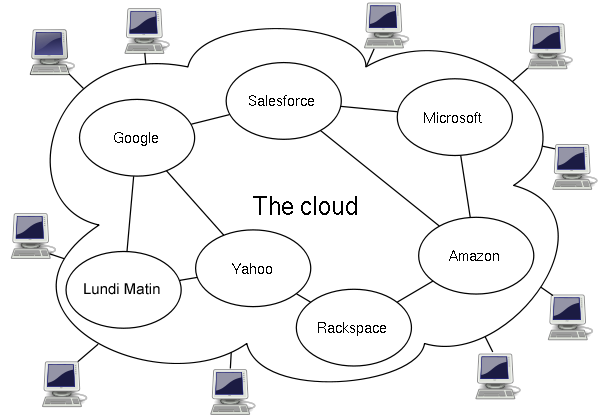
At its core, cloud storage is like renting a storage unit for your digital stuff, but on the internet. Instead of buying your own hard drives and servers, you use a network of data centers owned by companies like Amazon, Google, or Microsoft. You can access your files from any device with an internet connection, and you only pay for the space you use.
This approach has some major advantages. First, it's cost-effective. You don't have to buy or maintain expensive hardware. Second, it's incredibly convenient. Your data is available wherever you are, not just on one specific computer. Finally, it makes collaboration much easier, since multiple people can access and work on the same files from different locations.

Three Flavors of Storage
Not all data is the same, so cloud storage comes in a few different types, each designed for specific needs. The three main kinds are file, block, and object storage.
File storage organizes data in a familiar hierarchy of folders and files, just like the file explorer on your computer. It's straightforward and great for shared document repositories or simple web hosting.
Block storage breaks data down into fixed-size chunks, or "blocks." Each block has a unique address but no other information—it's just raw data. This method is extremely fast and efficient, making it perfect for high-performance applications like databases or enterprise systems that need quick access to data.
Object storage treats data as self-contained units called "objects." Each object includes the data itself, extra information (metadata), and a unique ID. Think of it like a valet parking system for data; you give the system your data (your car), it gives you a ticket (the ID), and it handles all the details of where and how it's stored. This makes it incredibly scalable and ideal for storing huge amounts of unstructured data like photos, videos, and backups.
| Storage Type | How it Works | Best For |
|---|---|---|
| File Storage | Data is stored in a hierarchy of folders and files. | Shared file access, content management. |
| Block Storage | Data is split into fixed-size blocks. | Databases, high-performance applications. |
| Object Storage | Data is bundled with metadata into objects. | Backups, archives, media files, big data. |
Core Features
Beyond the different types, three key features make cloud storage so powerful for businesses and individuals.
Scalability
noun
The ability to easily increase or decrease your storage capacity on demand. If you suddenly need more space, you can get it instantly. If you need less, you can downsize without being stuck with unused hardware.
This flexibility means you never pay for more than you need.
Durability
noun
A measure of how well your data is protected against loss. Cloud providers achieve high durability by automatically creating and storing copies of your data across multiple physical locations. If one server or even an entire data center fails, your data remains safe and accessible.
This redundancy provides a level of protection that's difficult and expensive to achieve on your own.
Accessibility
noun
The ability to access your data from anywhere, at any time, as long as you have an internet connection. This empowers remote work, global collaboration, and access to applications and services on any device.
Everyday Use Cases
Cloud storage isn't just a technical concept; it powers many services we use daily. Here are a few common applications:
-
Backup and Recovery: Businesses and individuals use the cloud to back up important files. If a computer crashes or is lost, the data can be quickly restored.
-
Software and Application Delivery: Many software applications you use are hosted in the cloud. This "Software as a Service" (SaaS) model means you don't have to install anything; you just access it through a web browser.
-
Big Data Analytics: Companies store massive datasets in the cloud to analyze trends, predict customer behavior, and gain business insights.
-
Website Hosting: The files that make up a website, from images to code, are often stored in the cloud, allowing the site to handle traffic from all over the world reliably.
Understanding these fundamentals—what cloud storage is, its different types, and its key features—is the first step to leveraging its power.