Cloud Storage Cost Optimization
Cloud Storage Basics
What Is Cloud Storage?
At its core, cloud storage is simple. Instead of saving files on your own computer's hard drive, you save them on servers owned by another company, and you access them over the internet. Think of it like renting a storage unit for your digital stuff. You don't own the building, but you can access your belongings whenever you need to.
This simple idea has three powerful benefits: accessibility, scalability, and cost-efficiency.
Your data is accessible from any device with an internet connection. You can start a document on your work laptop and finish it on your tablet at home. Scalability means you can easily increase or decrease your storage space as your needs change, without buying new hardware. And because you only pay for the storage you actually use, it's often more cost-effective than maintaining your own physical servers.
Three Flavors of Storage
Cloud storage isn't one-size-fits-all. It comes in three main types, each designed for different tasks: object, file, and block storage.
Object Storage
noun
A data storage architecture that manages data as distinct units called objects. It's like a valet service for data; you hand over your file (the object), which includes the data itself, metadata (data about the data), and a unique ID. You get a claim ticket (the ID) to retrieve it later. The system figures out where to park it.
Object storage is incredibly scalable and great for unstructured data like photos, videos, emails, and backups. It's the foundation for many popular apps, including Dropbox and Spotify.
File Storage is what you're probably most familiar with. It organizes data in a hierarchy of folders and files, just like on your personal computer. It's intuitive and works well for shared document repositories where multiple people need to access and edit the same files.
Block Storage is the most low-level and high-performance option. It breaks data into fixed-size chunks called blocks. Think of them as LEGO bricks. Each block has a unique address but no other information. The operating system reassembles these blocks into files. This speed and flexibility make block storage perfect for applications that require fast, reliable data access, like databases and transaction processing systems.
| Storage Type | Best For | Common Use Cases |
|---|---|---|
| Object | Massive amounts of unstructured data | Media streaming, backups, data archiving, web content |
| File | Shared files and centralized data | Network-attached storage (NAS), shared corporate drives |
| Block | High-performance applications | Databases, transaction logs, virtual machine file systems |
The Major Providers
While many companies offer cloud storage, three giants dominate the market: Amazon Web Services (AWS), Microsoft Azure, and Google Cloud Platform (GCP). They all provide the three types of storage, though they often use different brand names for their services.
Cloud computing allows businesses to leverage computing resources over the internet, providing scalable and on-demand access to IT infrastructure, applications, and storage without needing to manage or own physical hardware.
Amazon Web Services (AWS) is the oldest and largest player. Its core storage services are Amazon S3 (Simple Storage Service) for object storage, Amazon EFS (Elastic File System) for file storage, and Amazon EBS (Elastic Block Store) for block storage.
Microsoft Azure is a strong competitor, especially popular with businesses that already rely on Microsoft products. Its offerings include Azure Blob Storage (object), Azure Files (file), and Azure Disk Storage (block).
Google Cloud Platform (GCP) is known for its expertise in data analytics and machine learning. Its primary storage services are Cloud Storage (object), Filestore (file), and Persistent Disk (block).
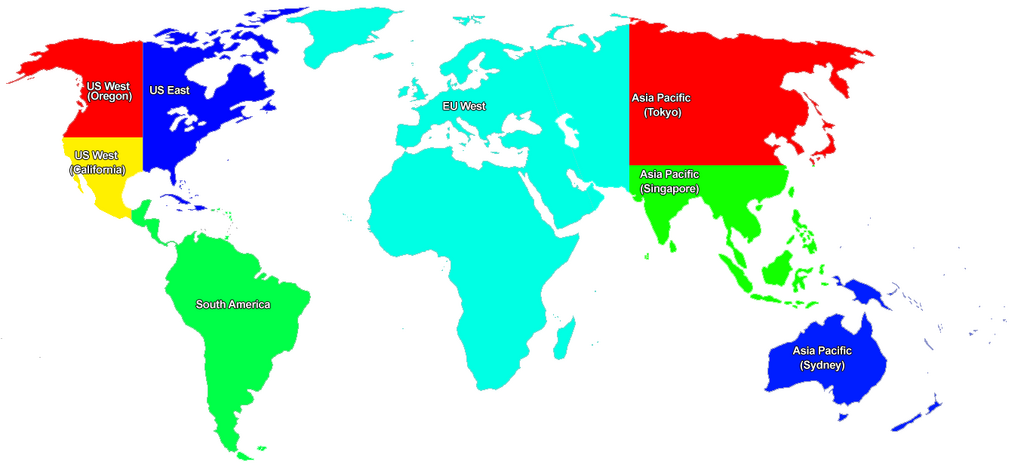
These providers operate massive data centers all over the world to ensure your data is stored reliably and can be accessed quickly from anywhere.
Understanding these basic building blocks—what cloud storage is, its different types, and who the major providers are—is the first step. Now, let's check your understanding of these core concepts.
What is the core concept of cloud storage?
A large media company needs to store petabytes of unstructured data, such as videos, photos, and audio files, for its new streaming app. Which type of cloud storage is best suited for this task?
With these fundamentals in place, you're ready to explore how pricing works in the cloud.