Cloud Storage Cost Optimization
Cloud Storage Basics
What Is Cloud Storage?
Think of cloud storage as a digital self-storage unit you access over the internet. Instead of keeping files on your computer's hard drive, you save them to a massive, secure data center owned by a company like Amazon, Google, or Microsoft. This means you can get to your data from any device, anywhere in the world, as long as you have an internet connection.
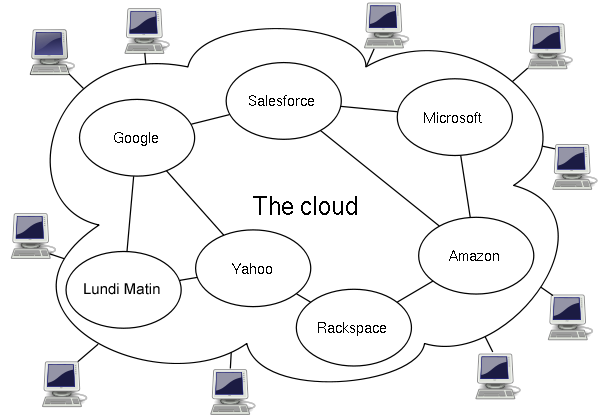
The benefits are huge. First, there's scalability. You're not limited by the size of your physical hard drive. Need more space? You just get it instantly, without buying new hardware. It's also cost-effective, because you're renting a small piece of a gigantic infrastructure instead of building and maintaining your own.
Another major advantage is durability. Cloud providers replicate your data across multiple locations. If one server fails, or even an entire data center has an issue, your data is safe on another copy. This makes it far more reliable than storing a file in a single place.
Three Flavors of Storage
Not all data is stored the same way in the cloud. Providers offer three main types of storage, each suited for different tasks. Think of them like different ways of organizing a warehouse.
File storage is the one you're most familiar with. It organizes data in a hierarchy of folders and files, just like on your personal computer. It's intuitive for humans to navigate and great for shared file systems where multiple users need to access documents.
Block storage is different. It breaks data into fixed-size chunks called blocks. Each block has a unique address but no other information—no metadata about what it is. This makes it incredibly fast. It's the workhorse behind databases and applications that need high-speed reads and writes. Think of it as the raw foundation upon which other systems are built.
Object storage treats data as discrete units, or objects, stored in a vast, flat address space. Each object bundles the data itself (like a photo or a video file), its metadata (information about the data), and a unique identifier. This structure makes it massively scalable and perfect for unstructured data like backups, archives, images, and videos. Most of the data stored in the cloud today is in object storage.
| Storage Type | Best For | Analogy |
|---|---|---|
| File | Shared documents, user home directories | A digital filing cabinet |
| Block | Databases, high-performance applications | Raw building blocks |
| Object | Backups, archives, media files, static assets | A warehouse with tickets |
How You Pay for It
Cloud storage providers typically offer flexible pricing models, so you can choose what works best for your needs and budget. The goal is to avoid paying for resources you don't use.
Cloud services operate on a metered pricing model, where users are billed based on compute power, storage, and network usage.
The most common model is pay-as-you-go. It’s like your electricity bill: you are charged only for the storage you actually consume and the data you transfer in and out. This is great for unpredictable workloads, as you never overpay for capacity you aren't using.
For more predictable needs, there's reserved capacity. Here, you commit to using a certain amount of storage for a longer term, usually one or three years. In exchange for this commitment, you get a significant discount compared to pay-as-you-go rates. It's a good choice for businesses with stable, long-term storage requirements.
Finally, many providers offer tiered storage. This model automatically moves your data between different storage "classes" based on how often you access it. Frequently accessed data stays in a high-performance (and more expensive) tier, while data you rarely touch gets moved to a cheaper, archival tier. This optimizes costs without you having to manage the data manually.
What is a primary advantage of the scalability offered by cloud storage?
A company is building a high-performance database that requires extremely fast read and write operations. Which type of cloud storage would be the best fit for the underlying data?
Understanding these core concepts—what cloud storage is, its different types, and how it's priced—is the first step to using the cloud effectively. You're now equipped to explore which solutions best fit your needs.