Cloud Storage Cost Optimization
Cloud Storage Basics
What Is Cloud Storage?
Think of cloud storage as a digital self-storage unit for your data. Instead of keeping files on your computer's hard drive, you save them to a network of servers owned by another company. These servers are housed in massive, secure buildings called data centers.
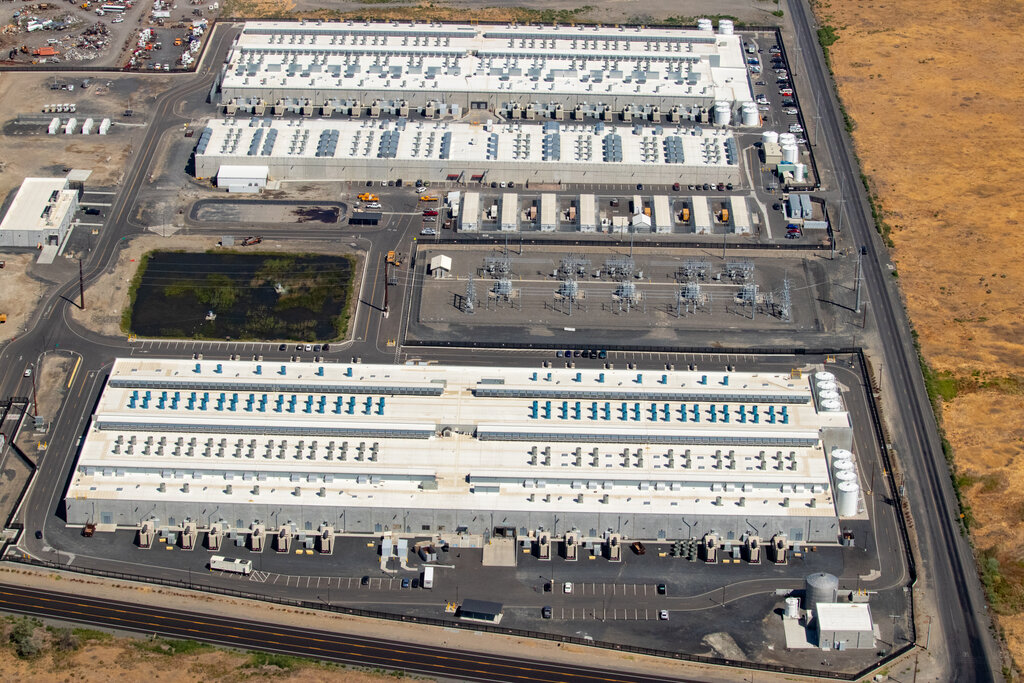
When you upload a photo, save a document to Google Drive, or stream a movie, you're using cloud storage. The data travels over the internet to these servers, and you can access it from any of your devices, wherever you are. It’s your data, just stored on someone else's computer.
Why Use the Cloud?
Using the cloud offers several key advantages over storing data locally.
Accessibility: Your files aren't tied to a single device. You can start a document on your work computer, edit it on your phone during your commute, and finish it on your laptop at home.
Scalability: Need more space? You can increase your storage with a few clicks. There's no need to buy and install a new physical hard drive. You pay for what you need, when you need it.
Durability: Cloud providers typically copy your data across multiple servers in different locations. If one server fails or a data center has an issue, your data is safe on another one. This makes it far more resilient than a single hard drive that could crash or get lost.
Collaboration: Sharing files is simple. Instead of emailing large attachments back and forth, you can send a link, and multiple people can work on the same file at the same time.
Cloud computing allows businesses to leverage computing resources over the internet, providing scalable and on-demand access to IT infrastructure, applications, and storage without needing to manage or own physical hardware.
Types of Cloud Storage
Not all data is stored the same way. Cloud providers offer three main types of storage, each designed for different needs: file, block, and object storage.
File Storage
This is the system most of us are familiar with. Data is organized in a hierarchy of files and folders, just like on your personal computer. Think of a digital filing cabinet. You have drawers (folders), which contain more folders, which eventually contain individual files.
This structure makes it easy to find and organize documents, photos, and other files. It's great for shared drives and personal cloud storage services like Dropbox or Google Drive.
Use Case: A team sharing project documents in a folder structure that everyone can access and navigate.
Block Storage
Block storage breaks data into fixed-size chunks called "blocks." Each block has a unique address but no other information—it doesn't know what kind of data it holds or what other blocks it's related to. The operating system manages these blocks, piecing them together to form a complete file or run an application.
This method is very fast and efficient, making it ideal for high-performance applications like databases or enterprise systems that require low-latency I/O (input/output) operations. It’s like having a high-speed storage area network (SAN) available on demand.
Use Case: Powering a large transactional database where speed and reliability are critical.
Object Storage
Object storage treats data as discrete units, or "objects." Each object contains the data itself, metadata (information about the data), and a unique identifier. Unlike files in a folder, objects are stored in a flat address space, similar to a massive, unstructured warehouse.
To find an object, you use its unique ID. The rich metadata can include details like who created the file, when it was last modified, and its content type. This structure is incredibly scalable and is perfect for storing vast amounts of unstructured data like images, videos, backups, and log files. Amazon S3 (Simple Storage Service) is a well-known example of object storage.
Use Case: A streaming service storing millions of video files, where each movie is an object.
| Storage Type | Structure | Best For | Analogy |
|---|---|---|---|
| File | Hierarchical (folders/files) | Shared documents, user files | Filing Cabinet |
| Block | Fixed-size blocks | Databases, high-performance apps | LEGO Bricks |
| Object | Flat (objects with metadata) | Media files, backups, big data | Valet Parking |
Now that you understand the basics of cloud storage, let's test your knowledge.
What is the primary concept of cloud storage?
A developer is building a high-performance database for an enterprise application that requires extremely fast read/write speeds and low latency. Which type of cloud storage would be the ideal choice?
Understanding these core concepts is the first step in navigating the world of cloud computing. Each storage type serves a different purpose, and choosing the right one is key to building efficient and scalable applications.