Cloud Infrastructure for Developers
Cloud Computing Basics
What is Cloud Computing?
At its core, cloud computing is about renting someone else's computers. Instead of buying and managing your own physical servers, you access computing services—like servers, storage, databases, and software—over the internet. Think of it like a utility, similar to electricity. You don't build your own power plant; you just plug into the grid and pay for what you use.
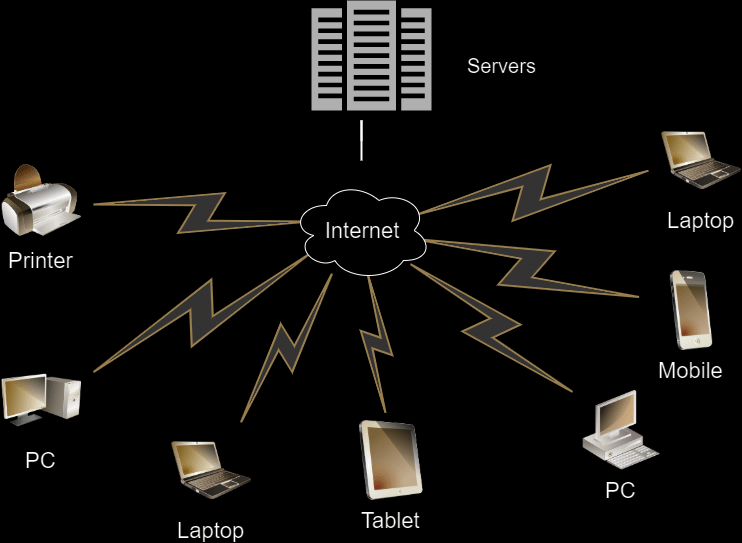
This model is built on a few key ideas that make it powerful for developers.
- On-demand self-service: You can spin up a new server or database with a few clicks, anytime, without needing to talk to a human.
- Broad network access: Services are available over the network and can be accessed by your phone, laptop, or any other device.
- Resource pooling: The cloud provider pools its computing resources to serve many customers at once. You don't know or care exactly which physical machine is running your code.
- Rapid elasticity: Need more power for a big product launch? You can scale your resources up instantly. When traffic dies down, you can scale back down just as quickly.
- Measured service: You only pay for the resources you actually consume, often billed by the hour or even by the second.
Why Use the Cloud?
The shift to the cloud happened for a reason. Compared to traditional on-premises infrastructure, where you manage everything yourself, the cloud offers significant advantages. It changes how you think about cost, speed, and scale.
| Feature | Traditional On-Premises | Cloud Computing |
|---|---|---|
| Initial Cost | High (buy servers, networking gear) | Low (no upfront hardware costs) |
| Scaling | Slow and expensive (buy more hardware) | Fast and flexible (click a button) |
| Maintenance | Your responsibility (hardware, software) | Provider's responsibility |
| Global Reach | Limited and costly to expand | Built-in (deploy in regions worldwide) |
| Cost Model | Capital Expenditure (CapEx) | Operational Expenditure (OpEx) |
For developers, this means you can go from an idea to a globally available application much faster. You can experiment with new technologies without big investments and handle unpredictable traffic spikes without your application crashing.
The Cloud's Service Models
Cloud computing isn't one-size-fits-all. It comes in three main service models, each offering a different level of control and convenience. A popular analogy is "Pizza as a Service."
Infrastructure as a Service (IaaS): This is the most basic level. The cloud provider gives you access to fundamental resources like virtual machines, storage, and networks. You're responsible for managing the operating system, middleware, and your application code. It's like buying flour, tomatoes, and cheese to make a pizza at home. You have the most control, but also the most work.
Platform as a Service (PaaS): This model abstracts away the underlying infrastructure. The provider manages the operating system, servers, and networking, leaving you to focus solely on your application code and data. It's like ordering a pizza for delivery. The pizza place handles the oven, the dough, and the cooking—you just worry about eating it.
Software as a Service (SaaS): Here, you use a complete, ready-to-go application that is hosted and managed by the provider. Think of services like Gmail or Dropbox. You don't manage anything about the underlying software or infrastructure. This is like going out to a restaurant for pizza. You just show up and eat.
Where Does the Cloud Live?
The final piece of the puzzle is understanding the different ways a cloud environment can be set up, known as deployment models.
Public Cloud: This is the most common model. The infrastructure is owned and operated by a third-party cloud provider (like Amazon Web Services, Google Cloud, or Microsoft Azure) and delivered over the internet. The resources are shared by many different organizations.
Private Cloud: Here, the cloud infrastructure is operated exclusively for a single organization. It can be managed by the organization itself or a third party and can be hosted either on-premises or in an external data center. It offers more control and privacy but comes at a higher cost.
Hybrid Cloud: This model combines a private cloud with one or more public cloud services, allowing data and applications to be shared between them. This gives businesses greater flexibility. For example, you might use the public cloud to handle traffic spikes while keeping sensitive data in your private cloud.
Now that you understand the basic concepts, let's test your knowledge.
What is the fundamental concept behind cloud computing?
A popular e-commerce site is preparing for a massive holiday sale. They expect a huge, temporary surge in traffic. Which key characteristic of cloud computing is most valuable to them in this situation?
Understanding these foundational ideas—what the cloud is, its benefits, and its different models—is the first step for any developer looking to build modern, scalable applications.