Cloud Engineering Fundamentals
Cloud Computing Basics
What Is Cloud Computing?
Think about the electricity in your home. You don't own a power plant in your backyard. Instead, you plug into a massive, shared grid and pay for what you use. Cloud computing works on a similar principle, but for digital resources instead of electricity.
Instead of buying and managing your own servers and data centers, you can access computing services—like storage, databases, and software—over the internet. A cloud provider owns and maintains the hardware, and you rent access to it.
Cloud computing is a technology that provides on-demand access to computing resources like storage, servers, databases, software, and networking over the internet.
The two key phrases here are “on-demand” and “over the internet.” “On-demand” means you can get more computing power or storage almost instantly, whenever you need it, without waiting for new hardware to be ordered and installed. “Over the internet” means you can access these resources from anywhere with a connection, whether you're on a laptop at a coffee shop or a phone on the bus.
Key Characteristics
What truly defines the cloud? Five essential characteristics set it apart from traditional computing.
On-Demand Self-Service: You can provision computing resources like server time or network storage on your own, automatically, without needing to interact with a human at the service provider. Think of it like using a vending machine for computing power.
Broad Network Access: Cloud services are available over the network and can be accessed through standard devices like mobile phones, tablets, laptops, and workstations. This universal access is a cornerstone of the cloud's flexibility.
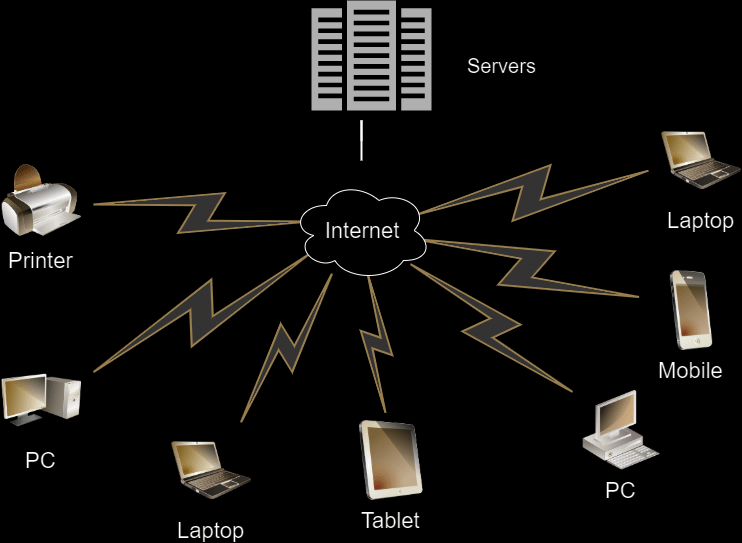
Resource Pooling: The provider’s computing resources are pooled to serve many customers at once. Physical and virtual resources are dynamically assigned and reassigned based on demand. You don't know or care exactly which physical machine is running your application, just that it's running. It's like a city's water supply—everyone draws from the same reservoir, but each has their own tap.
Rapid Elasticity: Resources can be scaled up or down quickly, and in some cases, automatically. If your website suddenly gets a surge of traffic, the cloud can allocate more power to handle it. When traffic dies down, it scales back. This is like having a rubber band that can stretch to meet demand and shrink back when it's not needed.
Measured Service: Cloud systems automatically control and optimize resource use with a metering system. You only pay for what you use, much like a utility bill for electricity or water. This provides transparency and helps manage costs effectively.
Cloud vs. Traditional IT
Before the cloud, businesses relied on “on-premises” infrastructure. This meant they owned and operated their own servers and data centers. The shift to the cloud represents a major change in how we think about IT resources.
| Feature | On-Premises Computing | Cloud Computing |
|---|---|---|
| Initial Cost | High capital expenditure (buying hardware) | Low to no capital expenditure (pay-as-you-go) |
| Maintenance | You are responsible for all hardware and software maintenance, security, and updates. | The cloud provider manages the underlying infrastructure. |
| Scalability | Slow and expensive. You must buy and install more hardware to scale. | Fast and flexible. Scale resources up or down in minutes. |
| Location | Tied to a physical location. | Accessible from anywhere with an internet connection. |
With an on-premises setup, you have to plan for peak capacity, meaning you might buy powerful servers that sit idle most of the time. It’s like owning a 10-bedroom mansion just in case you have guests once a year. With the cloud, you can rent those extra rooms only when you need them.
Essential Components
A cloud environment isn't magic; it's built from tangible components working together. At the most basic level, it's made up of physical hardware located in large facilities called data centers.
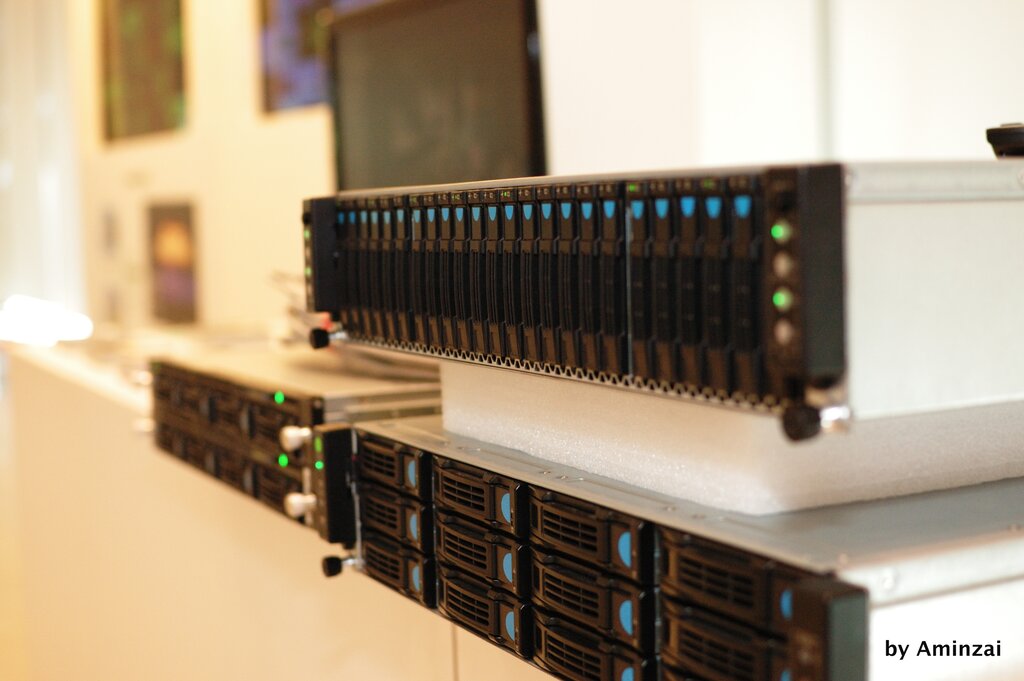
These data centers house the core components:
- Servers: Powerful computers that provide processing power (compute), memory, and storage.
- Storage: Systems that hold vast amounts of data, from databases to user files.
- Networking: The switches, routers, and cables that connect everything together and link the data center to the internet.
But the real key is the software layer that sits on top of this hardware. Virtualization is a technology that allows one physical server to be carved up into multiple, isolated virtual machines (VMs). Each VM acts like its own independent computer, allowing for efficient resource pooling and allocation.
A management software layer then automates the entire process, allowing users to request resources, scale services, and monitor usage through a web-based interface. These components together create the powerful, flexible environment we call the cloud.
Which of the following analogies best describes the core concept of cloud computing?
What key technology allows a single physical server to be partitioned into multiple, isolated virtual machines (VMs), enabling efficient resource pooling?
With these fundamentals in place, you're ready to explore the different ways these cloud services are delivered and deployed.