Cloud Architecture Essentials
Cloud Computing Basics
What Is Cloud Computing?
Think about the last movie you streamed or the last email you sent. You probably didn't download a huge file or run a mail server on your own computer. Instead, you accessed those services over the internet. That's cloud computing in a nutshell.
It’s the delivery of computing services—like servers, storage, databases, and software—over the internet. Instead of owning and maintaining your own computing infrastructure, you can access these services from a cloud provider like Amazon Web Services (AWS), Google Cloud, or Microsoft Azure.
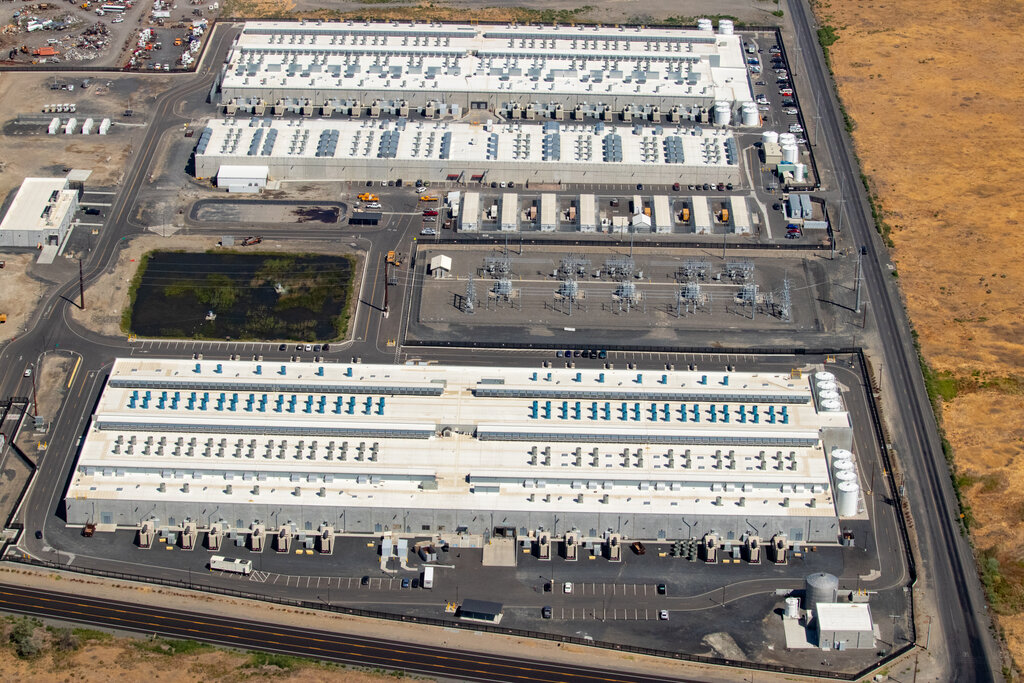
The core idea is simple: you rent computing power and storage from someone else's data center.
This model has a few key characteristics that set it apart. First, it's on-demand. You can get the resources you need, right when you need them, usually with just a few clicks. Second, it's based on a pay-as-you-go model. You only pay for the services you use, which can be much cheaper than buying and maintaining your own hardware. Finally, it's accessible over a broad network, meaning you can get to your data and applications from anywhere with an internet connection.
The Big Benefits
Why has cloud computing become so popular? Because it solves a lot of old problems.
Cost Savings: Building and managing a data center is expensive. You need to buy servers, ensure they have power and cooling, and hire experts to run them. With the cloud, the provider handles all of that. You just pay for what you consume, turning a large upfront capital expense into a more manageable operational expense.
Elasticity and Scalability: Imagine your website suddenly gets a huge surge in traffic. In the old days, your servers might crash. With the cloud, you can automatically scale up your resources to handle the load and then scale back down when traffic returns to normal. This elasticity means you're never paying for more than you need.
Speed and Agility: Need a new database or want to launch an application? In a traditional setup, this could take weeks of procurement and configuration. In the cloud, you can provision new resources in minutes. This allows businesses to experiment and innovate much faster.
Reliability: Cloud providers have a global network of secure data centers. They handle security patches, hardware maintenance, and backups, which means your applications can be more reliable and secure than if you managed them yourself.
How It All Works
Cloud architecture might seem complex, but it boils down to a few key components working together. It’s typically separated into two parts: the front-end and the back-end. They connect to each other through a network, usually the internet.
-
The Front-End: This is the part you, the user, interact with. It includes your computer or mobile device and the application you use to access the cloud. Think of the web browser you use for Gmail or the Netflix app on your phone.
-
The Back-End: This is the “cloud” itself. It’s a vast network of servers, data storage systems, and computers that work together to provide the requested service. This is where the heavy lifting happens, like storing your files, processing data, and running applications.
-
The Network: This is the connection between the front-end and the back-end. Without the internet, the cloud wouldn’t be accessible. This network layer ensures data can move smoothly and securely between your device and the provider's servers.
The Menu of Services
Cloud computing isn't a one-size-fits-all solution. Providers offer services in different models, each providing a different level of control and management. Think of it like ordering a pizza. You can buy all the ingredients and make it from scratch, buy a pre-made crust and just add toppings, or simply have a finished pizza delivered to your door.
The three main service models are:
-
Infrastructure as a Service (IaaS): This is the most basic category. You rent IT infrastructure—servers, virtual machines, storage, and networks—from a cloud provider. It’s like having the raw ingredients. You have maximum control over the hardware and operating system but are also responsible for managing them. Amazon EC2 is a classic example.
-
Platform as a Service (PaaS): This model provides an on-demand environment for developing, testing, delivering, and managing software applications. It's designed to make it easier for developers to create web or mobile apps quickly, without worrying about setting up or managing the underlying infrastructure. It's like getting the pizza crust and sauce; you just add your own toppings (your code). Examples include Heroku and Google App Engine.
-
Software as a Service (SaaS): This is the most common model. The cloud provider hosts and manages the software application, and you access it over the internet, usually with a web browser. You don't have to worry about how the infrastructure or platform is managed. This is the delivered pizza. Examples include Google Workspace, Dropbox, and Salesforce.
| Service Model | What You Manage | Analogy | Example |
|---|---|---|---|
| IaaS | Servers, Storage, Networking | Raw Ingredients | Amazon EC2 |
| PaaS | Applications, Data | Pizza Crust & Sauce | Heroku |
| SaaS | Nothing (just use it) | Delivered Pizza | Dropbox |
Understanding these fundamental concepts is the first step to seeing how the cloud powers so much of our digital world.
What is the fundamental concept of cloud computing?
A startup experiences a sudden surge in website traffic after a viral marketing campaign. Which key benefit of the cloud allows them to handle the increased demand without their service crashing?