Cisco Switches Explained
Introduction to Cisco Switches
The Network's Traffic Cop
Imagine a busy office building where mail needs to get from one room to another. You could just shout down the hallway and hope the right person hears you, but that's chaotic and inefficient. A better solution is a smart mail sorter in the lobby. It knows exactly which room each piece of mail is for and sends it directly there, without disturbing anyone else.
A network switch does the same thing for your computer network. It's a device that connects computers, printers, servers, and other hardware on a local area network (LAN). When one device wants to send information to another, the switch makes sure that data goes only to the intended recipient. This creates a fast, direct, and secure line of communication.
Switches operate at the Data Link layer (Layer 2) of the OSI model. They use unique hardware identifiers called MAC addresses to figure out where to send data packets.
Unlike older devices called hubs, which would broadcast data to every single device on the network, a switch is intelligent. It builds a table of MAC addresses and the physical ports they're connected to. When a packet arrives, the switch checks the destination MAC address and forwards the packet only to the correct port. This dramatically reduces unnecessary network traffic and improves performance.
Why Cisco Switches?
Cisco is a dominant name in networking, and for good reason. Their switches are known for being robust, reliable, and packed with features that support everything from small offices to massive data centers. While there are many brands, Cisco has built a reputation on performance and security.
Key features you'll often find in Cisco switches include:
- Performance and Reliability: They are built to handle high volumes of traffic without slowing down, ensuring the network runs smoothly.
- Security: Advanced features help protect the network from unauthorized access and other security threats.
- Scalability: Cisco offers a wide range of switches, making it easy to find one that fits a small business and can grow with it, all the way up to enterprise-level needs.
- Power over Ethernet (PoE): Many Cisco switches can provide electrical power to connected devices like IP phones, security cameras, or wireless access points through the same Ethernet cable that carries data. This simplifies wiring and installation.
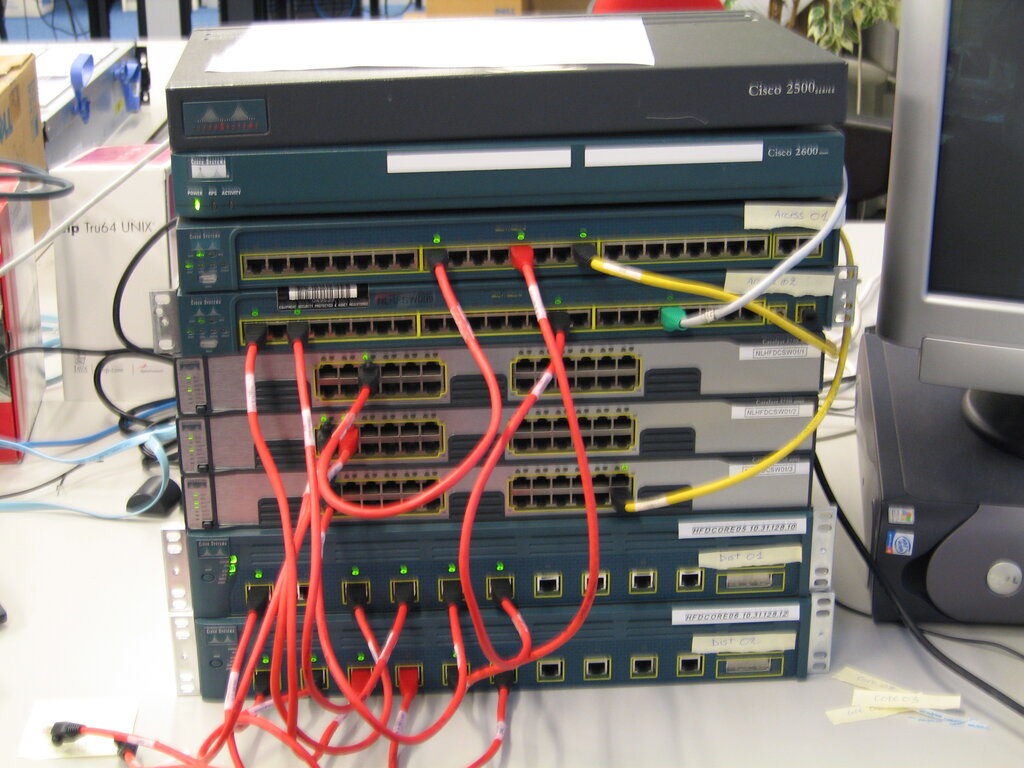
A Switch for Every Need
Cisco doesn't take a one-size-fits-all approach. They have several different families of switches, each designed for a specific environment. You don't need to know the details of every model, but it's helpful to be aware of the main categories.
| Series Family | Primary Use Case |
|---|---|
| Catalyst | The most common line, used in corporate and campus networks for connecting user devices. |
| Nexus | High-performance switches designed for the demanding needs of data centers. |
| Meraki | Cloud-managed switches that are incredibly easy to set up and monitor, great for distributed locations. |
| Small Business | Cost-effective and straightforward switches tailored for smaller organizations. |
Each of these families contains dozens of models with varying numbers of ports, speeds (from 1 Gigabit per second to 100 Gbps and beyond), and features. The key takeaway is that the switch is a fundamental building block, creating the fast and reliable local connections that all other network activity depends on.
What is the primary function of a network switch in a local area network (LAN)?
How does a switch improve network performance compared to a hub?