CCNP Enterprise Core ENCOR Mastery
Network Architecture
Blueprints for Your Network
A network architecture is the blueprint for how a computer network is structured. It's not about the specific brands of routers or switches, but about the overall design and how data flows. Just like a building's architecture dictates its layout and function, a network's architecture determines its speed, reliability, and scalability.
For a long time, the most common designs were tiered. A 2-tier architecture, often called a collapsed core, is simple and cost-effective. It has an access layer where devices like computers and printers connect, and a combined distribution and core layer that handles the main traffic routing. This is great for small to medium-sized businesses.
When a network grows, a 3-tier model becomes necessary. It adds a dedicated core layer at the top, whose only job is to switch traffic as fast as possible. Below it, the distribution layer manages traffic between different parts of the network, and the access layer remains the connection point for end devices. This separation of duties makes the network more organized and easier to manage as it expands.
More modern data centers often use a fabric architecture, also known as a spine-leaf design. Instead of a strict hierarchy, every access switch (leaf) connects to every core switch (spine). This creates many paths for data, improving speed and reducing bottlenecks. It's like a city grid where there are multiple ways to get from point A to point B, versus a system with only a few main highways.
Cloud models take this a step further, abstracting the physical hardware entirely. You don't manage individual switches; you define virtual networks, subnets, and rules through a software interface. The cloud provider handles the underlying physical complexity.
Designing for Uptime
No matter the architecture, things can fail. High availability is the practice of designing networks that can withstand failures without significant disruption. The goal is to keep things running smoothly, even when a device or link goes down.
The core principle of high availability is simple: no single point of failure.
The most fundamental technique is redundancy. This means having duplicates of critical components. If you have two core switches and one fails, traffic automatically reroutes through the second one. The same applies to power supplies within a device or the physical cables connecting devices.
For the connection between user devices and the network, First Hop Redundancy Protocols (FHRP) are key. Your computer has a default gateway, which is the first router it talks to when sending traffic outside the local network. But what if that router fails? With FHRP, two or more routers can share a virtual IP address. If the primary router goes offline, a backup router instantly takes over that virtual address. From your computer's perspective, nothing has changed, and the connection remains seamless.
On more advanced network devices, Stateful Switchover (SSO) provides an even smoother failover. Many switches have a main processor and a backup processor. SSO allows the backup to be a perfect, real-time mirror of the main one. If the primary processor fails, the secondary takes over instantly without dropping active connections or losing routing information. It's like having a co-pilot who is ready to take the controls at any moment, having seen and done everything the main pilot was doing.
Untethering the Network
Wireless network design has its own set of architectural considerations. It's not just about placing access points (APs) around a building; it's about how those APs are managed and controlled.
| Deployment Model | Description | Best For |
|---|---|---|
| Controller-Based | A central hardware device (the controller) manages all APs, pushing out configurations and updates. | Large campus networks with thousands of APs. |
| Controller-Less | APs have built-in intelligence and coordinate with each other to manage the network. | Small to medium-sized deployments that need simplicity. |
| Cloud-Managed | A controller exists in the cloud, managed through a web dashboard. APs just need an internet connection. | Organizations with many distributed sites and limited IT staff. |
| Remote Branch | An AP at a small branch office can securely connect back to the central controller at headquarters. | Companies with a main office and several small remote locations. |
A fascinating aspect of modern wireless design is location services. By analyzing the signal strength of a device from multiple access points, the network can triangulate its physical location. This has powerful applications, from tracking expensive equipment in a hospital to analyzing customer foot traffic in a retail store.
Where Does It All Live?
The final major architectural decision is where your infrastructure is deployed. This choice impacts cost, control, and scalability.
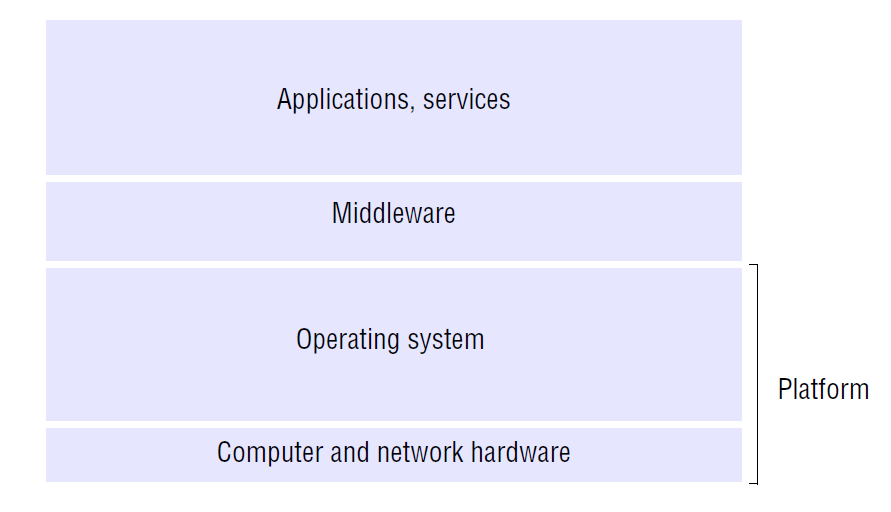
An on-premises deployment means you own and operate all the hardware yourself. The servers, switches, and routers are physically located in your building or a data center you control. This gives you maximum control over your environment but also means you're responsible for all the maintenance, upgrades, and security.
A cloud deployment means you rent computing resources from a provider like Amazon Web Services (AWS), Microsoft Azure, or Google Cloud. You don't own the physical hardware; you simply configure your virtual network and servers through a software interface. This offers incredible flexibility and scalability, allowing you to add or remove resources on demand. The provider handles the physical maintenance, but you have less direct control over the underlying hardware.
On-premises is like owning a house: you have total control but handle all repairs. The cloud is like renting an apartment: a landlord handles maintenance, giving you more flexibility.
Many organizations today use a hybrid approach, keeping some sensitive applications on-premises while leveraging the cloud for its scalability and global reach. Understanding these high-level architectural trade-offs is the first step in building a network that is resilient, efficient, and ready for the future.
A rapidly growing e-commerce company is designing a new data center. They need an architecture that minimizes latency and provides multiple high-speed paths for traffic between servers to avoid bottlenecks. Which network architecture is best suited for this requirement?
What is the primary function of a First Hop Redundancy Protocol (FHRP)?